...............................................................................................................................................................................................................................................
Note: This guide does not replace the user manuals.Page 15-16
FINALIZE SCAN
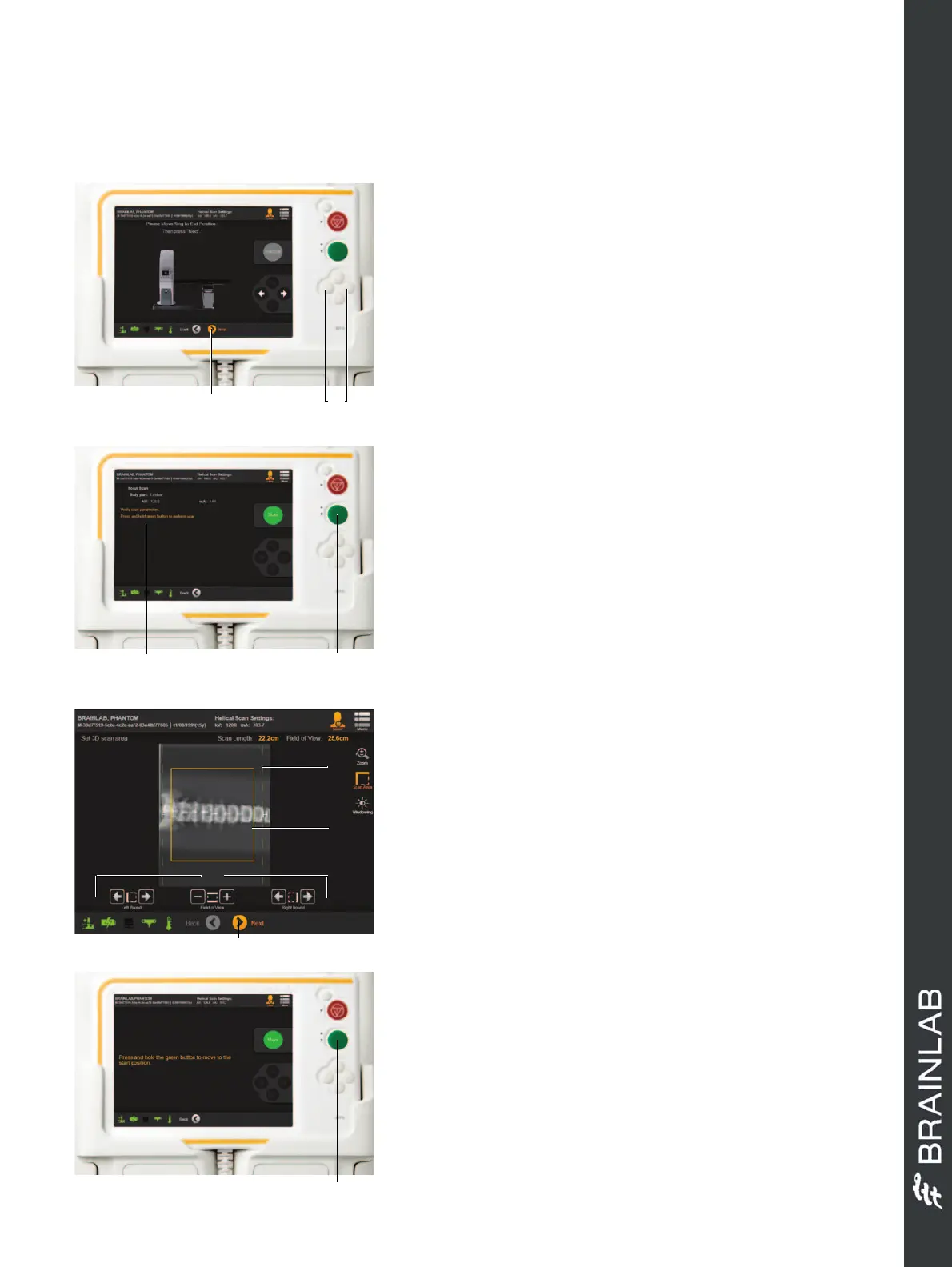
SCOUT SCAN - STEP 1
• Carry out a collision check, ensuring the drape and
the patient’s arms are clear of the bore.
• Move the gantry using the left and right buttons on
the pendant s to set the 2D Scout Scan end point.
• Select
Next
.
• Set the 2D Scout Scan start point using the left and
right buttons.
• Select
Next
a.
SCOUT SCAN - STEP 2
• Review the scan parameters a.
• Remove the pendant and go to a safe area.
• Ensure the area is safe for X-ray exposure.
•Press and hold
Scan
s for the scan duration.
SET 3D SCAN AREA
• Define the 3D scan area d using
Left Bound
,
Right
Bound
and
Field of View
a.
• Select
Next
f.
NOTE: Yellow lines s indicate the width of the
beam outside the planned scan boundaries. This is
critical when planning eye or cranial procedures.
NOTE: Avoid irradiating the eyes when possible.
The minimum and maximum scan lengths for
navigation are 79 mm and 300 mm.
GANTRY POSITIONING
•Press and hold
Move
a to move the gantry to the
start position.
When the gantry reaches the start position, the 3D
scan is automatically prepared.
Hardware: Airo and Curve
Before scanning, ensure the area is safe for X-
ray exposure.


 To Next Page
 Loading...
