...............................................................................................................................................................................................................................................
Note: This guide does not replace the user manuals.Page 3-16
PRE-SURGERY MAINTENANCE
STEP 1
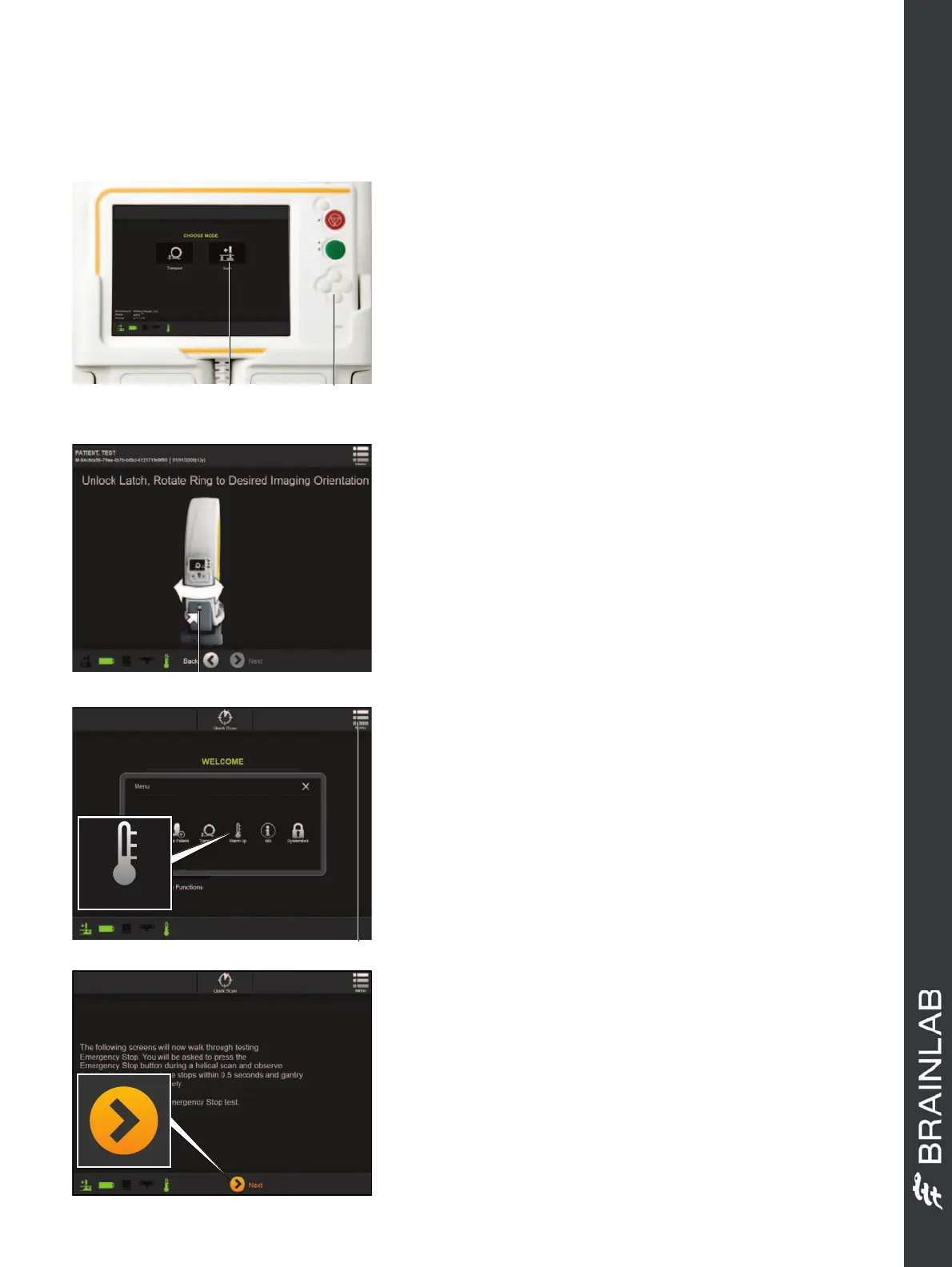
• Select
Scan
a on the
Choose Mode
screen.
•Press the
Down
button s to lower the base on to
the floor into final surgery position.
•Plug in power and network cables.
NOTE: Ensure there are no objects underneath
Airo
before it is lowered (e.g., power cables or feet).
DAILY TASK 1 - WARM UP SCAN
• Select
Menu
a.
• Select
Warm Up
to initiate the warm up sequence.
• Remove the pendant and go to a safe area, ensuring
the scanning area is also safe for X-ray exposure.
• Select and hold the
Scan
button.
• Select
Next
if the warm up is successful.
DAILY TASK 2 - EMERGENCY STOP TEST -
STEP 1
• Select
E-Stop Test
from the
HOSPITAL SERVICE
screen.
• Follow the instructions as prompted.
•Press
Next
.
•Set
Start
and
End point
for the scan as prompted.
Hardware: Airo
Warm Up
STEP 2
• Ensure the power cable is not wrapped around the
brackets before rotating the system, to avoid
damage.
• Consider the correct direction for gantry rotation.
• Pull the release latch a to unlock the gantry and
rotate it manually. The gantry locks in at +/- 90°.
NOTE: For navigation, ensure that the reflective
markers face the camera.
Before scanning, ensure the area is safe for X-
ray exposure.


 To Next Page
 Loading...
