OWNER’S MANUAL
P. 10
To extend you range and battery
life, we recommend setting your
current between 12A- 14A.
For your safety and convenience,
we recommend you do not alter or
change any setting designtated as
“Manufacturer default.”
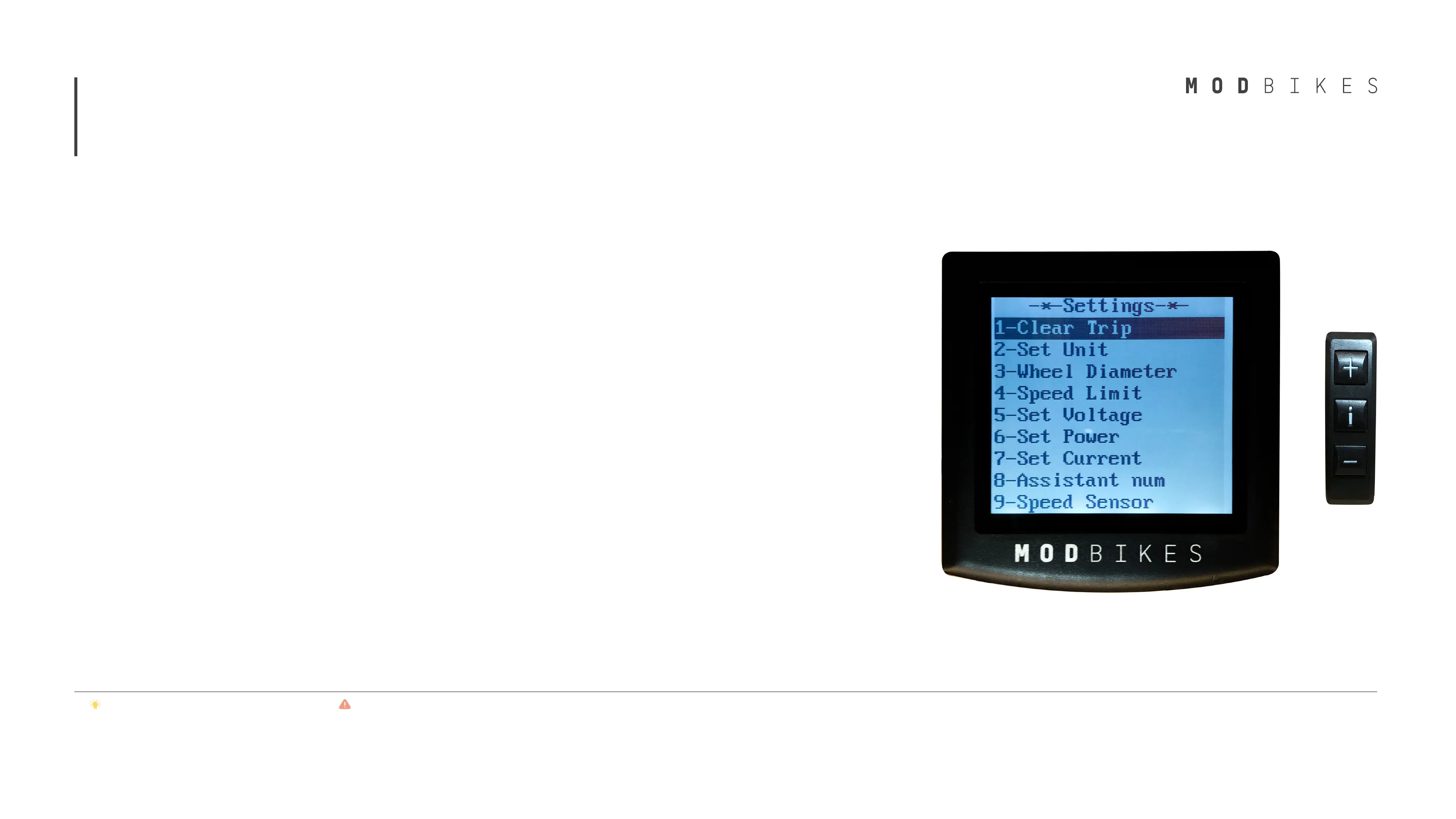
*Please scroll down on your MOD display to access options 10 and 11.
4
Display and Control panel
The display includes the following settings:
1. Clear Trip: Allows the user to reset the trip
computer. To clear the trip, select YES on
this menu.
2. Set Unit: Sets Imperial or Metric units.
Set Metric for kilometers and Imperial for
miles.
3. Wheel Diameter: Inputs programmed
wheel diameter for accurate speed results.
(Manufacturer default; Do not change)
4. Speed Limit: Adjusts the speed
limiter. When enabled, the limiter will
automatically keep the bike from exceeding
the programmed speed.
5. Set Voltage: Defines the battery indicator
levels (Manufacturer default; Do not
adjust)
6. Set Power: Choose the number of pedal
assist levels (from 3 to 9) and adjust each
level’s amount of assist by percentages
(from 0% to 100%)
7. Set Current: Adjust for increased or reduced
acceleration response. The higher, the number,
the faster the motor accelerates. (Do not
exceed 18A)
8. Assistant Number: Programs the pedal assist
sensor for accurate response (Manufacturer
default; Do not adjust)
9. Speed Sensor: Programs the speed sensors for
accurate results (Manufacturer default; Do not
adjust)
10. Set Backlight: Adjusts the brightness of the
screen.
11. Set Password: When enabled, locks the bike
and deactivates the MOD electric system.
Unlocks when the user’s correct pin is entered.
To set the PIN, enter the default PIN of 1212 by
pressing the “+” button to increase the number
in the highlighted field and the “i” button to
move to the next field. When on the fourth field,
press the “i” button to confirm. Can be disabled
or changed from the menu once default PIN is
entered.


 To Next Page
 Loading...