OWNER’S MANUAL
P. 9
General operation:
• To switch your MOD BIKES on or off, hold down
the “i” button for 2 seconds.
• To switch the lights on or off, hold down the “+”
button for 2 seconds.
• Change the pedal assistance level from 0 to 5
using the “+” and “–” buttons.
• Use the “i” button to move between the
odometer and the trip info.
• To access the settings menu, hold down the “+”
and “–” buttons together for 2 seconds. Then
use “+” and “–” to scroll back and forth and “i”
to select and save. To exit the settings menu and
save, hold the “i” button for 2 seconds. To exit
without saving, hold down the “–” button for 2
seconds.
To conserve battery power, your
bike’s display will automatically turn
off after 10 minutes of inactivity.
To ensure proper functioning,
keep your bike’s display and control
panel dry at all times.
Got an error message? Please
visit your nearest MOD BIKES shop
for assistance.
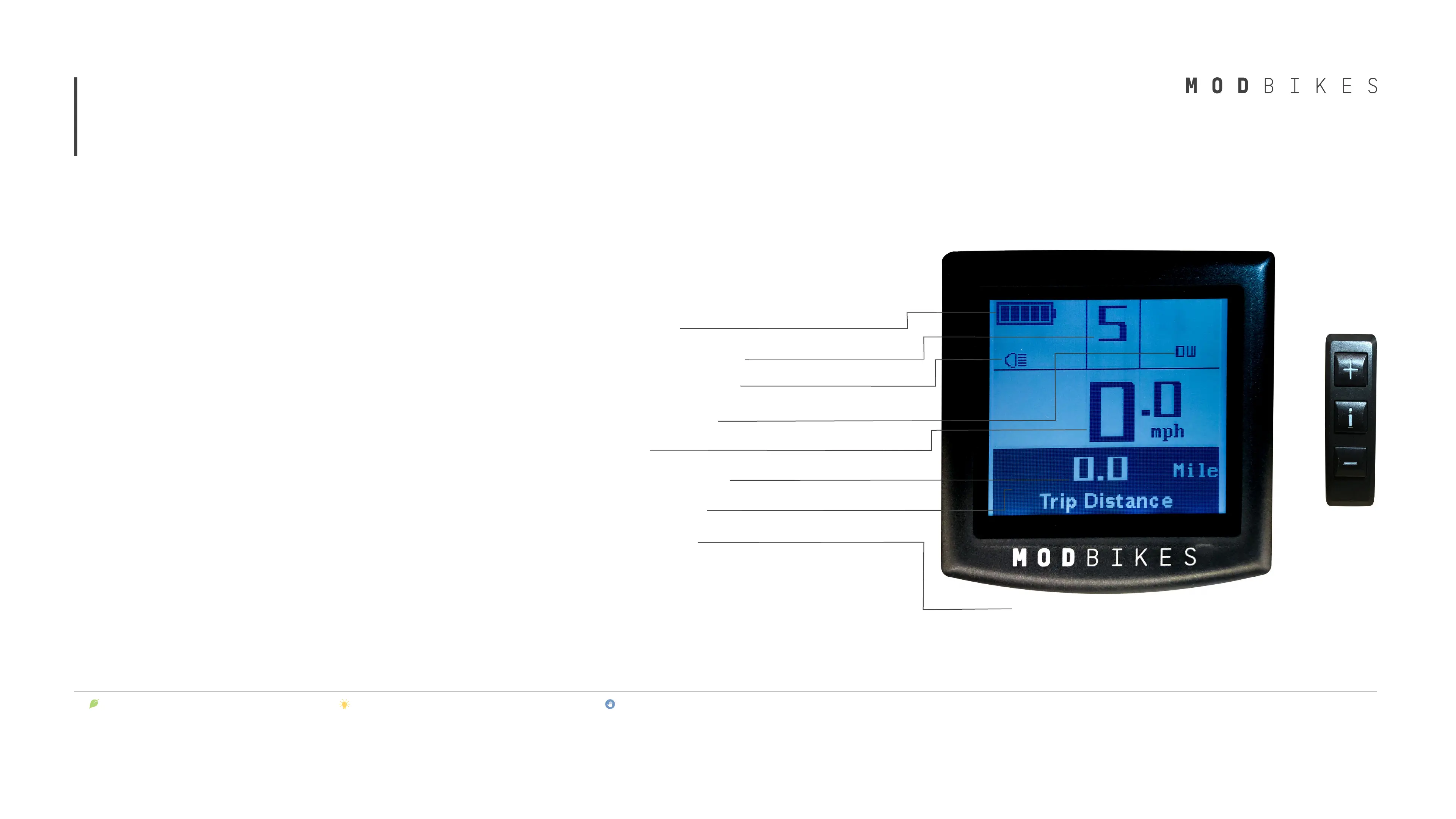
Your MOD BIKES has a smart LCD display with
unique features for better riding.
*USB charging port is located under the display lip.
The display has the following:
• Battery indicator
• Assistance level indicator
• Bike light indicator (on/off)
• Motor power indicator
• Speedometer
• Odometer and trip info
• Error Code indicator
• USB Charging Port
4
Display and Control panel



 To Next Page