34 35
Modulation
Argon8 has a comprehensive Modulation Matrix with 11 Modulation Sources and 52
Modulation destinations.
These Mod slots can be used to assign a combination of modulation sources to destinations, 8
modulation sources can be assigned to a single destination, or any other combination thereof.
There are also 4 pre assigned slots for common modulation routings.
The Mod Matrix is additive - Modulation values are added or subtracted from the modulated
parameter value and limited to the parameter range. If a parameter is at 0, negative
modulation values will not be audible until the parameter value is increased. The opposite is
true for parameters at max value.
All of the modulation depths are bipolar, meaning sources can be inverted using negative
depths.
When multiple mod slots are assigned to the same destination, the modulation from all
assigned slots is summed and limited before being applied.
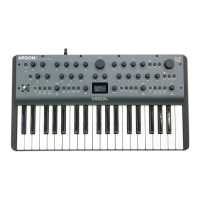
LFO1, LFO2, MOD-EG, Velo, AftT, Note, Expr, X+, X-, Y+, Y- can all be assigned to destinations
from the front panel by holding their buttons on the front panel and turning the desired
modulation destination encoder in a positive or negative direction.
Note. An LED flashing is used to indicate that the panel is in assign mode for the relative
function to that LED.
ModSlots can be viewed on-screen by using the Velo + ModSlot combination which also gives
access to screen only ModSlot Status control which allows you to activate or deactivate that
slot.
• Velo: Pressing this button enters and exits the assign mode for velocity. Turn an encoder
to assign velocity to modulate that parameter. Holding this button while turning
an encoder / series of encoders allows momentary assignment of velocity to those
destinations. Upon letting go the assign mode will be exited.
• AftT: Pressing this button enters and exits the assign mode for after touch. Turn an
encoder to assign aftertouch to modulate that parameter. Holding this button while
turning an encoder / series of encoders allows momentary assignment of after touch to
those destinations. Upon letting go the assign mode will be exited.
• Note: Pressing this button enters and exits the assign mode for Note. Turn an encoder to
assign Note to modulate that parameter. Holding this button while turning an encoder
/ series of encoders allows momentary assignment of Note to those destinations. Upon
letting go the assign mode will be exited.
Modulation
• Expr: Pressing this button enters and exits the assign mode for expression. Turn an
encoder to assign expression to modulate that parameter. Holding this button while
turning an encoder / series of encoders allows momentary assignment of expression to
those destinations. Upon letting go the assign mode will be exited.
• X+: Holding the Shift button and (or when latched in shift mode) pressing this button
enters and exits the assign mode for Joystick X+. Turn an encoder to assign Joystick X+
to modulate that parameter. Holding this button while turning an encoder / series of
encoders allows momentary assignment of Joystick X+ to those destinations. Upon letting
go the assign mode will be exited.
• X-: Holding the Shift button and (or when latched in shift mode) pressing this button
enters and exits the assign mode for Joystick X-. Turn an encoder to assign Joystick X-
to modulate that parameter. Holding this button while turning an encoder / series of
encoders allows momentary assignment of Joystick X- to those destinations. Upon letting
go the assign mode will be exited.
• Y+: Holding the Shift button and (or when latched in shift mode) pressing this button
enters and exits the assign mode for Joystick Y+. Turn an encoder to assign Joystick Y+
to modulate that parameter. Holding this button while turning an encoder / series of
encoders allows momentary assignment of Joystick Y+ to those destinations. Upon letting
go the assign mode will be exited.
• Y-: Holding the Shift button and (or when latched in shift mode) pressing this button
enters and exits the assign mode for Joystick Y-. Turn an encoder to assign Joystick Y-
to modulate that parameter. Holding this button while turning an encoder / series of
encoders allows momentary assignment of Joystick Y- to those destinations. Upon letting
go the assign mode will be exited.
• XYLock: Holding Velo and pressing this button locks the Joystick in the position it is held
allowing you to let go and continue playing. Pressing this button again will unlock the
Joystick.
• Sustain: Holding Velo and pressing this button enables MIDI sustain. Pressing this button
again disables MIDI sustain.
• ModSlot: Pressing this button navigates to the ModSlot page on-screen. Repeatedly
pressing this button cycles through all mod slot settings pages on the screen.
Holding any mod source button and turning the ‘Depth’ encoder allows you to set the
global depth for that mod source (pre-assigned mod routings are not affected by the source’s
global depth value). When the screen is displaying a mod slot ‘Depth’ parameter (most easily
accessed via assigning modulation using the panel or via the ModSlot button), hold the ‘Edit’
switch to clear the mod slot assignment.
To assign a mod source to an osc’s global frequency destination, use either of the fine tune
controls. ‘Tune1’ will assign to Osc1 tune, ‘Tune2’ will assign to Osc2 tune.


 To Next Page
 Loading...