English 21
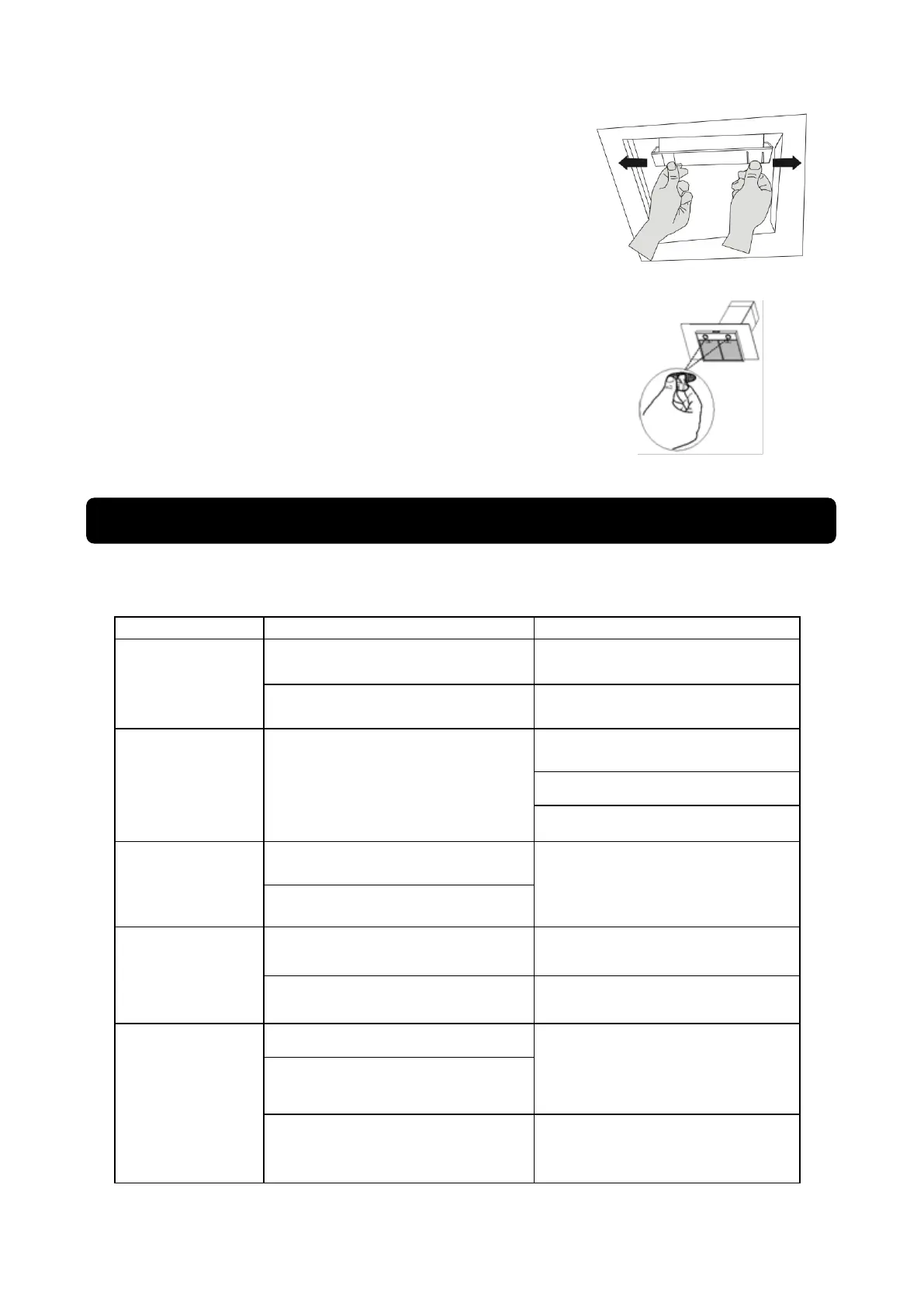
Cleaning oil cup:
Clean the oil cup when cleaning aluminum filter together, or if the
cup already filled a half of cup.
- Remove the oil cup by slide to left or right as the slot.
- Wash using soap water, rinse and drying.
- Re-install the oil up on the exact position.
Changing the Lamp:
- Remove the lamp from its place slowly.
Replace it with a new one of the same type and make sure both pins have
been installed correctly on the lamp socket.
Please perform checking procedure on the following things before contacting MODENA service center
when troubleshooting occurs:
Dirty aluminum / acrylic filter
Clean the aluminum filter, dry it and
place it back on the vent hood.
Replace the carbon filter foam with
a new one.
Motor stop working
after a while
Safety thermal regulator is active.
The vent hood is installed too close
to the stove.
Air circulation is not optimal
Contact MODENA Service Center.
Light on, but fan
does not work
Switch of the unit and Contact
MODENA Service Center.
Both light and fan
do not work
Replace the bulb with correct
rating.
Plug in to the power supply again.
Serious Vibration
of the unit
The fan blade is damaged.
Switch of the unit
Contact MODENA Service Center.
The fan motor is not fixed tightly.
The unit is not hung properly on
the bracket.
Take down the unit and check
whether the bracket is in proper
location.
Part 5: Problem & Solving


 To Next Page