16
clicking “+” button, but also adjust the booking hours circularly in
the range of “24-23…-01-24” by clicking “-” button.
If the “ADJUST” button (or “+” or“-”buttons on the remote
controller) is long pressed, the time can be adjusted at a rate of 5
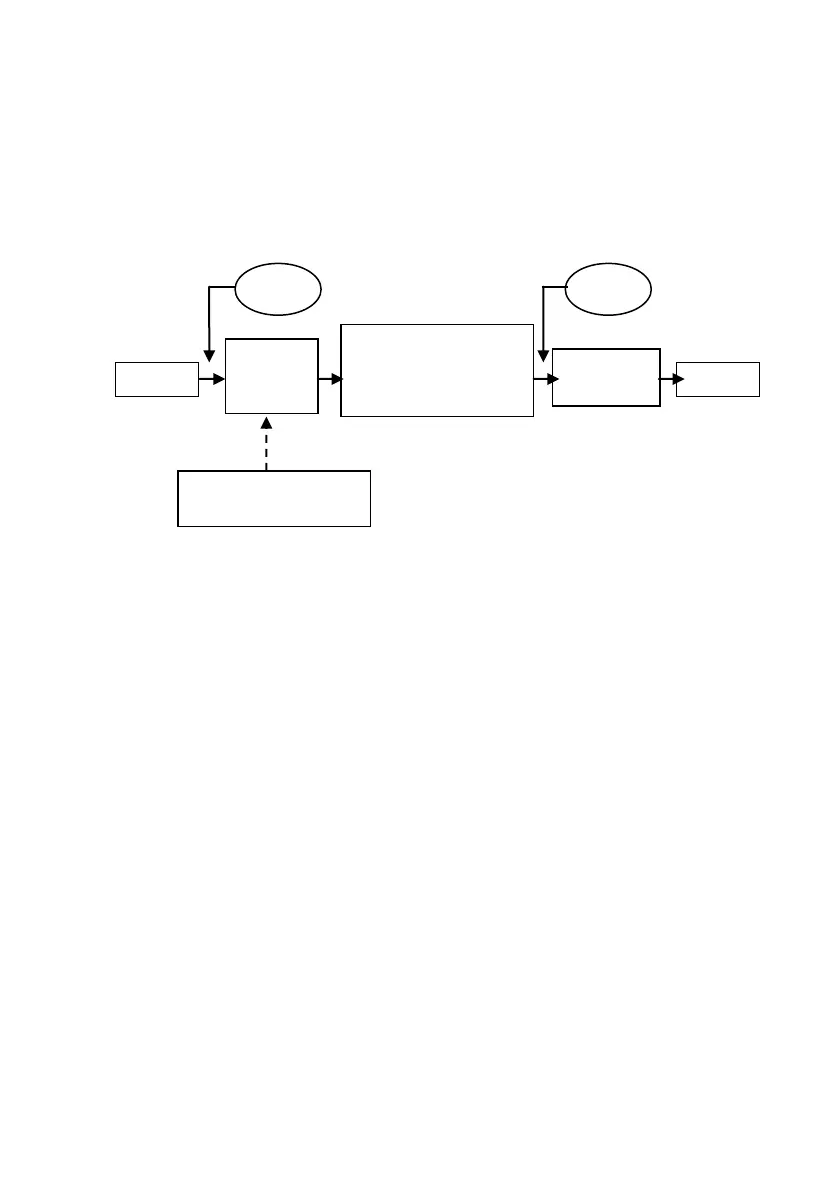
times per second. The operation chart of the booking function is
shown in Picture 13.
a. The setting of delay booking cannot set the minutes of the
booked time.
b. In the setting process of booked time, the set time shall flicker.
Pay attention to the following matters:
Do not press any button within 5s; then, confirms the
booking state.
Press the “BOOK” button, and then confirm the booking
mode immediately. During heating process, the
temperature could be set. However, the heating function
and differential heating return function can be identified
only in booking heating process (namely 1 hour). Besides,
“READY” indicator only lights up in the period when the
actual temperature decreases by 5 ℃ after booking
heating is finished.
c. The set temperature could be adjusted under the booking
state.
d. The booking for one time is valid repeatedly.
e. The booking indicator is always on during the entire booking
process. When in the power-on state, pressing “BOOK” button
will cancel booking function.
Time will be
successfully booked
if no button is
pressed in 5s.
Press “+”/”–“ button
to adjust time



 To Next Page