4
3. Using Your Modius
™
Headset
Recommended Use
Recommended use is 45 minutes/1 hour maximum per day. As a safety feature,
Modius
™
will automatically stop stimulation if you exceed 1 hour of use per day. You can
start a new session after a 16 hour period has lapsed, this is to allow flexibility for your
usage routine.
NOTE: See Warnings and Precautions for further information on product safety.
How to Wear Your Headset
• Use an alcohol wipe to clean the skin on the mastoids, the hard bony area
behind your ears.
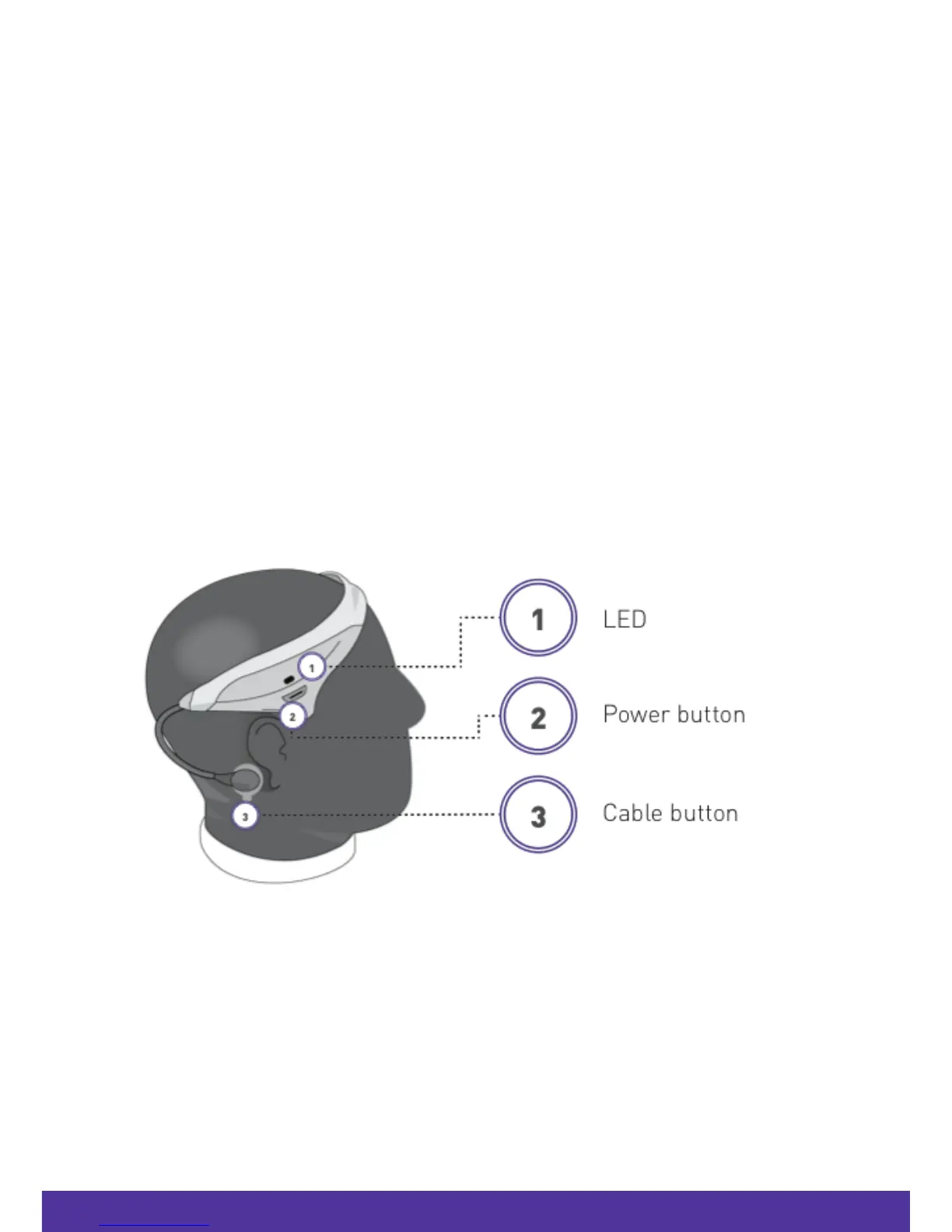
• Click a gel pad clip into the ends of both Modius
™
cables (cable button).
• Put Modius
™
on your head with the power button above your right ear.
• Remove the protective plastic cover from the gel pads.
• Brush away any hair strands before attaching the gel pads to clean skin as the pad
adhesive may stick and pull on hair.
1. Modius™ pack - contents
1.
Modius™ headset
2, Modius™ carry case
3. Modius™ Quick Starter Guide and Important Safety and Product Information Guide
4. USB charging cable, 100 electrode gel pads, 100 alcohol wipes.
Note: Items required but not supplied:
•
USB Plug Adapter
•
Android 5.0 or higher, or iOS 9 or higher.
2. Getting started…
Charging your Modius™ headset
• Connect the power cable supplied to a USB socket and to the headset.
• If the headset is charging successfully the LED indicator will be solid amber.
• When the headset is charged, the LED indicator will turn off.
• If you connect the power cable to the headset and the LED indicator blinks amber, the
device is experiencing a charging error (see “Troubleshooting”).
NOTE: Please ensure you disconnect the charging cable before attempting to use your headset.



 To Next Page