4 | PageRev C | 1/22/20
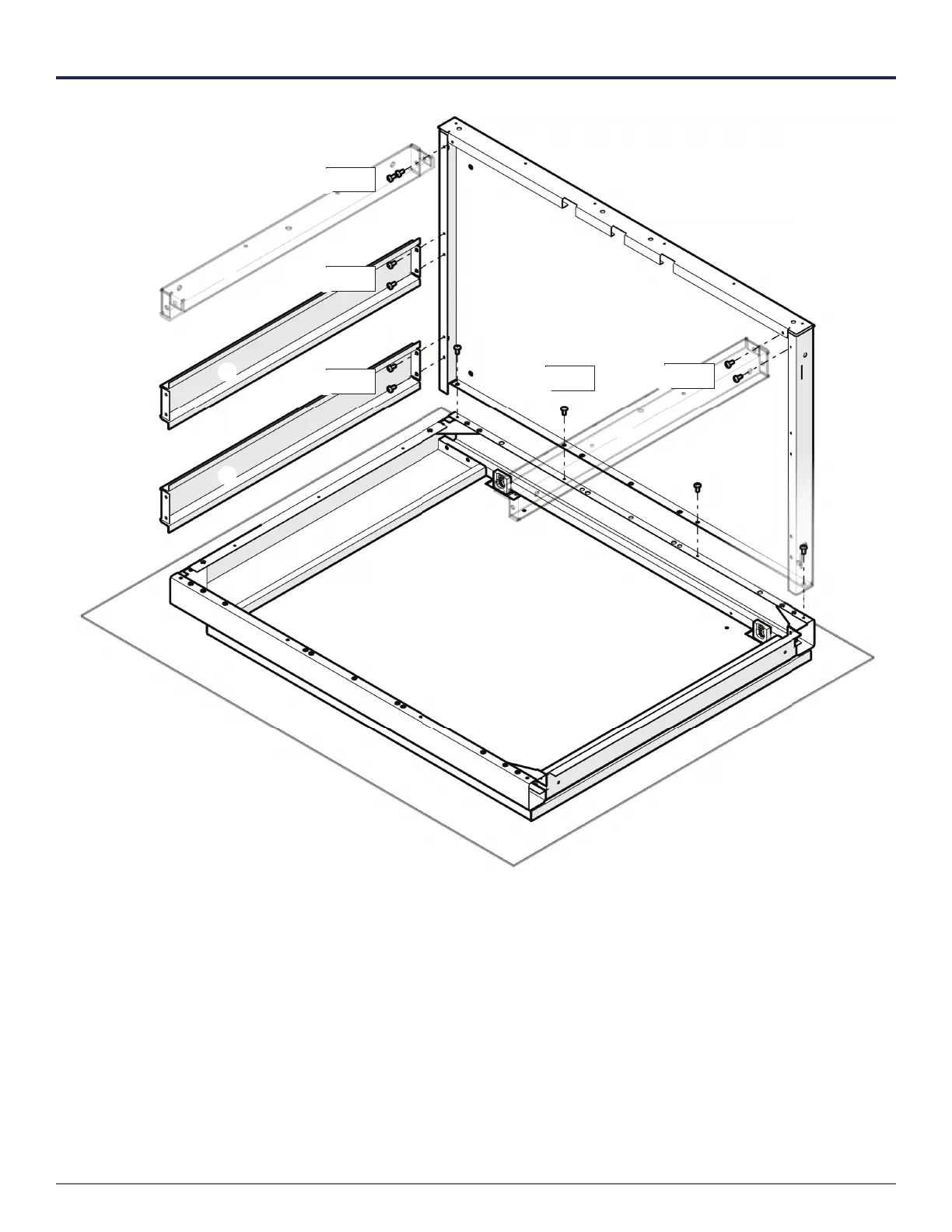
BASE CABINET
x4
x2
x2
x2
Step 1 Put the Door Assembly on foam to protect it from scratches.
Step 2 Attach both Sides to Door Assembly . (One side not shown for clarity)
Step 3 Attach Top Braces to Sides .
Step 4 Attach Rear Horizontals to Sides .
x2
Foam (Packing material)
Warning: When using a driver to install self-tapping screws, start at a low clutch setting and increase
it incrementally until the screw turns. Reset your clutch each time you change batteries.



 To Next Page