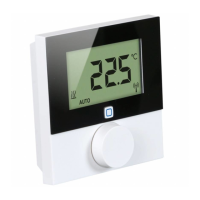
Lifestyle functions menu
Description Steps
Operating lock
Blocks the room thermostat.
The actual temperature and
all active functions are still displayed,
the possibility to change the target
temperature and the operation are de-
activated.
Activate
¾ Confirm the selection by
pressing.
9 The operating lock is acti-
vated.
9 The symbol is displayed.
9 The basic level is displayed.
Deactivate
¾ Press the rotary control for >
5 seconds.
9 The symbol is deactivat-
ed, operation is possible
again.
Switching off
Switches the room thermostat
off. Temperature control is
deactivated. The protective functions
(valve protection and antifreeze protec-
tion) remain active.
For the room thermostat Control, the
comfort programs from the Settings
menu are still applied. Queued switch-
ing signals are given out to connected
thermostats via the reduction output.
¾ Confirm the selection by
pressing.
9 All functions are deactivated.
9 The symbol is displayed.
9 The target temperature is
displayed
Switching on
¾ Press the rotary control for >
5 seconds.
9 The basic level is displayed.
9 All active functions are
displayed.
Back
Leaves the menu.
¾ Confirm the selection by
pressing.
9 The display is in basic level.


 To Next Page