⑭ LOOP 6
⑬ LOOP 7
⑰ SHADOW
Separate loop, refer to loop8.
Separate loop, refer to loop8.
Connect to the external shadow switch, recall SHADOW presets, refer to section 5.4
⑯ FS1(TRS)
⑮ FS2
Dedicated latching footswitch, stereo jack, its tip and sleeve are normally closed(indicator off),
its ring connects to the tip of FS2. This jack can connect either mono or stereo cable, with stereo
cable it works as a two-button footswitch (FS1 and FS2 combines into the stereo jack).*
* If FS1 works as TRS footswitch, ensure there is no cable connected to FS2 jack.
Dedicated latching footswitch, mono jack, its tip and sleeve are normally closed (indicator off).
⑱ EARTH STUD
Connect GEC8 enclosure to earth.
⑫ LOOP8
It is a separate loop which isolates from other loops, IN8 is “input” of the loop, S8 is “send”, R8 is
“return”, OUT8 is “output” of this loop. S8 also works as N.C. (Normally Close) latching footswitch
which is able to switch amp channel, OUT8 also works as N.O. (Normally Open) latching footswitch
4- Midi
(NBUF IN)
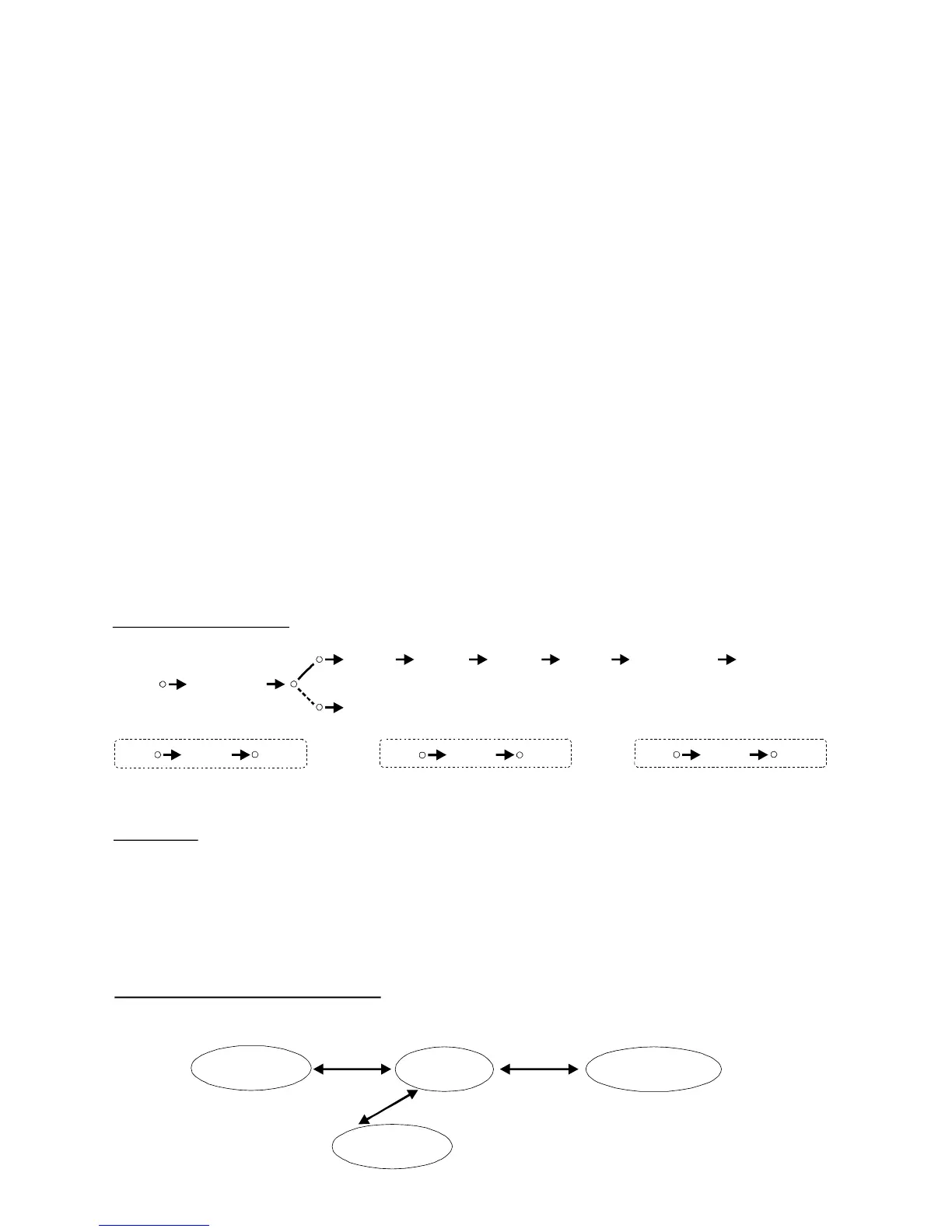
3- Signal Path
LOOP1 LOOP2 LOOP3
LOOP4 LOOP5 (TRS)
TUNER
LOOP8
IN8
OUT8
OUTPUT (TRS)
BUF IN
LOOP7
IN7
OUT7LOOP6
IN6
OUT6
GEC8 live transfer two types of midi messages, Program Change (PC#) and Control Change (CC#).
In Recall mode (page 5), each major preset sends two PC# (0~127 or off) on two midi channels (1,2).
The shadow preset (recalled by external footswitch) sends pre-programmed CC# which control
tap tempo, FX on/off, volume boost level. Check more detail in section 5.4.
4
5- MODE SWAPPING
GEC8 live works in 4 modes, Recall Mode, Rehearsal Mode, Midi Edit Mode, Shadow Edit Mode.
Recall Mode
Rehearsal Mode
Shadow Edit Mode
Midi Edit Mode
Hold “ BANK”
Hold Ext. Footswitch
Hold “MUTE”


 To Next Page
 Loading...