EasyManua.ls Logo

Moen MotionSense Align 7565EC - User Manual

Moen MotionSense Align 7565EC
24 pages
Print Icon
To Next Page IconTo Next Page
Loading...
MOTIONSENSE™ HANDSFREE
KITCHEN FAUCET
MEZCLADORA PARA COCINA
MOTIONSENSE™ MANOS LIBRES
ROBINET DE CUISINE MAINS
LIBRES MOTIONSENSE
MC
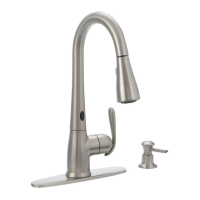
*Faucet model image may dier slightly
*La imagen del modelo de su mezcladora puede variar ligeramente
*Limage du modèle de robinet peut diérer légèrement
INS10613A - 7/18
PLEASE CONTACT MOEN FIRST
For Installation Help, Missing or
Replacement Parts
(USA)
1-800-BUY-MOEN (1-800-289-6636)
WWW.MOEN.COM
(Canada)
1-800-465-6130
www.moen.ca
POR FAVOR, CONTÁCTESE PRIMERO CON MOEN
Para obtener ayuda de instalación, piezas
faltantes o de recambio
(Costa Este)
011 52 (800) 718-4345
WWW.MOEN.COM.MX
VEUILLEZ D’ABORD CONTACTER MOEN
En cas de problèmes avec l’installation, ou pour obtenir toute pièce
manquante ou de rechange
1-800-465-6130
WWW.MOEN.CA
Register Online:
Regístrese en línea:
S’enregistrer en ligne :
www.moen.com/product-registration
Record Purchased Model Number:
Registre el Número de Modelo adquirido:
Inscrire le numéro du modèle acheté :
_______________________
(Save instruction sheet for future reference)
(Guarde la hoja de instrucciones para futura referencia)
(Conserver ces directives pour consultation ultérieure)
Image is for reference only
(Style varies by model)
La imagen es sólo como referencia
(El estilo varía por el modelo)
Lillustration nest oerte qu’à titre indicatif seulement
(Le style varie selon le modèle)
HELPFUL TOOLS
For safety and ease of faucet replacement, Moen recommends the
use of these helpful tools.
HERRAMIENTAS ÚTILES
Para que el cambio de la llave sea fácil y seguro, Moen le reco-
mienda usar estas útiles herramientas.
OUTILS UTILES
Par mesure de sécurité et pour faciliter l’installation, Moen suggère
l’utilisation des outils suivants.

Questions and Answers

  • L
    Larry ReidJul 29, 2025
    What to do if the handle is slightly open on Moen MotionSense Align 7565EC Kitchen & Bath Fixtures?
    • D
      Dawn McdonaldJul 29, 2025
      If the handle of your Moen Kitchen & Bath Fixtures is slightly open, close it fully.

  • K
    katherine26Aug 3, 2025
    What to do if hot, cold, or both water supplies are not turned on for Moen MotionSense Align 7565EC Kitchen & Bath Fixtures?
    • J
      Joann BennettAug 3, 2025
      Ensure that all water supplies are turned on for your Moen Kitchen & Bath Fixtures.
  • S
    Sue StokesAug 8, 2025
    What to do if an object is within the range of the sensor of Moen MotionSense Align 7565EC?
    • P
      parkerritaAug 8, 2025
      Make sure that there are no objects within 8" of the sensor of your Moen Kitchen & Bath Fixtures.
  • J
    john71Aug 13, 2025
    What to do if batteries are dead in the battery holder of Moen MotionSense Align 7565EC?
    • M
      melissarichmondAug 13, 2025
      Unplug the battery holder cable and replace the dead batteries in your Moen Kitchen & Bath Fixtures with new AA alkaline batteries.
  • N
    Nicole AlexanderAug 18, 2025
    How to plug in the power cable into the control box of Moen MotionSense Align 7565EC?
    • L
      Larry CookAug 18, 2025
      If the power cable isn't fully plugged into the control box of your Moen Kitchen & Bath Fixtures, push it in firmly.
  • C
    Christopher FisherAug 23, 2025
    What to do if batteries are not installed properly in Moen MotionSense Align 7565EC Kitchen & Bath Fixtures?
    • L
      Lindsey Lutz DDSAug 23, 2025
      Unplug the battery holder cable. Install the batteries in the proper orientation into the battery holder of your Moen Kitchen & Bath Fixtures.

Summary

Moen Faucet Parts List

Understanding Installation Icons

Explains symbols used in the manual for easy understanding of diagrams.

Single Hole Faucet Installation

Single Hole Installation Procedure

Step-by-step instructions for installing the faucet in a single hole application.

Three Hole Faucet Installation

Three Hole Installation Procedure

Step-by-step instructions for installing the faucet in a three hole application.

Faucet Operational Checks

Verify Handle Operation

Verify the faucet handle operates correctly for hot and cold water flow.

Test Wave Sensor Functionality

Test the wave sensor to ensure proper activation and deactivation of water flow.

Control Spray Wand Modes

Details on changing spray wand modes: stream, spray, and pause.

Managing the Wave Sensor

Enable or Disable Wave Sensor

Instructions on how to disable or enable the wave sensor using handle manipulation.

Alternative Wave Sensor Activation Method

Procedure to enable the wave sensor by disconnecting and reconnecting power.

Troubleshooting Faucet Issues

Troubleshoot No Water Flow or Light Issues

Resolves problems where water does not flow or the indicator light behaves abnormally.

Resolve Water Flow Rate Problems

Addresses issues with low flow, single temperature flow, or continuous flow.

Troubleshoot Sensor and Handle Operation

Troubleshoots wave sensor malfunctions and incorrect handle positioning.

Moen Limited Lifetime Warranty

Define Warranty Holders

Defines 'Original Consumer Purchaser' and 'Original Commercial Purchaser'.

Warranty Coverage and Duration

Outlines what parts are covered and the duration of the warranty.

Warranty Exclusions and Limitations

Details what is not covered and limitations on remedies and liability.

Warranty Claim Process

Provides instructions and contact information for submitting warranty claims.

Moen MotionSense Align 7565EC Specifications

General IconGeneral
BrandMoen
ModelMotionSense Align 7565EC
CategoryKitchen & Bath Fixtures
LanguageEnglish

Related product manuals