11
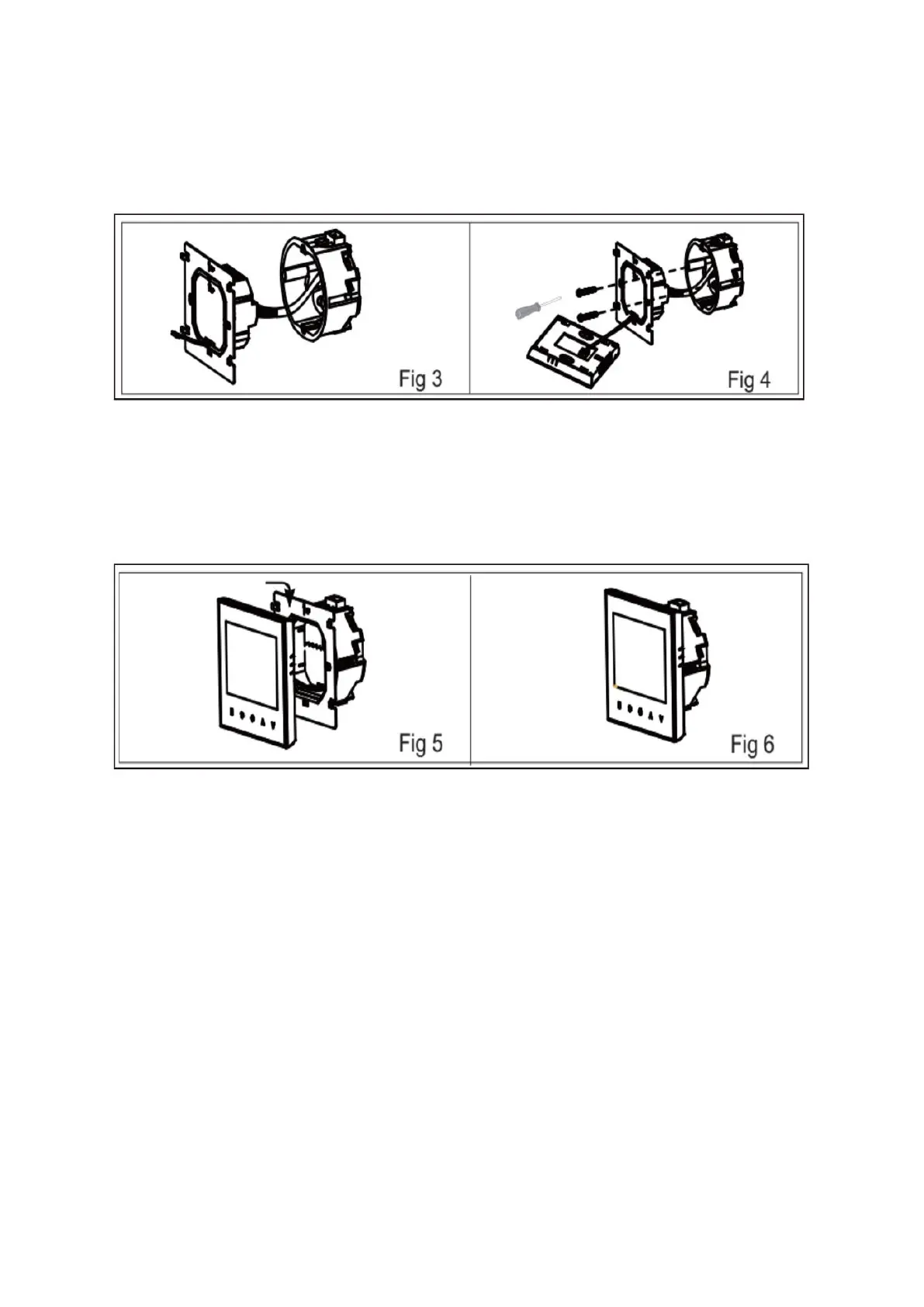
Step 3: Connect the power supply and load into the appropriate terminals (refer to
"Wiring your thermostat" for detailed instructions and Fig 3 for visual guidance).
Step 4: Secure the mounting plate onto the wall inside the box using screws.
Step 5: Attach the thermostat body to the mounting plate by rotating it into place. Refer
to Fig 5 for assistance.
Step 6: Installation is now complete. Consult Fig 6 for the finished setup.



 To Next Page