13
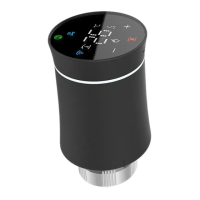
Thermostat Control
During Power On
1. Power Control: Press to switch the thermostat on or off.
2. Manual & Programmable Modes: Touch to toggle between manual mode
(indicated by in the bottom left of the screen) and programmable mode
(indicated by the period icon on the right side).
3. Setting the Temperature: In programmable mode, time and set-point adjustments
are disabled. To modify, switch to manual mode or programmable settings. In
manual mode, press to set your desired temperature.
4. Adjusting the Clock: Tap the icon to set the minute, hour, and weekday (1=
Monday, 2=Tuesday, etc.) using the arrows. Press again to confirm and exit.
5. Thermostat Lock Feature: Hold the buttons for 5 seconds to lock or unlock
your thermostat. In item 3 of high sensor options, you can choose between full lock
or half lock.
6. Program Schedule Adjustments: When your thermostat is connected to Wi-Fi, it
automatically syncs with the program schedule configured through the companion
app on your device (refer to detailed instructions below). However, if you prefer
setting the schedules directly on your thermostat, please follow these steps:
Note: You can only set the program schedule on your thermostat when there is no Wi-Fi
connection established between your thermostat and your smartphone/tablet.



 To Next Page