19
2. AP Mode
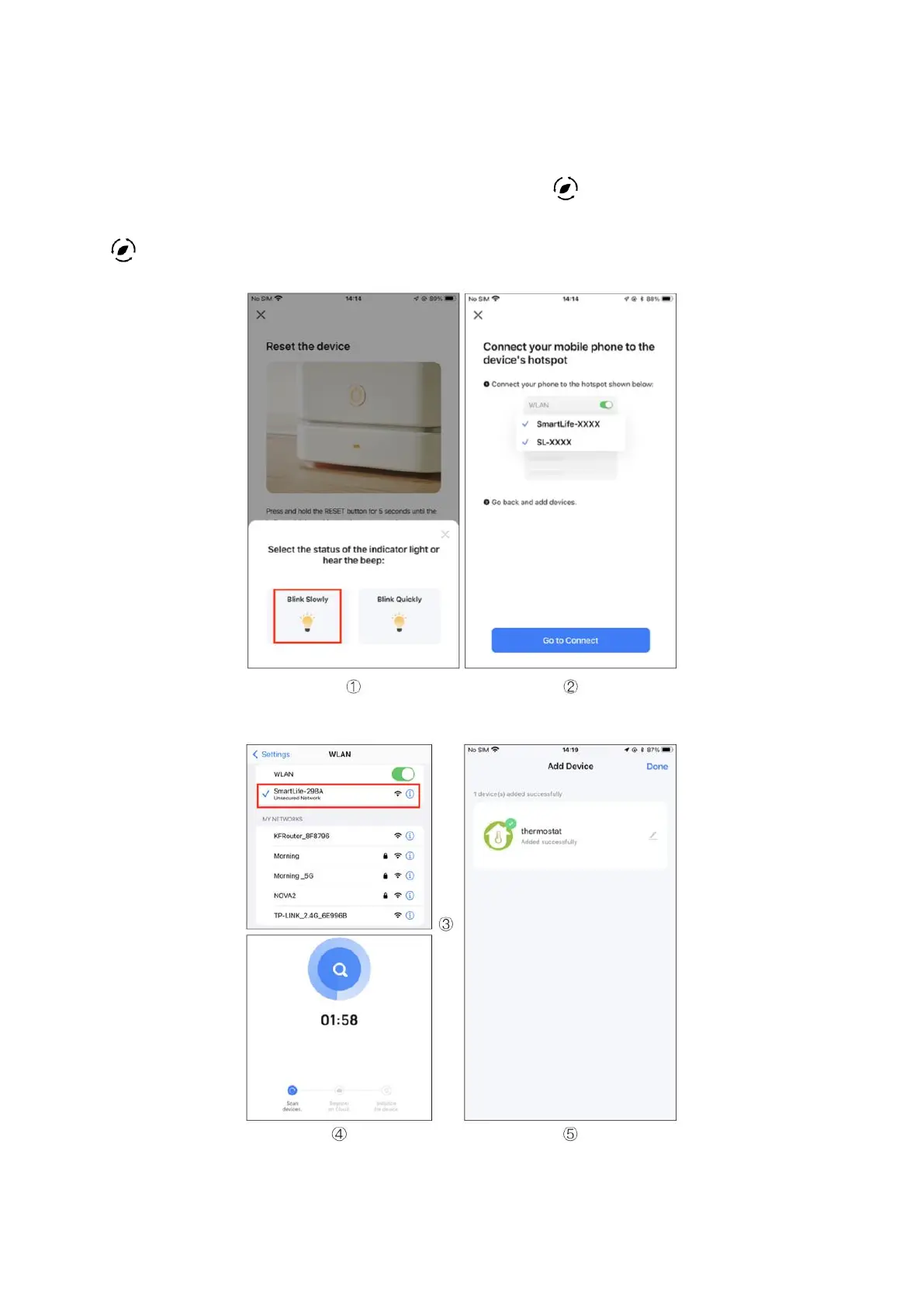
To enable Wi-Fi, ensure the thermostat is turned off. Press and hold the down arrow
icon until the thermostat screen flashes slowly, and the icon appears. If the Wi-Fi
icon appears, continue pressing the down arrows button until the screen displays the
icon. Follow the instructions provided in the figure below.



 To Next Page