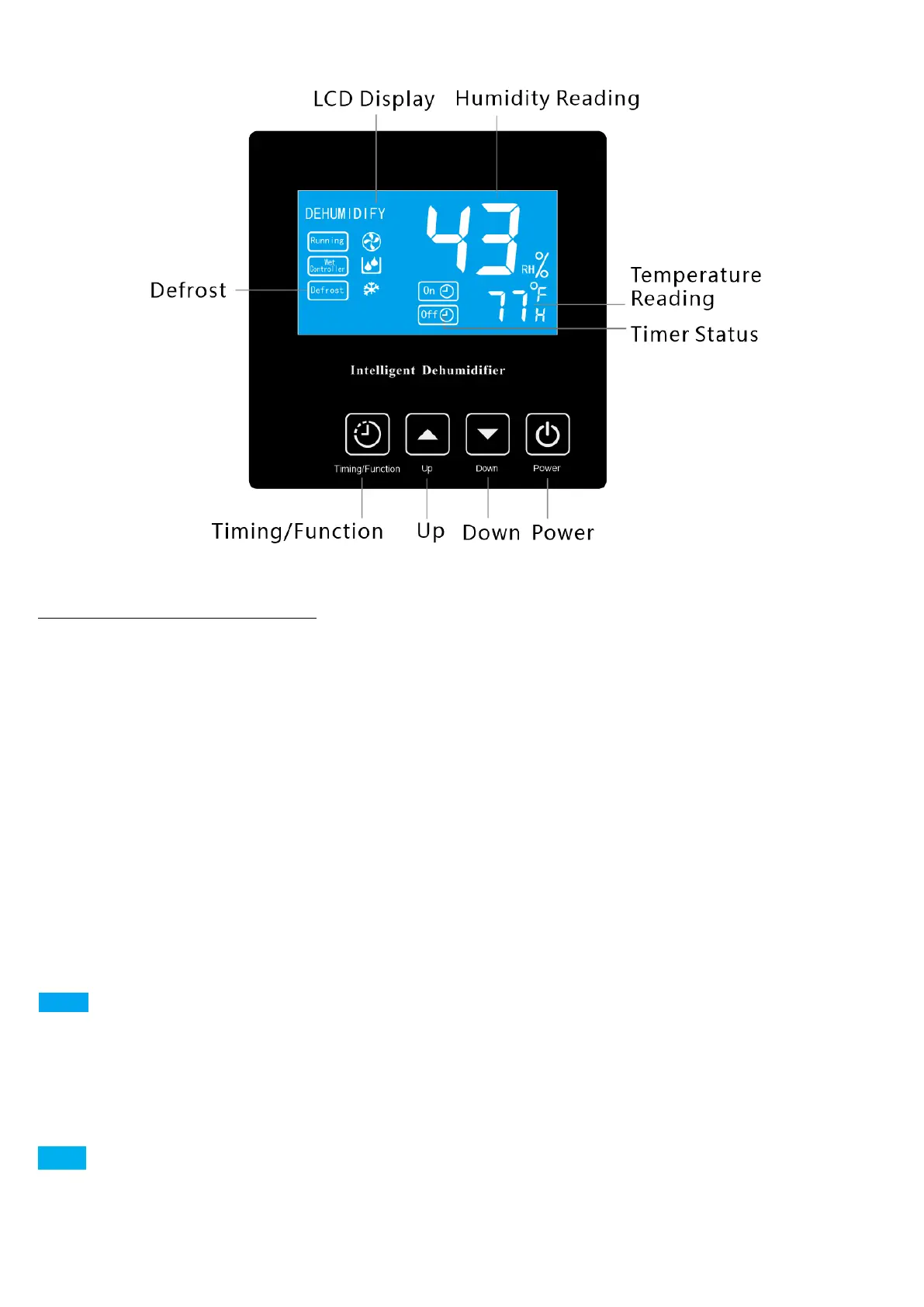
What is on the LCD Screen?
Big Font Digital Number (43
RH%
on the above illustration) is humidity percentage
reading of the inlet air that the dehumidifier detects which is similar to the room
humidity level. When you are pressing the ▲ or ▼ button to set a desired humidity
percentage value, the big font digital number will turn to display the setting value and
flash.
Small Font Digital Number (77
°F
on the above illustration) is temperature reading of
the inlet air which is similar to the room temperature. However, if the timer function is
being set or has been activated, the small font digital number will turn to display the
timer setting value or time remaining.
Running Icon:Running icon flickers typically because the compressor has not
kicked in. It usually happens ① when the dehumidifier is under the 3-minute
compressor delay status; ② when the dehumidifier is programmed to delay-start
(AUTO ON TIMER).
Wet Controller Icon: Wet Controller Icon flickers when the room humidity level


 To Next Page