ENG
3.2 DISPLAY AND ERROR CODES
3. HOW TO USE THE E-BIKE
1. Switch the e-bike On/Off
Press and hold the power button for 1 second to turn on
the display and activate the controller. Press and hold the
power button for 2 seconds to turn it off. The display no
longer draws battery in this mode.
2. Front and rear lights On/Off
Press and hold the + button for 2 seconds when the dis-
play is on to turn on the front light, the backlight will turn
off. It is the same procedure to turn off the front light and
turn on the backlight.
3. Adjust assistance level and 6 km/h assistance (walking mode)
Briey press + or - to adjust assistance level when the dis-
play is on. The levels are 5 – 9. Press and hold - to activate
the 6 km/h assistance regardless of the current assistance
level. The motor output then becomes 0 automatically.
Release the button to cancel 6 km/h assist. At level 1, 6
km/h is automatically activated.
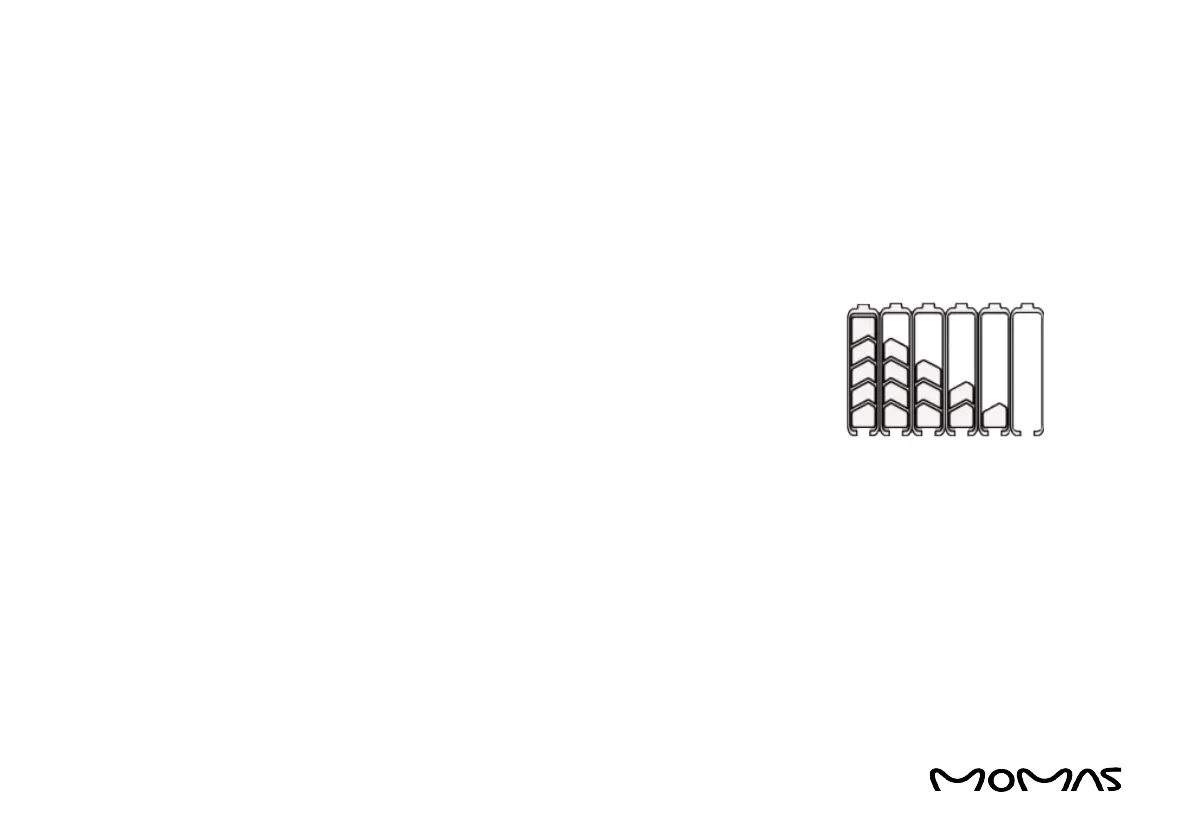
4. Battery capacity
All ve columns light up when the battery is fully charged.
If the battery has low current, the columns are empty; the
battery then needs to be charged.
Battery procent
5% — 25% 1 bar
25% — 45% 2 bars
45% — 65% 3 bars
65% — 85% 4 bars
85% — 100% 5 bars



 To Next Page