9
English
4.2 Tuner
1)
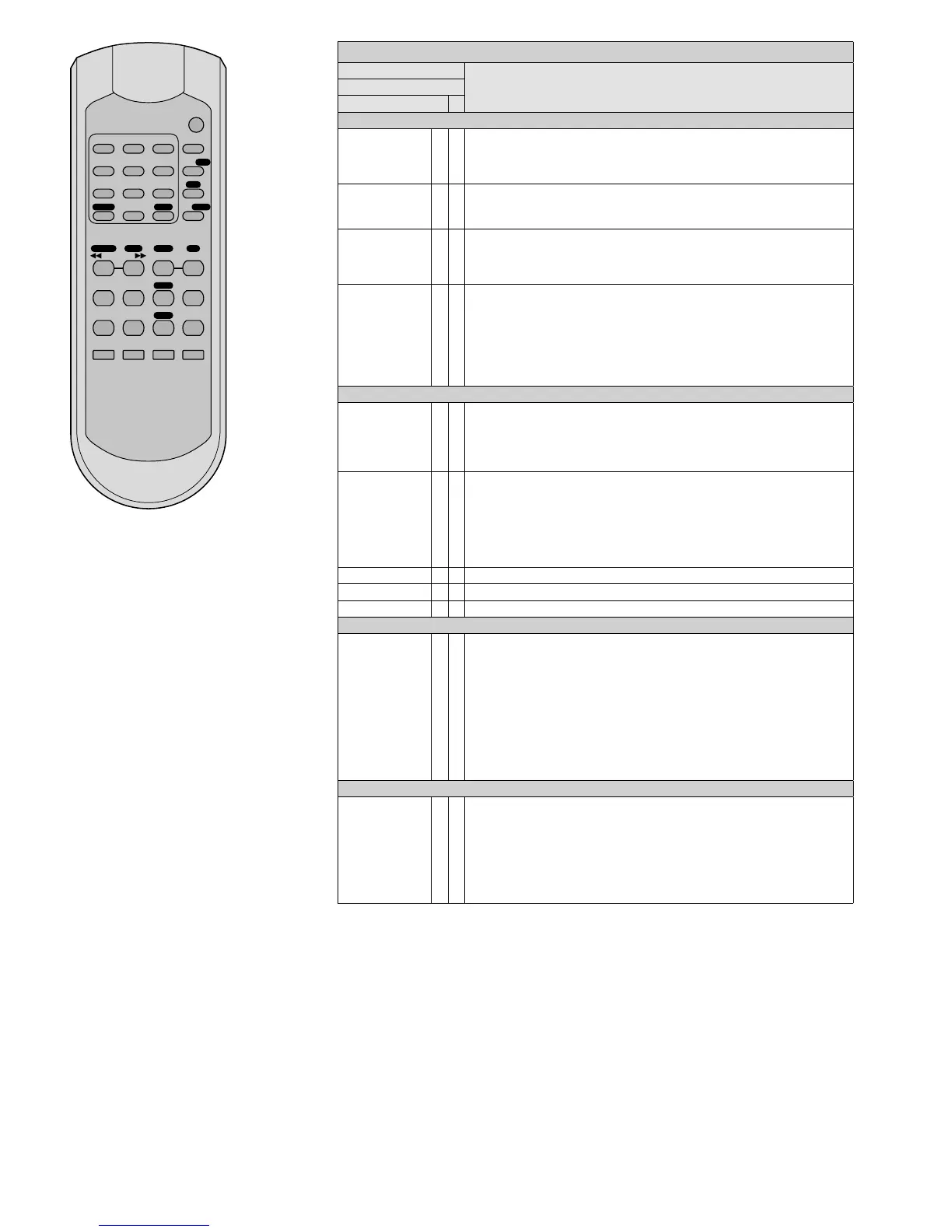
On the remote control, the buttons for
the tuner functions are marked by a white
field with black letters (with the excep-
tion of the number buttons 1 … 9, 10 / 0).
The tuner can only be operated with the
remote control when the LED “TUNER”
lights up. If the LED “CD” lights up, press
the button CD / TUNER on the remote
control.
2) All operating options are listed in the fol-
lowing table.
3)
During initial operation, first store the sta-
tions that can be received at where you
are located. A maximum of 30 stations
can be stored.
FM Tuner
Button
Function
on the remote control
on the unit
Storing stations
ASM × ×
to scan all stations and to store them one after the other:
Keep button pressed for 2 s until the figures start to appear on the frequency
indication. When the station number CH01 appears on the display, all stations
have been stored.
DIRECT ×
to enter the received frequency:
1. Press the button DIRECT.
2. Enter the frequency in MHz, using the buttons 1…9 and 10 / 0.
DOWN
UP
× ×
station scanning:
Keep button pressed until the figures start to appear on the frequency indication.
fine tuning:
Briefly press button (repeatedly).
MEMORY
MEM
×
×
to store stations:
1. Set the station (see buttons DIRECT or DOWN / UP).
Press each of the following buttons within 5 seconds; otherwise, steps 2 – 4 must
be repeated.
2. Press the button MEM(ORY).
3. Select the station number (see “Calling up stored stations”).
4. Press the button MEM(ORY).
Calling up stored stations
1… 5,
+5
×
no. buttons
4 4
10 5, +5, +5
18 3, +5, +5, +5, +5
22 2, +5, +5, +5, +5, +5
1… 9, 10 / 0,
+10 / - -
×
no. buttons
4 4
10 10 / 0
18 8, +10 / - -
22 2, +10 / - -, +10 / - -
or keep the button +10 / - - pressed for 2 seconds until CH-- appears on the
display, and then enter the number (two digits).
M-DOWN / M-UP × previous / next station number
MO / ST × to switch between stereo reception and mono reception
MUTE × to mute and unmute the sound
Additional information for RDS reception
RDS ×
1
st
press of the button:
indication of the programme type or
PTY NONE*
2
nd
press of the button:
information with regard to title / broadcast programme or RT NONE*
3
rd
press of the button:
indication of the time (after calling up the station, it may take a few minutes until
the time is available) or
CT NONE*
4
th
press of the button:
brief indication of the frequency and the station number, then indication of the
station name (basic setting)
*if the information is not provided
Automatic switch-off of the tuner
SLEEP ×
1. Press button repeatedly until the display indicates the desired length of time
after which the tuner switches off. The tuner will switch off when the set length
of time has elapsed.
2. To switch the tuner on again:
Press button:
SLEEP-90 MIN will appear on the display. Press button once
again; otherwise, the switchoff function will be activated again.
3. To deactivate the function before the set length of time has elapsed:
Press button so that the indication
SLEEP… MIN disappears.
2 31
5 64
8 97
REV – SKIP – CUE
FUNC
FINDREPEAT
MUTEEJECT
PLAY 1 A-B
FOLDER
MEM
ASM
MO/ST
+10/-
-DIRECT
M-DOWN M-UP DOWN
SLEEP
RDS
UP
STOP
PLAY
PAUSE
PROG
ID3
DISPLAY
REMAIN
CD/TUNER
10/0


 To Next Page