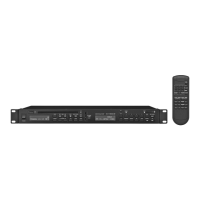
CD/MP3 Player
These instructions are intended for users
without any specific technical knowledge.
Please read these instructions carefully prior to
operation and keep them for later reference.
1 Applications
The CD-112RDS / BT is a combination of CD /
MP3 player, FM RDS tuner and Bluetooth
receiver: It is suited for versatile PA applica-
tions (e. g. in theatres, pubs or waiting rooms)
and offers special features for this purpose,
e. g. continuous repeat, random replay, MP3
replay of USB storage media and memory
cards (32 GB max.)*.
It is able to play audio CDs, audio CDs
you have burnt yourself (audio CD-R) and CDs
with titles in MP3 format. However, problems
may occur when replaying rewriteable CDs
(CD-RW) depending on the type of CD, the
CD burner and the burning program used.
* Note: Due to the large number of storage device
manufacturers and device drivers, it cannot be guar-
anteed that all storage media are compatible with
the CD-112RDS / BT.
2 Safety Notes
This unit corresponds to all relevant directives
of the EU and is therefore marked with .
WARNING
The unit uses dangerous mains
voltage. Leave servicing to
skilled personnel only. Inex-
pert handling or modification
of the unit may result in elec-
tric shock.
•
The unit is suitable for indoor use only. Pro
-
tect it against dripping water, splash water
and high air humidity. The admissible ambi-
ent temperature range is 0 – 40 °C.
•
Do not place any vessel filled with liquid on
the unit, e. g. a drinking glass.
•
Do not operate the unit and immediately
disconnect the mains plug from the socket
1.
if the unit or the mains cable is visibly
damaged,
2. if a defect might have occurred after the
unit was dropped or suffered a similar
accident,
3. if malfunctions occur.
In any case the unit must be repaired by
skilled personnel.
•
Never pull the mains cable to disconnect
the mains plug from the socket, always
seize the plug.
•
For cleaning only use a dry, soft cloth; never
use water or chemicals.
•
No guarantee claims for the unit and no
liability for any resulting personal damage
or material damage will be accepted if the
unit is used for other purposes than orig-
inally intended, if it is not correctly con-
nected or operated, or if it is not repaired
in an expert way.
If the unit is to be put out of oper-
ation definitively, take it to a local
recycling plant for a disposal which
is not harmful to the environment.
3 Setting Up and Connecting
the Player
The player is designed for installation into a
rack (482 mm / 19”); however, it can also be
placed as desired as a desktop unit. For rack
installation, 1rack space (RS = 44.45 mm) is
required.
Prior to making or changing any connections,
switch off the CD-112RDS / BT and the units
to be connected.
1)
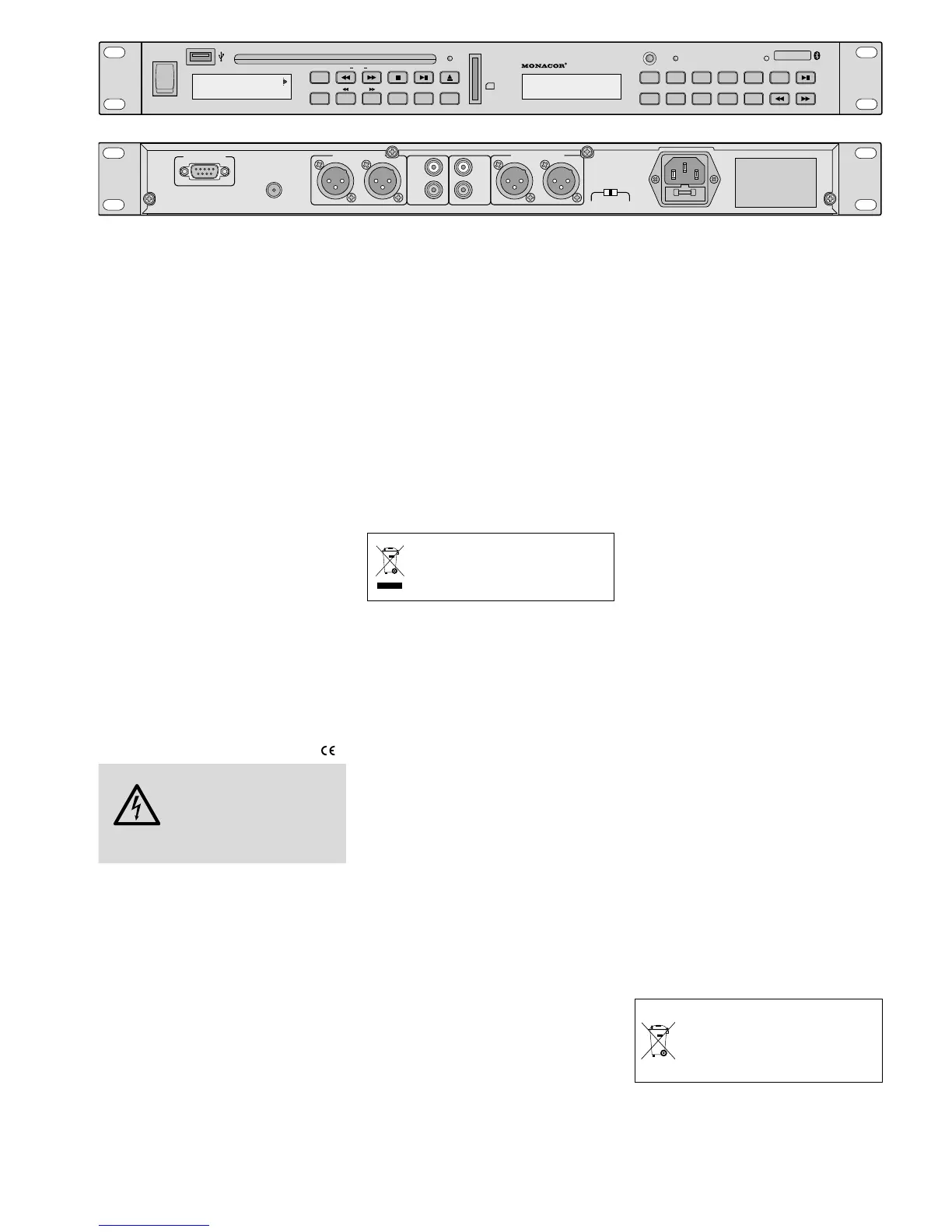
Four line level outputs are available to
route the audio signals to the subsequent
unit (e. g. mixer or amplifier):
PRIORITY OUT
1. For the signal of the Bluetooth receiver;
the signal will take priority over the sig-
nals of the CD / MP3 player and of the
tuner.
2. When no Bluetooth signal is received or
when the replay has been set to pause,
the signal of the CD / MP3 player is avail-
able at this output.
3. When the CD / MP3 player has been set
to pause or stop, the signal of the tuner
is available at this output.
BT OUT
for the signal of the Bluetooth receiver
TUNER OUT
for the signal of the tuner
CD PLAYER OUT
for the signal of the CD / MP3 player
2)
Connect an FM antenna to the jack
ANTENNA. A basic FM antenna is supplied
with the unit.
3) Finally connect the mains cable provided
to the mains jack first and then to a mains
socket (230 V/ 50 Hz).
4 Operation
Switch on the player with the POWER switch.
The display of the CD / MP3 player shows
Welcome. The display of the tuner shows
the station most recently selected.
4.1 Remote control
1)
To insert the batteries (2 × 1.5 V, size AAA),
remove the battery compartment cover on
the rear side of the remote control. Insert
the batteries as indicated in the battery
compartment. Close the compartment
with the cover.
If the remote control is not in use for a
longer period of time, remove the batter-
ies to prevent any damage due to battery
leakage.
2) When you press a button on the remote
control, always direct the remote control
towards the sensor “IR”. There must be
no obstacles between the remote control
and the sensor.
3)
On the unit, the LEDs “CD” and “TUNER”
will indicate if it is possible to control the
CD / MP3 player or the tuner with the re-
mote control. To change the control, press
the button CD / TUNER.
4)
If the range of the remote control de-
creases, the batteries are discharged and
must be replaced.
Discharged batteries must not be
placed in the household waste; al-
ways take them to a special waste
disposal, e. g. collection container at
your retailer.


 To Next Page
 Loading...