GEO-FENCE
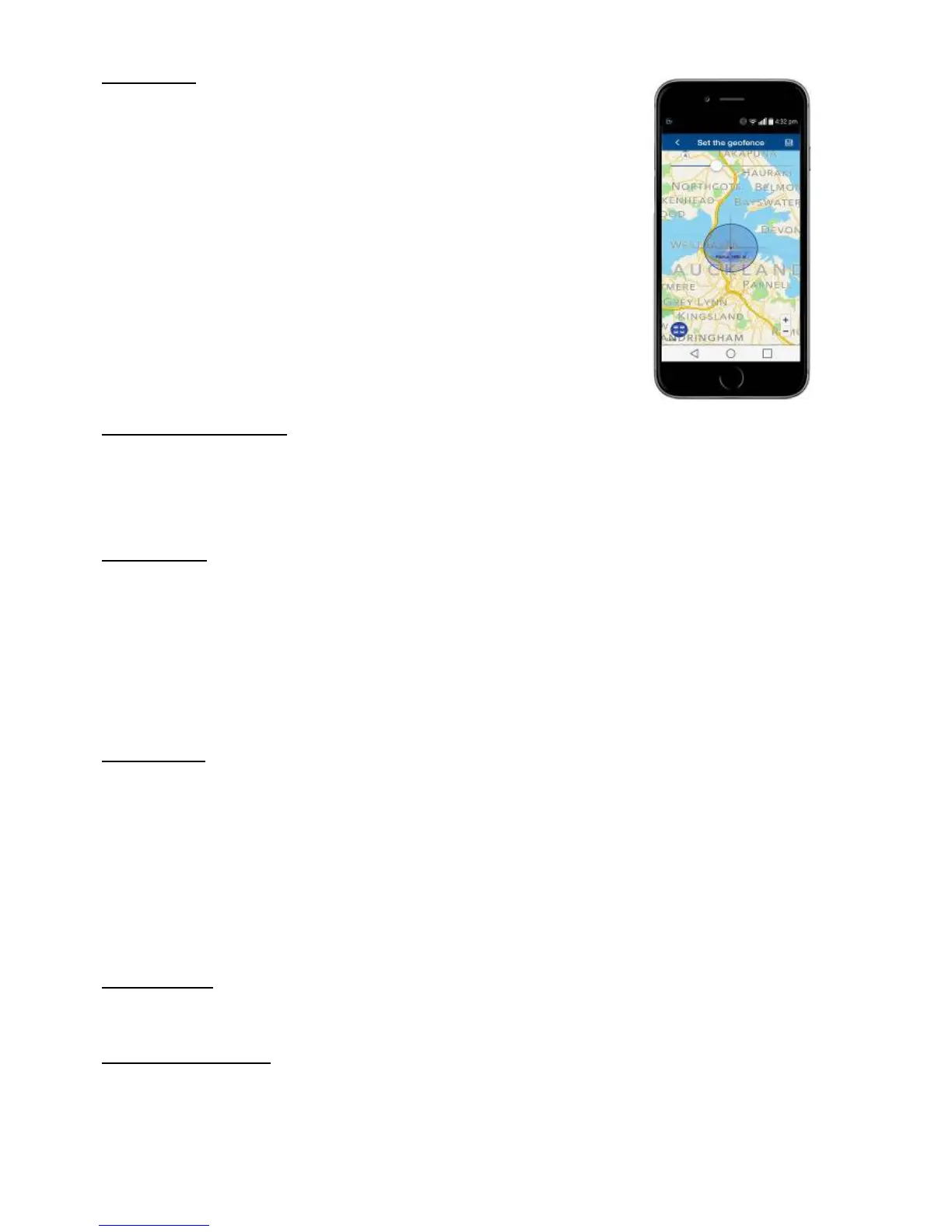
A geo-fence is an invisible boundary around a fixed location.
This boundary can have a minimum radius of 100m to a maximum
of 5000m. Geo-fences can be added and deleted.
If the tracker moves out of or into a geo-fenced area, it will send a
text alert to the authorised numbers confirming it is either ‘IN” or
‘OUT’ of the geo-fenced area.
NOTE: In normal use this can become an unnecessary text, costly
and will shorten battery life. Only use the feature when required.
To stop it sending texts, either delete the geo-fence or turn off in
‘alarm settings’ on the mobile APP.
SHOCK ALERT – ON/OFF
When the tracker is stationary and it receives a heavy shock, it will send the text alert.
You can activate shock alert by APP command or text message:
shock123456
You can cancel shock alert by APP command or text message:
noshock123456
MOVE ALERT
Once the tracker has remained stationary for more than 3~10 minutes, you can set a move alert.
move123456
reply:
move ok
If the tracker moves more than 500m (default), it will send a text alert to the paired mobile phones.
Move alert can also be set from the APP and move distance can be adjusted.
To cancel this mode, send
nomove123456
reply:
nomove ok
SPEED ALERT
You can set a speed limit for the tracker and receive a text alert if this speed is exceeded every 5
minutes.
speed123456 105
reply:
speed ok
To cancel this alert, send
nospeed123456
reply:
nospeed ok
Do not set speeds lower than 50km/h as GPS will be inaccurate at low speeds.
DROP ALARM
See page 4.
LOW BATTERY ALERT
When battery voltage is too low, it will send a text alert ‘ bat:1’ every 30 minutes
Battery condition is shown on the mobile APP.


 To Next Page