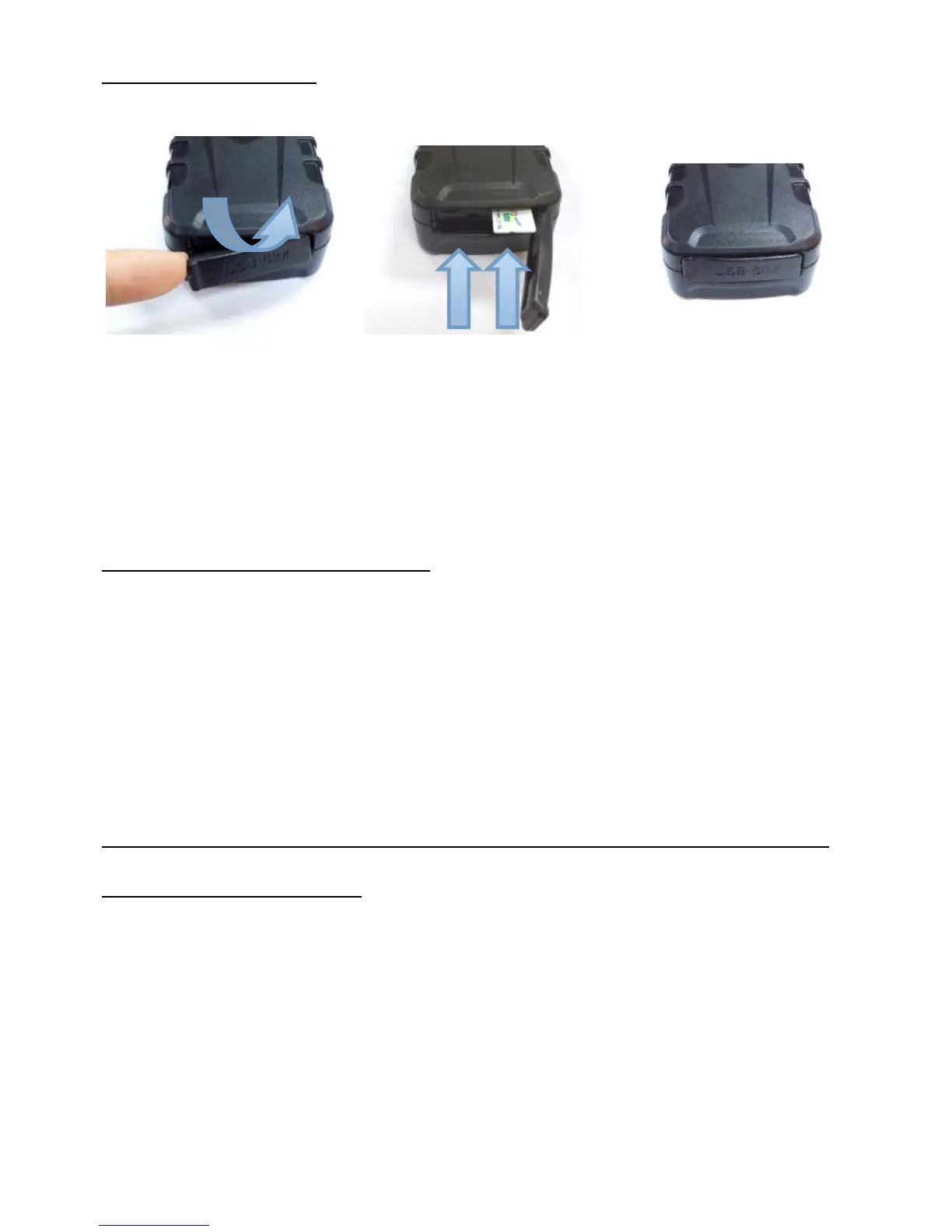
SIM CARD INSTALLATION
Lift the rubber cover Insert the SIM card & turn on Close the dust cover
The LEDs light solid whilst searching for both GSM and GPS signals.
After approximately, 20~40 seconds the LEDs should start to flash. Reminder, the tracker
must be outdoors or very close to a window/door to receive GPS signals.
Once signals are acquired, it can be initialized as detailed on the following pages.
PLACEMENT & SECURITY OF THE TRACKER
The tracker has built-in magnets to assist with attaching the tracker to a vehicle, equipment or asset.
Ideally, it should not be placed under metal which can block GPS satellite reception.
We strongly recommend experimentation in different placements before deciding on a long term
location.
In some situations the built-in magnets may not be strong enough, or suitable, to keep it attached.
Locations such as on a trailer chassis and then driving over speed bumps or potholes the shock of
which could cause the tracker to become detached.
Placement must also take into consideration the rubber cover over the on/off switch and SIM card
slot. This should not be easily accessible to anyone wishing to disable or turn the tracker off.
Other means of securing the tracker from becoming detached or tampered with must be sought.
TAMPER ALARM (DROP ALARM)
The tracker has a built-in optical tamper detector on its base. If the tracker is removed or falls
off, it will trigger an alert. The switch is spring loaded and the tracker must be secured to a flat
surface for the switch to be depressed. The magnets allow attachment to most suitable flat
metal surfaces.
when setting up the tracker or testing its features you can turn off this feature – see page 12.


 To Next Page