START TRACKING
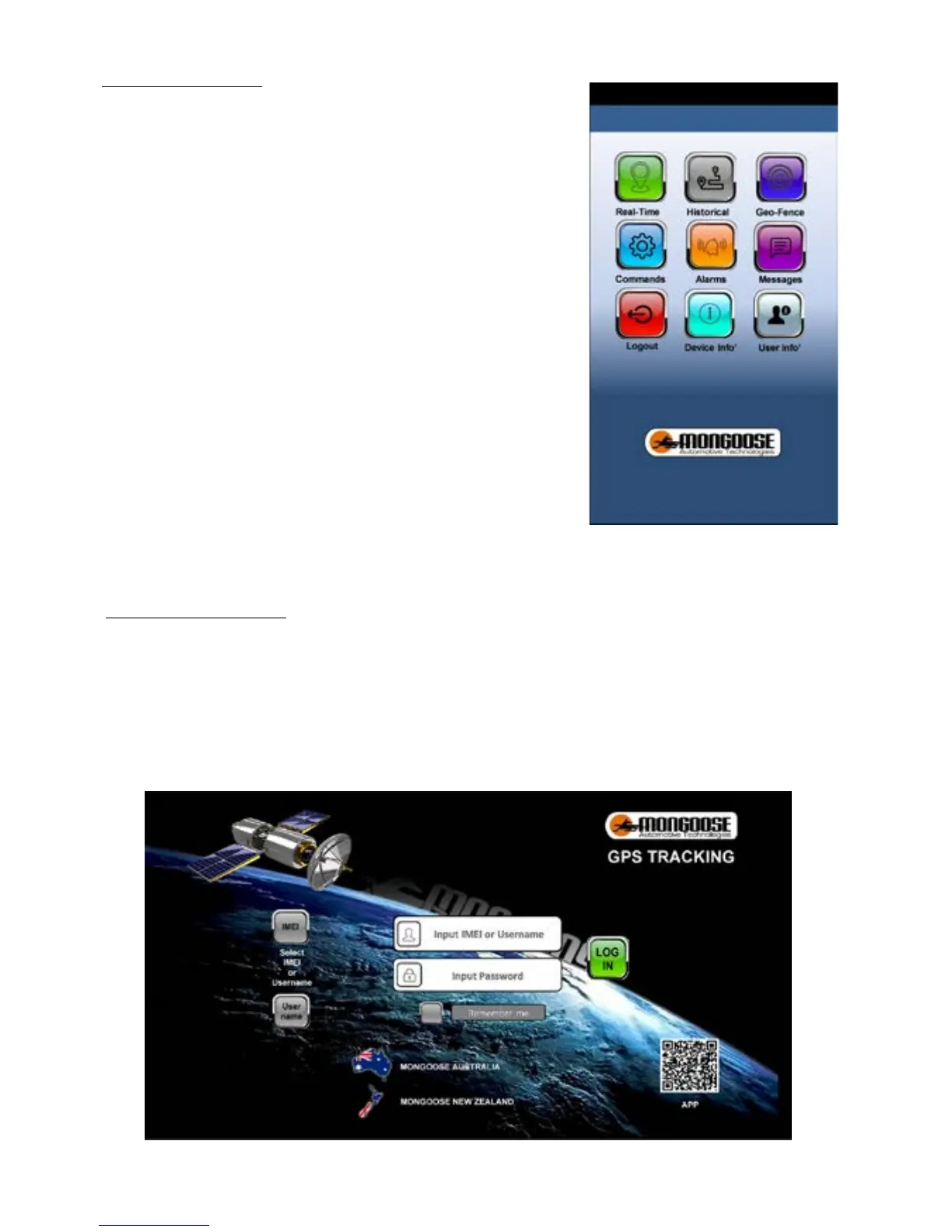
‘real time
’ shows current or last reported location.
‘historical route
’ shows where the tracker has been.
‘
geo-fence
’ sets permitted areas of travel
‘
commands
’ lets you control how the tracker works
‘
alarms
’ which alerts do you want to receive
‘
messages
’ a record of alerts sent to your phone
‘
logou
t’
‘
Device info
’ details of phone numbers and other tracker
information
‘
User info
’ details of the trackers user
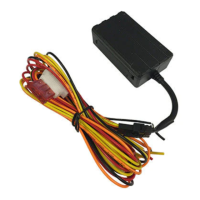
ONLINE WEBSITE
Goto:-
www.mongoosegps.com
Log onto to the website as you would for the mobile APP.
The website stores all the location data.
Travel is more detailed with engine start times, stop times etc.
Reports can be saved and printed.
If you have more than one tracker, contact Mongoose to request a username account and your
own password that allows you to monitor and tracker all devices.


 To Next Page