EasyManua.ls Logo

Monitor Audio ASB-2 - User Manual

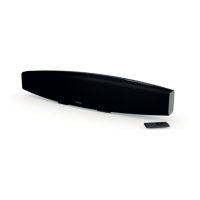
Monitor Audio ASB-2
54 pages
Print Icon
To Next Page IconTo Next Page
Loading...
(:)
:6<5+)(9
EN - Quick Start Guide
FR - Guide de démarrage rapide
IT - Guida rapida
DE - Schnellstartanleitung
ES - Guía de inicio rápido
PT - Guia de Início Rápido
NL - Snelstarthandleiding
中文
-
ᘛ䙏ޕ䰘ᤷই
RU - Руководство по быстрой
установке

Table of Contents

Other manuals for Monitor Audio ASB-2

Questions and Answers

  • M
    Mathew WalkerAug 17, 2025
    What to do if my Monitor Audio ASB-2 have no sound?
    • T
      Tanya OwensAug 17, 2025
      If your Monitor Audio Speakers have no sound, start by checking the volume, source, and play/pause settings. Ensure the mains power lead is properly connected to both the ASB-2 and the wall socket, and that the wall socket is switched on. If the sound is noisy or crackling, the source might be set to bitstream; change it to PCM, as the ASB-2 requires the source to decode the sound track and send individual channels.
  • W
    William ClarkAug 20, 2025
    What to do if my Monitor Audio ASB-2 Speakers are nonresponsive?
    • C
      Corey MooreAug 20, 2025
      If your Monitor Audio Speakers are nonresponsive, first check that the mains power lead is correctly connected to the ASB-2 and the power socket, and that the socket is switched on. If that doesn't work, remove the power from the ASB-2, wait for the standby LED to go out, and then reconnect the power. Also, ensure that the speakers are connected to the same wireless network as your device.
  • I
    ibrooksAug 23, 2025
    What to do if my Monitor Audio Speakers ASB-2 is nonresponsive?
    • M
      Melissa PerezAug 23, 2025
      If your Monitor Audio speaker is nonresponsive, start by checking the power connection to both the speaker and the wall socket, ensuring it's properly connected and switched on. If the issue persists, try removing the power, waiting for the standby LED to turn off, and then reconnecting the power. Also, ensure that the speaker is connected to the same wireless network as your device and that you are running the latest software version.
  • C
    Connie CookAug 26, 2025
    How to fix Monitor Audio Speakers unable to connect to the wireless network?
    • E
      erinvegaAug 26, 2025
      If your Monitor Audio speaker is unable to connect to the wireless network, first verify that your Wi-Fi router is Wi-Fi 802.11b/g certified, as the ASB-2 is not compatible with N Class routers. If you have a Wi-Fi 802.11n router, ensure it is in 802.11b/g mode. Also, ensure your router is DHCP enabled, keep the speaker away from potential sources of interference like microwave ovens, and make sure the SSID name of the router consists of alphanumeric characters without spaces or special characters and is not hidden. Finally, check that there are enough spare IP addresses available on your router and that the speaker is set to work on Channel 1 - 11.
  • J
    John GriffithAug 28, 2025
    What to do if Monitor Audio ASB-2 have occasional breaking up of AirPlay music playback?
    • P
      Paul EvansAug 28, 2025
      If you're experiencing occasional breaking up of AirPlay music playback on your Monitor Audio speaker, try moving the ASB-2 closer to your Wi-Fi router. Also, avoid using a Wi-Fi channel that overlaps with nearby Wi-Fi networks. If multiple devices share the same router, check if your network speed is sufficient and consider turning off other connected devices. If available, enable the Quality of Service (QoS) option on your Wi-Fi router. As a diagnostic step, turn off other Wi-Fi routers or range extenders to identify potential faults.
  • H
    Heather DayAug 31, 2025
    Why my Monitor Audio ASB-2 Speakers have no sound / noisy and crackling sound?
    • M
      Marie DavisAug 31, 2025
      If you are experiencing no sound or noisy and crackling sound from your Monitor Audio speaker, check the volume, source, and play/pause settings. Also, ensure that the mains power lead is correctly connected to both the speaker and the wall socket, and that the power is switched on at the wall. If the playback is very noisy or crackling, and the source is set to bitstream, change it to PCM.
  • S
    Steven AlvaradoSep 2, 2025
    What to do if there is no AirPlay icon on my iTunes host device with Monitor Audio Speakers?
    • F
      freemanrodneySep 2, 2025
      If the AirPlay icon is missing on your iTunes host device, ensure that the Monitor Audio ASB-2 speaker is connected to the same Wi-Fi network as the host device. Sometimes, it may take up to 30 seconds for the ASB-2 to appear on the network, so allow some time for it to show up in iTunes.
  • J
    Joanna BradleySep 5, 2025
    How to resolve AirPlay connection failed with Mac or PC with Monitor Audio Speakers?
    • M
      Michael KingSep 5, 2025
      If the AirPlay connection fails with your Mac or PC when using Monitor Audio speakers, temporarily disable the firewall and security software to check if they are blocking the ports that AirPlay uses to stream content. If the music play breaks or stops when using an iPod Touch/iPhone/iPad/Mac/PC for AirPlay, try restarting your iPod Touch/iPhone/iPad, or iTunes. Also, reduce the load on your router by stopping video streaming or FTP downloads, as they may overload it and cause interruptions during AirPlay music play.
  • X
    xdennisSep 8, 2025
    Why does my Monitor Audio ASB-2 Speakers AirPlay music playback keep breaking up?
    • L
      Lori KellerSep 8, 2025
      If your AirPlay music playback is breaking up, try moving the ASB-2 closer to your Wi-Fi router. Avoid using a Wi-Fi channel overlapped by nearby networks. Check if your network speed is sufficient, especially if multiple devices share the same router; try turning off other connected devices. If available, enable the Quality of Service (QoS) option on your Wi-Fi router. As a diagnostic step, turn off other Wi-Fi routers or range extenders to identify potential faulty devices.
  • V
    Victor PhillipsSep 12, 2025
    How to fix AirPlay connection failure with Monitor Audio ASB-2 Speakers on Mac or PC?
    • K
      Kayla MoodySep 12, 2025
      To fix AirPlay connection failures, temporarily disable your firewall and security software to check if they are blocking the ports AirPlay uses. If using an iPod Touch, iPhone, iPad, Mac, or PC, and music playback breaks or stops, try restarting your device or iTunes. Also, reduce the load on your router by stopping video streaming or FTP downloads, as these can cause interruptions during AirPlay music playback.

Summary

Connecting Your ASB-2

Connecting to a TV

Steps to connect the ASB-2 to a TV, including ARC support.

Powering Up

Connecting the Power

Instructions for connecting the ASB-2 to a power source and turning it on.

Wi-Fi Network Setup

Wi-Fi Setup Methods

Overview of three methods to connect the ASB-2 to a wireless network: WPS, iOS device, or Web Browser.

Wi-Fi Setup: Option 1 - WPS

Using WPS for a quick and easy wireless network connection.

Wi-Fi Setup: Option 2 - iOS Device

Connecting the ASB-2 to Wi-Fi using an iOS device and USB cable.

Using the ASB-2

Firmware Updates

Troubleshooting

Safety Instructions

General Safety Precautions

General safety precautions for using the ASB-2 soundbar.

Electrical Safety and Handling

Critical warnings regarding electrical shock, moisture, and proper appliance handling.

Monitor Audio ASB-2 Specifications

General IconGeneral
TypeActive Soundbar
OutputsSubwoofer Output
FinishBlack or White
ConnectivityOptical
Recommended Amplifier Power100 W

Related product manuals