III. REGISTRATION
PAGE 3
If this is your rst time using the iMonnit online portal, you will need to create a new
account. If you have already created an account, start by logging in. For instructions on
how to register for an iMonnit account, please consult the iMonnit User Guide viewable at
monnit.com/support/documentation.
REGISTERING THE CURRENT METER
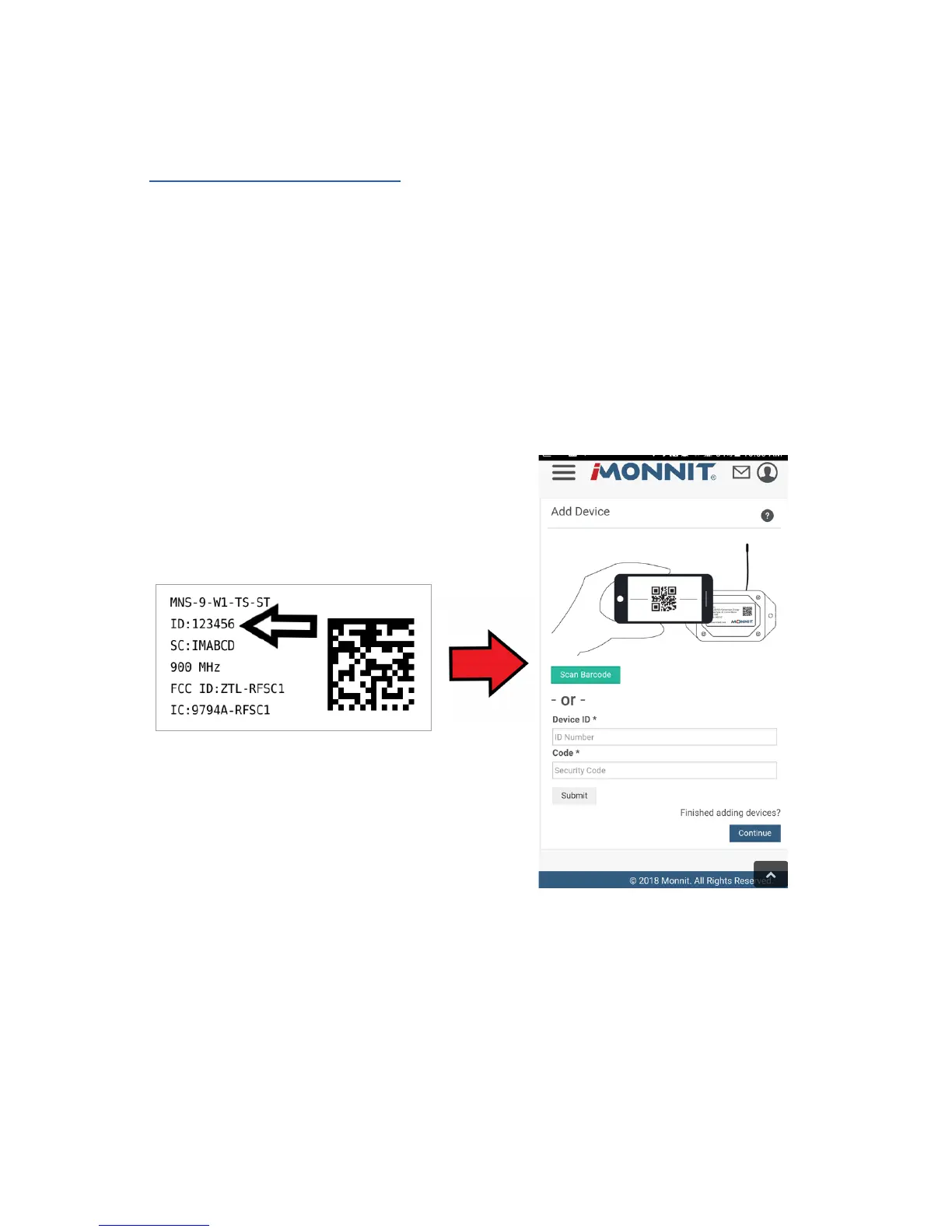
You will need to enter the Device ID and the Security Code from your 150 Amp AC Current
Meter in the corresponding text boxes. Use the camera on your smartphone to scan the
QR code on your sensor and gateway. If you do not have a camera on your phone, or the
system is not accepting the QR code, you may enter the Device ID and Security Code
manually.
• The Device ID is a unique number located on each device label.
• Next you’ll be asked to enter the Security Code (SC) on your device. A security
code will be all letters and must be entered in upper case, no numbers. It can also
be found on the barcode label of your gateway.
When completed, select the “Submit” button.


 To Next Page