4
2. How to charge for the player
Basic Operation
USB IN
AUX IN
POWER
OFF ON
DC IN 5V
Each time the REPEAT button on there mote control is pressed, the order of the tracks played
will be as follws:Repeat1(REP1),Repeat all(ALL), random play(SHUF).
CD
01:25
REP1
CD
P02
Set A Ab ON Ab OFF
CD
POP
4. How to program the play
5.. How to setup EQ effect
6. A-B Repeat
20
Press the EQ button to changes the different sound effects. There are a total of 5 sound effects:
BBS, POP, JAZZ, ROCK, and CLASSIC,FLAT.
A.the power switch is located on the side. Please toggle it to ON position to play normally.
B.the power switch is located on the side. Please toggle it to OFF position to turn it off.
1. How to turn on/turn off the player
3.How to setup the circle mode
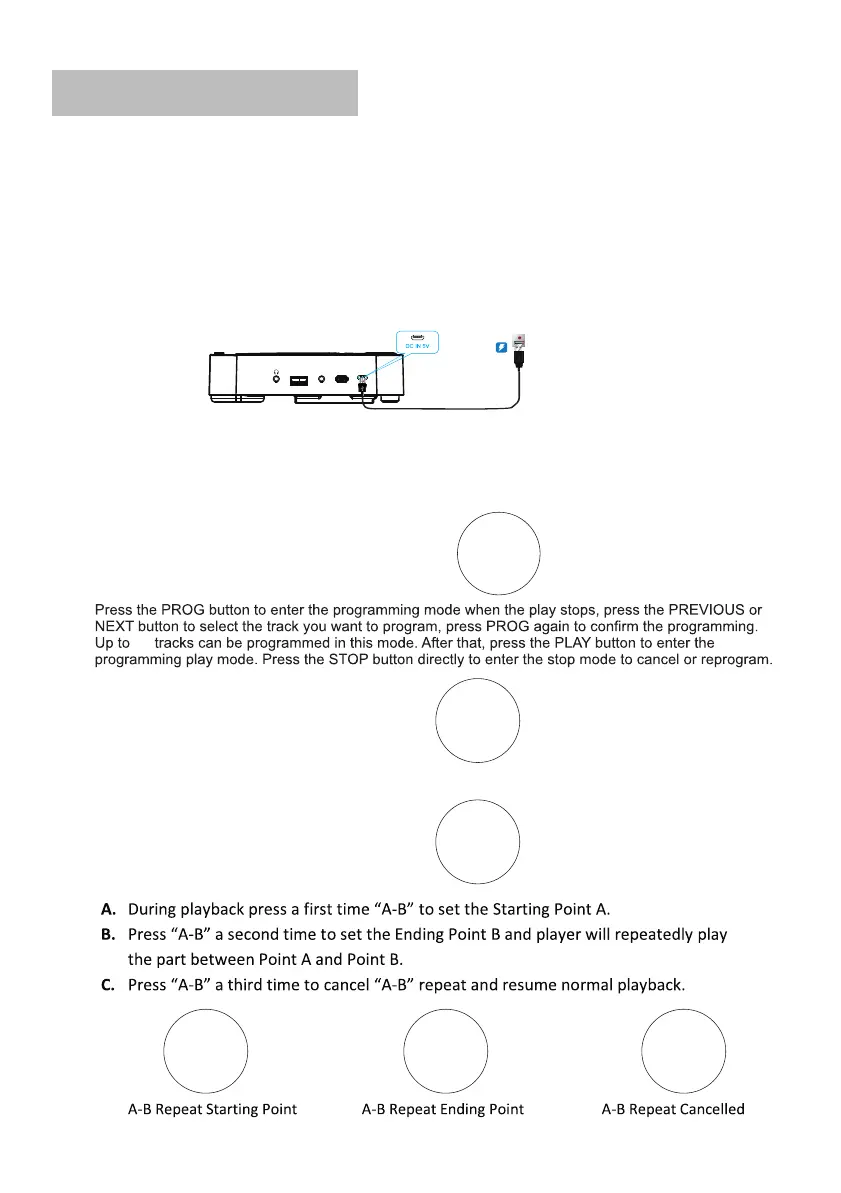
Connect the supplied USB charging cable with the power adapter, then plug it into a power source
to charge the player. OR Connect the supplied USB Charging cable to a computer/desktop/car
charger/power bank to charge it.
Charging Time: It will take about 4 hours for a full charge. When charging, the charging indicator
on the player will be RED; Once the player is fully charged, the indicator will turn to GREEN.
NOTE: When the player is in low battery, the LCD screen will be flashing. Please charge it.


 To Next Page