49-2000868 Rev. 0 9
SINGLE KITCHEN TIMER
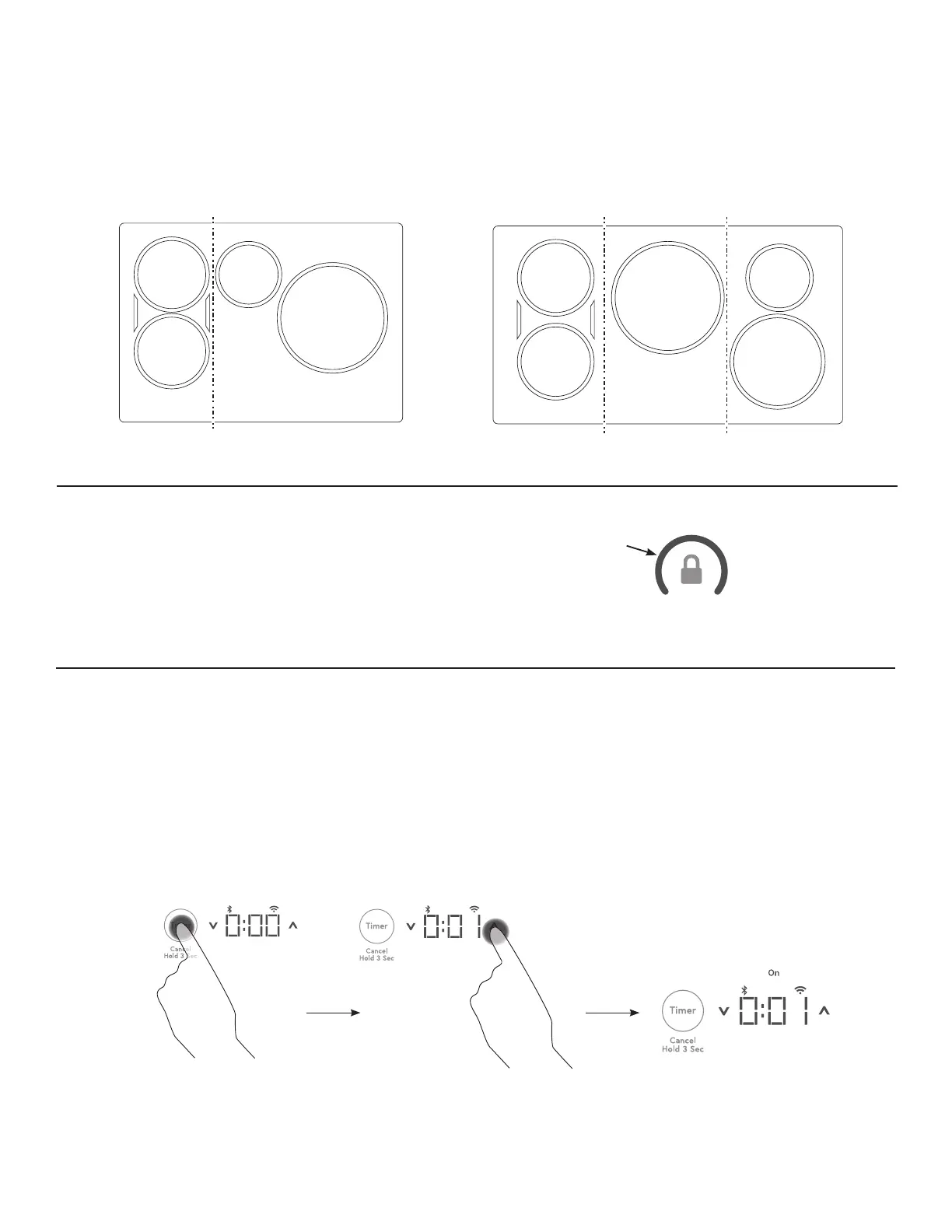
To Turn On
Touch the Timer pad. Touch the Ʌ or V arrows to choose
the desired number of minutes. Timer automatically starts
3 seconds after pad is touched. The “ON” LED will appear
automatically when timer is set.
To Turn Off
Hold Timer pad for 3 seconds to cancel timer. Alarm will
sound continuously when time is up until user turns timer
off.
NOTE: Use the kitchen timer to measure cooking time
or as a reminder. The kitchen timer does not control the
cooking elements. Timer turns off if there is no activity for 30
seconds.
COOKTOP LOCKOUT
Lock
Touch Control Lock pad for 3 seconds.
To Turn Off
Touch Control Lock pad again for 3 seconds.
See Custom Settings section to activate Auto Lock feature.
POWER SHARING
A 36” cooktop has 3 cooking zones and a 30” cooktop
has 2 cooking zones. If two elements in the same zone
are in use and at least one element is at the maximum
power level (Hi), the Hi setting will operate at a reduced
power level. Note that the display will not change. This is
how power is shared between two elements in the same
cooking zone.
Cooktop Lockout: locks operation of the controls
Control Lock
Indicator/Symbol
USING YOUR COOKTOP
30” Wide cooktop. 36” Wide cooktop.
Left Zone Right ZoneCenter ZoneLeft Zone Right Zone


 To Next Page