Ice & Water Dispenser (on some models)
Built-In Refrigerators
Dispenser
with
glass-touch
controls
How it Works
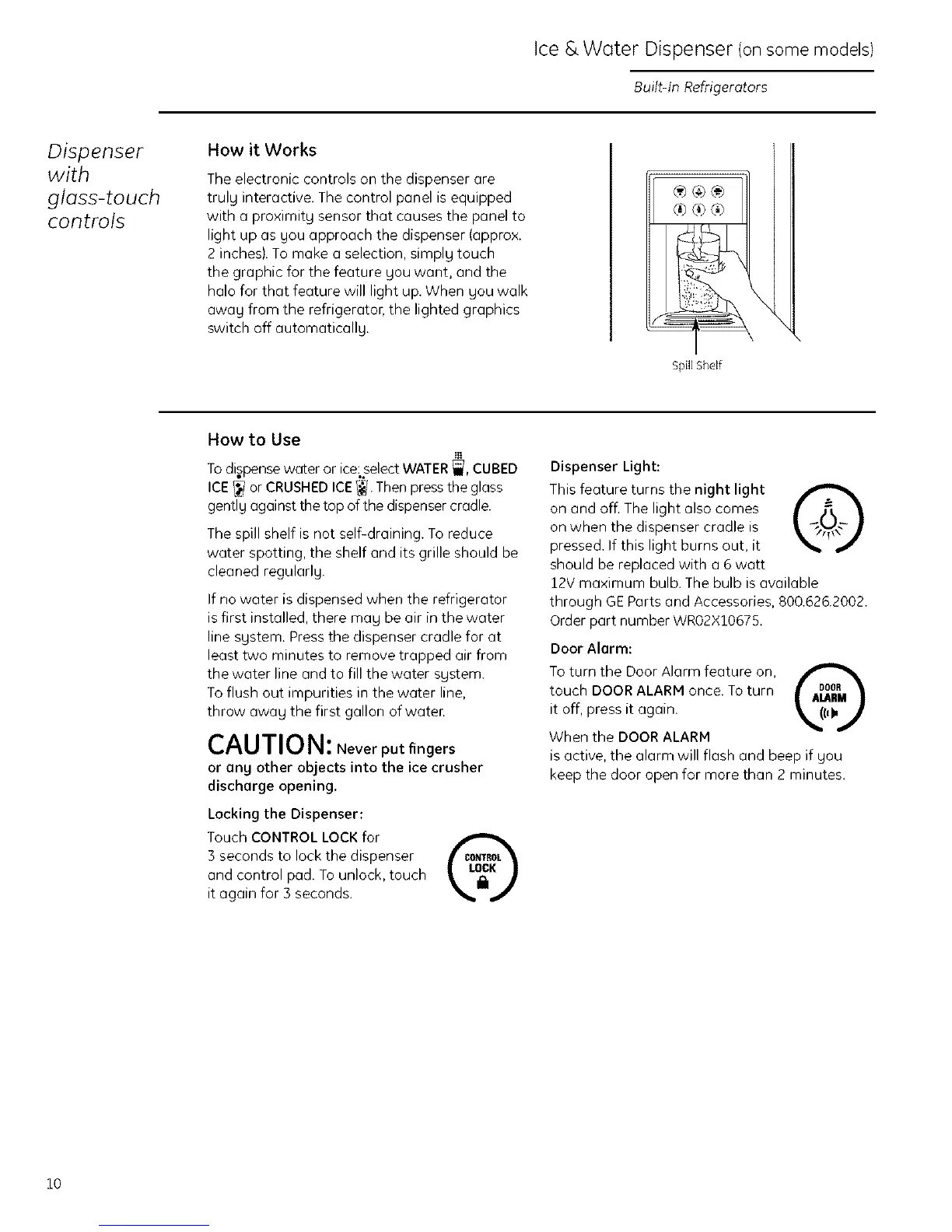
The electronic controls on the dispenser are
trulg interactive. The control panel is equipped
with a proximity sensor that causes the panel to
light up as gou approach the dispenser (approx.
2 inches/. To make a selection, simply touch
the graphic for the feature you want, and the
halo for that feature will light up. When you walk
awag from the refrigerator, the lighted graphics
switch off automaticallg.
®®®
SpNEShelf
\
\
How to Use
Todispensewater or ice,select WATER_, CUBED
ICE_ or CRUSHEDICE_I Then press the glass
gently against the top of the dispenser cradle.
The spill shelf is not self-draining. To reduce
water spotting, the shelf and its grille should be
cleaned regularlg.
If no water is dispensed when the refrigerator
is first installed, there mag be air in the water
line sgstem. Pressthe dispenser cradle for at
least two minutes to remove trapped air from
the water line and to fill the water sgstem.
Toflush out impurities in the water line,
throw awag the first gallon of water.
CAUTIO N: Never put fingers
or ang other objects into the ice crusher
discharge opening.
Locking the Dispenser:
Touch CONTROL LOCKfor
3 seconds to lock the dispenser
and control pad. Tounlock, touch
it again for 3 seconds.
Dispenser Light:
This feature turns the night light _,
on and off. The light also comes
on when the dispenser cradle is
pressed. If this light burns out, it
should be replaced with a 6 watt
12V maximum bulb. The bulb is available
through GEParts and Accessories, 800.626.2002.
Order part number WRO2X10675.
Door Alarm:
Toturn the Door Alarm feature on,
touch DOORALARM once. To turn
it off, press it again.
When the DOORALARM
is active, the alarm will flash and beep if gou
keep the door open for more than 2 minutes.
10








 To Next Page