4
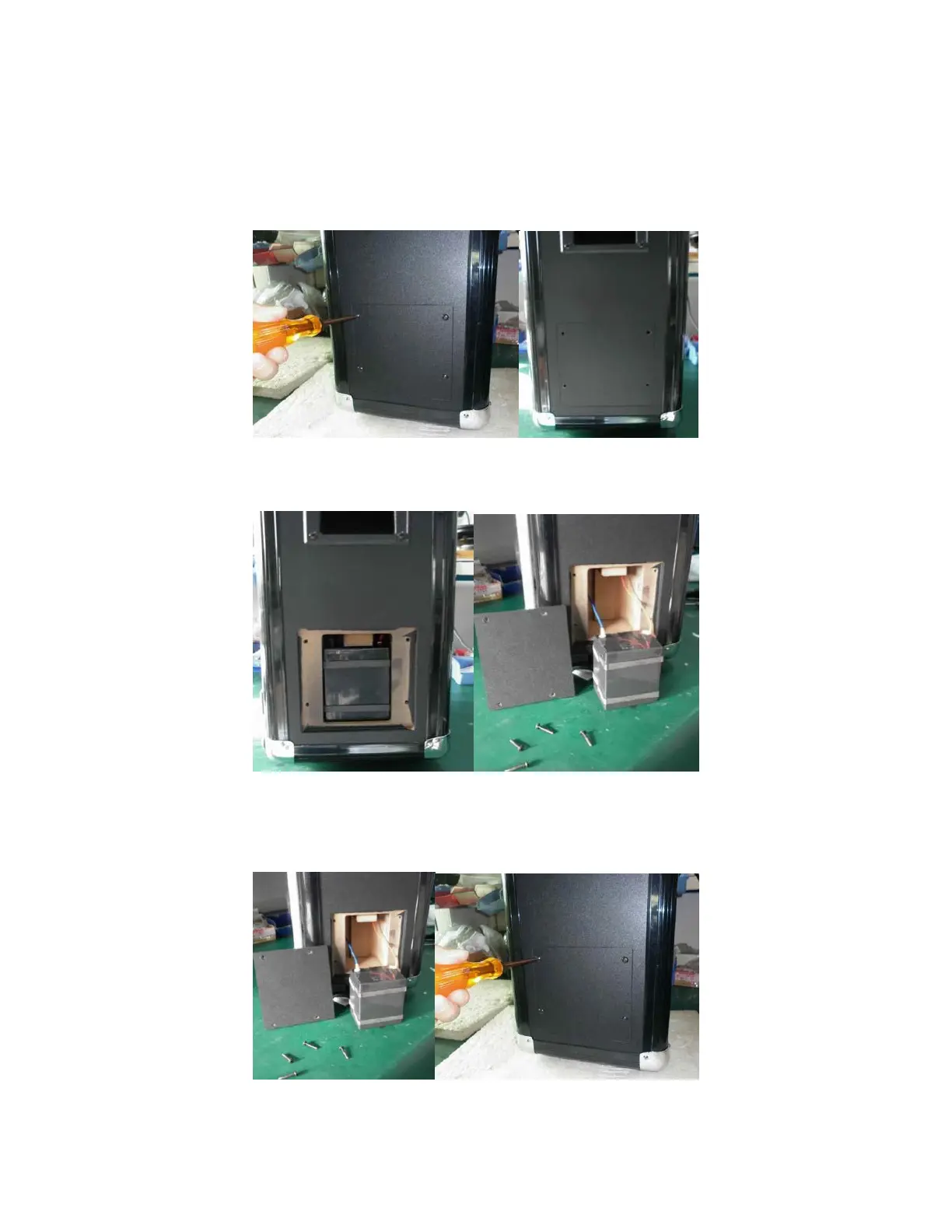
BATTERY REPLACEMENT
1. Use a #2 Phillips screwdriver to remove the four screws holding the battery compartment
cover in place, then remove the cover.
2. Pull the battery out of its compartment. Remove the positive (red) lead from the battery, then
remove the negative (blue) lead.
3. Attach the negative (blue) lead to the replacement battery, then attach the positive (red) lead.
Slide the battery into the compartment. Fit the cover back in place and secure it in place using
the screws you removed in step 1.


 To Next Page