!
©Copyright+2016+Monster+GPS™+|+JLM+Enterprises +LLC +
CHARGING YOUR TRACKER
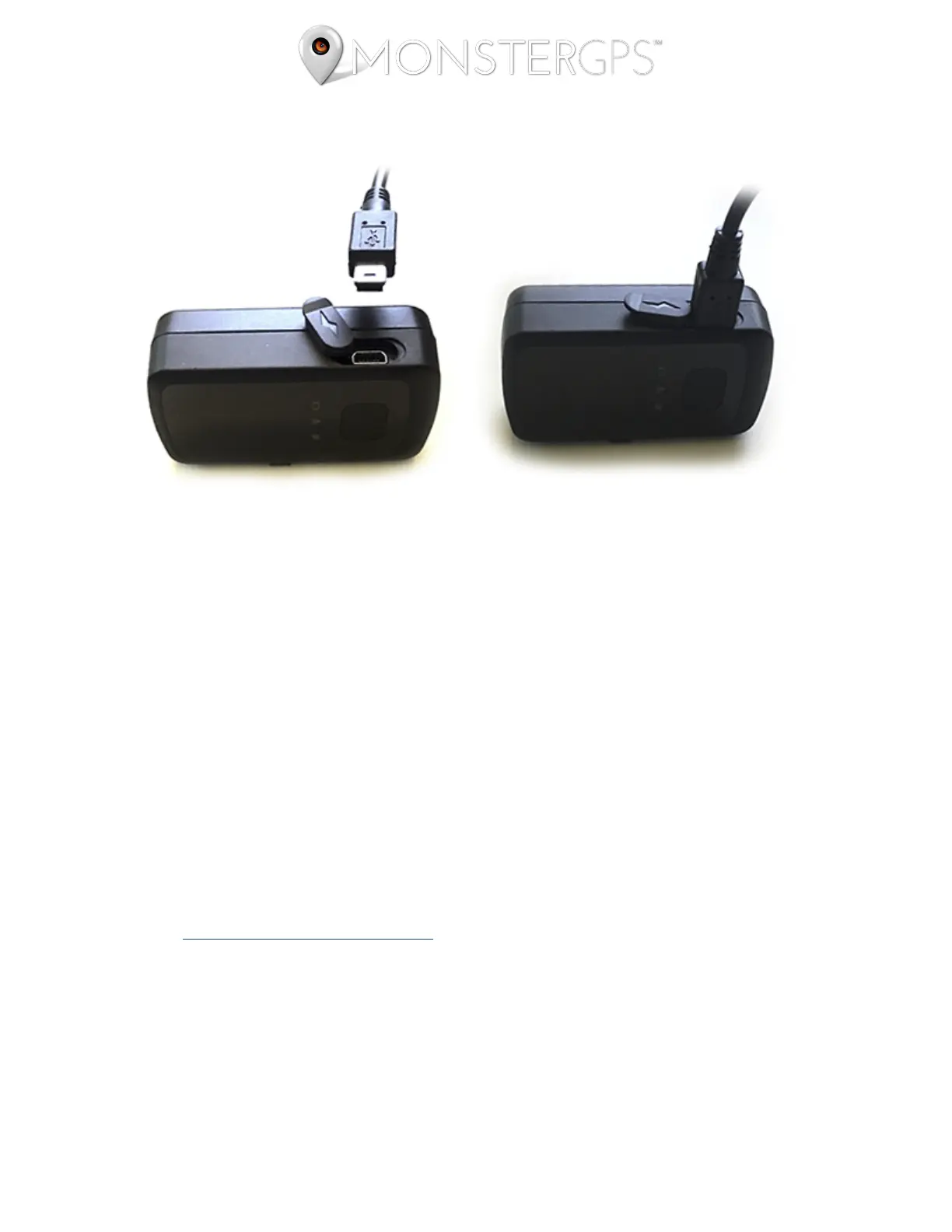
1. Open the rubber Charging Port cover and insert the male mini USB (small end) of the
charger. DO NOT FORCE IT - it only goes in one way.
2. Plug the other end of the charger into a wall outlet (charger supports 100-240V AC).
3. The Power LED Status Indicator flashes RED while charging and lights solid
RED when charging is completed. If fully discharged, allow 3-4 hours for a full
charge. NOTE: The charger is equipped with overcharge protection, so you can feel
safe charging the device overnight.
4. If you do not see lights flashing after you unplug it from power, you will need to turn
the device on before deploying it by holding in the Power Button for 2-3 seconds.
You will know it's on by seeing LED indicator lights flickering.
ACCESSORIES
You can view and purchase accessories for your GL300, such as the Monster Magnetics®
Magnetic Case, Pelican case, and 1, 3, and 6-month extended battery kits.


 To Next Page