!
©Copyright+2016+Monster+GPS™+|+JLM+Enterprises +LLC +
TROUBLESHOOTING & TECHNICAL SUPPORT
If you're having problems and don't think the tracker is reporting as it should, check out
this article for common troubleshooting tips. Most issues are resolved using this guide.
• Common Issues, Troubleshooting, and Technical Support Guide
If you're still having problems, please open a Technical Support Request. You may do so
by any one of the following methods:
• Send an email to techsupport@monstergps.com. Be sure to include your GPS Track
Manager™ username and a description of the problem.
• Under the GPS Track Manager™ menu on any page of this website, click Request
Technical Support.
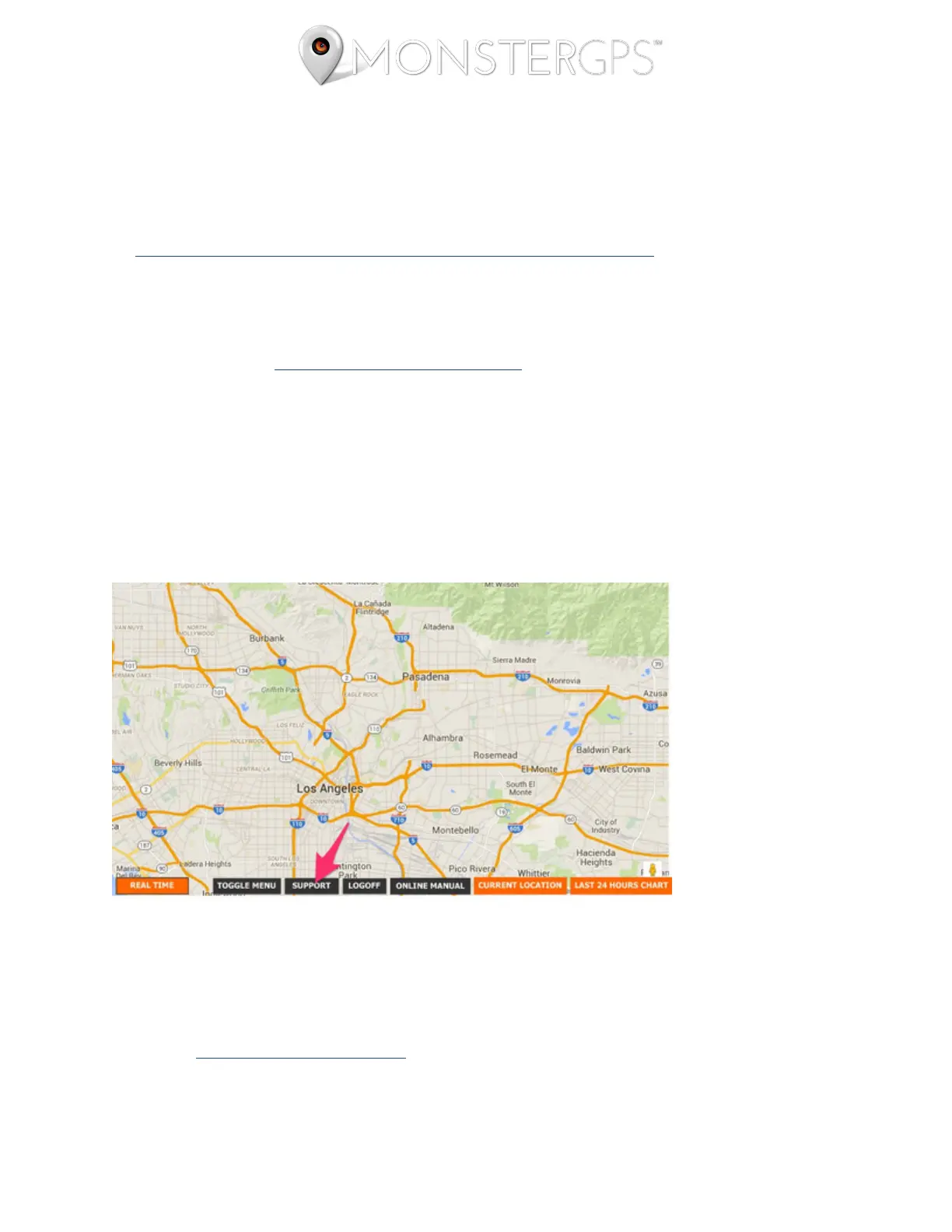
• From within your GPS Track Manager™ account by clicking the Support button at the
bottom of the screen, as seen here:
HELPFUL LINKS
Under the GPS Track Manager™ menu at the top of any page on this website you'll find a
link to our tutorial articles and videos. Learning all the features of GPS Track Manager™
will help you get the most out of your service plan.



 To Next Page