855-833-6483 OR EMAIL US AT info@monstermoto.com
PROBLEMS? DO NOT RETURN TO STORE! CALL US!
Operang Controls
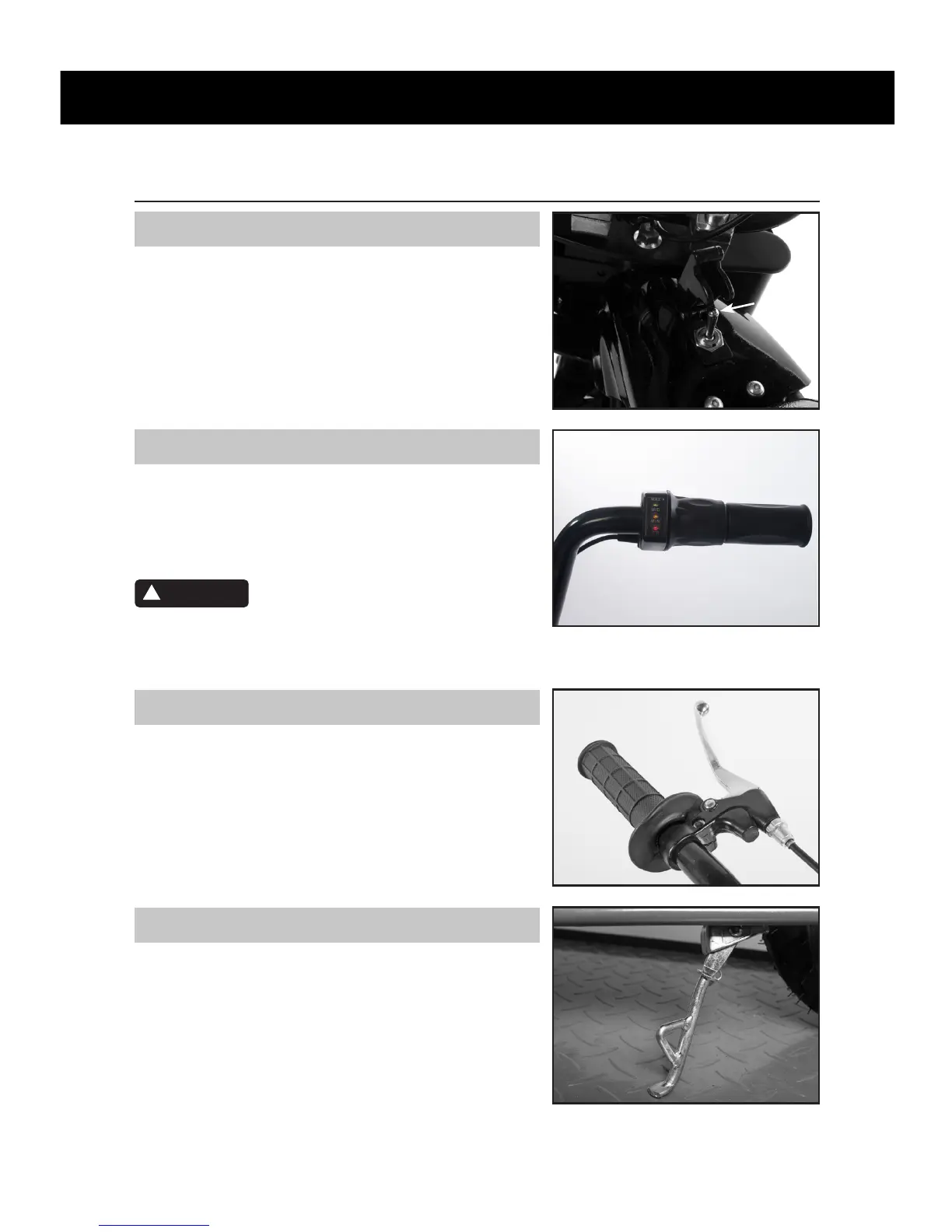
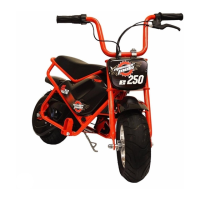
ON/OFF Switch
The ON/OFF switch is used to control power to the motor.
When the switch is in the “OFF” posion, no power is
supplied to the motor. To ride the mini bike, ip the switch
up. This is the “ON” posion. To shut o the bike, close the
latch or move the switch down to the “OFF” posion.
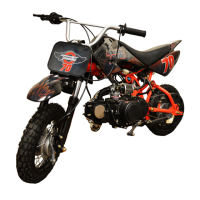
Throle
The throle controls the speed of the motor. To increase
emotor speed, slowly twist the throle grip toward you. To
reduce motor speed, twist the throle grip away from you.
The throle is spring loaded and will return to the closed
posion (motor idle) when you remove your hand.
Because this is an electric product, small
movements in the throle produce an instant response in
the motor. Do not suddenly twist throle or you risk severe
injury.
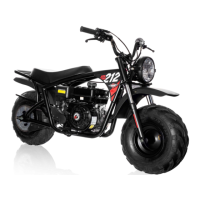
Rear Brake
The brake lever is used to apply the brake to the rear wheel
and will slow or stop the mini bike. When you pull back on
the lever, the brake cable pulls the caliper on the brake disc.
The amount of force that you use when pulling the brake
lever will determine how much braking power is applied. To
release the rear brake, release the brake lever.
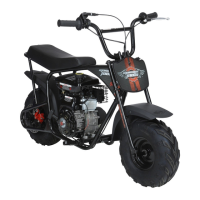
Kick Stand
The kick stand is used to support the mini bike when it is
parked. To operate, use your foot to lower the stand. Always
raise the stand before riding the mini bike.
6
WARNING
!
Switch


 To Next Page