

EasyManua.ls Logo

Monster Alpha 5.0 - User Manual

Monster Alpha 5.0
8 pages
Print Icon
To Next Page IconTo Next Page
Loading...
Visit us at:
monstergamingusa.com
2021 © Monster and the M Monster logo are trademarks or
registered trademarks that are used under license of Monster,
Inc. 2021 © All rights reserved. Manufactured, marketed and
distributed by Lifeworks Technology Group LLC. under license.
New York, NY 10018. All other trademarks are property of their
respective owners.
Dimensions: 44.3cm Wide x 15cm Long x 3.55cm Tall
Palm Rest Dimensions: 44.3cm Wide, 8.1cm Long, 1.35cm Tall
Weight: 1.7+/-0.02kg (2.36+/-0.04 LB)
Website: monstergamingusa.com Support: 877.543.3540
Made in China - Model: 2MNGK0307B0E2
System requirements: PC or Mac with a free USB port
Window 7/8/10 Mac OS X 10.9 or higher, and at
least 100MB of free hard disk space, USB 1/2/3 Port.
Customizable software not available for Mac.
Question and Answer IconNeed help?

Do you have a question about the Monster Alpha 5.0 and is the answer not in the manual?

Summary

Keyboard Installation

Connect to USB Port

Connect the keyboard to your computer's USB port.

Download Software

Download customizable software for Windows from monstergamingusa.com.

RGB LED Light Settings

Switching LED Modes

Press FN+INS keys to cycle through 20 types of LED light settings.

Gaming LED Modes

Activating Gaming Backlights

Use FN+1-5 to switch between different gaming backlight modes.

Scroll Wheel Functions

Scroll Wheel Operations

Adjusts brightness, lighting speed, and volume using the scroll wheel.

Software Customization

Alpha 5.0 Software Features

Customize LED lighting and macro settings using the Alpha 5.0 software.

Factory Settings

Restoring Keyboard Defaults

Restore the keyboard to its original factory settings using FN+ESC.

Overview

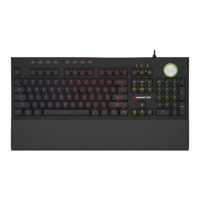
The Monster Alpha 5.0 is a mechanical LED gaming keyboard designed for an enhanced gaming experience. It features customizable RGB LED lighting, dedicated media controls, and a scroll wheel for quick adjustments.

Function Description:

The Alpha 5.0 keyboard serves as a primary input device for computers, specifically optimized for gaming. Its mechanical keys offer tactile feedback and durability, while the integrated LED lighting provides visual customization and ambiance. The keyboard includes a full QWERTY layout, a numeric keypad, and dedicated function keys. A notable feature is the scroll wheel, which offers versatile control over brightness, lighting effect speed, and volume. The keyboard is compatible with both Windows and Mac operating systems, though customizable software is exclusively available for Windows.

Important Technical Specifications:

  • Dimensions:
    • Keyboard: 44.3cm Wide x 15cm Long x 3.55cm Tall
    • Palm Rest: 44.3cm Wide, 8.1cm Long, 1.35cm Tall
  • Weight: 1.7 +/- 0.02kg (2.36 +/- 0.04 LB)
  • Connectivity: USB (1/2/3 Port)
  • System Requirements:
    • PC or Mac with a free USB port
    • Windows® 7/8/10 or Mac OS X 10.9 or higher
    • At least 100MB of free hard disk space
  • Model: 2MNGK0307B0E2
  • Warranty: Limited Lifetime Warranty
  • Compliance: CE, FCC, RoHS Compliant

Usage Features:

Installation:

  1. Connect the keyboard to your computer's USB port.
  2. For Windows users, download the customizable software from monstergamingusa.com. Note that customizable software is not available for Mac.

RGB LED Functions:

  • Switching between LED light settings: Press the FN + INS keys simultaneously to cycle through 20 different LED light settings.
  • Illuminating side panel LEDs and changing colors: Press FN + Control (right side) to illuminate the side panel LEDs. Pressing these keys again will switch between 8 different colors. The first 7 lights are solid colors, and the last mode is a breathing color cycle.
  • Switching between gaming LED modes: Press FN + 1-5 to switch between various gaming backlight modes.

Scroll Wheel Functions:

The scroll wheel provides multi-functional control:

  • Adjusting Keyboard Brightness: Rotate clockwise to increase brightness and counterclockwise to decrease brightness.
  • Changing Dynamic Lighting Effect Speed: Press the wheel once to switch to speed control mode. Rotate clockwise to increase the lighting effect speed and counterclockwise to decrease it.
  • Changing Volume: Press the wheel again to switch to volume control mode. Rotate clockwise to increase the volume and counterclockwise to decrease it.

Customization with Software (Windows Only):

The Alpha 5.0 software allows users to customize LED lighting and macro settings. This software can be downloaded from monstergamingusa.com.

Maintenance Features:

Restoring to Factory Settings:

To restore the keyboard to its original factory settings, press the FN + ESC keys simultaneously.
Support and Website:

  • Website: monstergamingusa.com
  • Support Phone: 877.543.3540

Warnings:

  • California Proposition 65 Warning: This product may expose you to chemicals known to the State of California to cause cancer and reproductive harm. For more information, visit www.P65Warnings.ca.gov.

Monster Alpha 5.0 Specifications

General IconGeneral
BrandMonster
ModelAlpha 5.0
CategoryKeyboard
LanguageEnglish