EasyManua.ls Logo

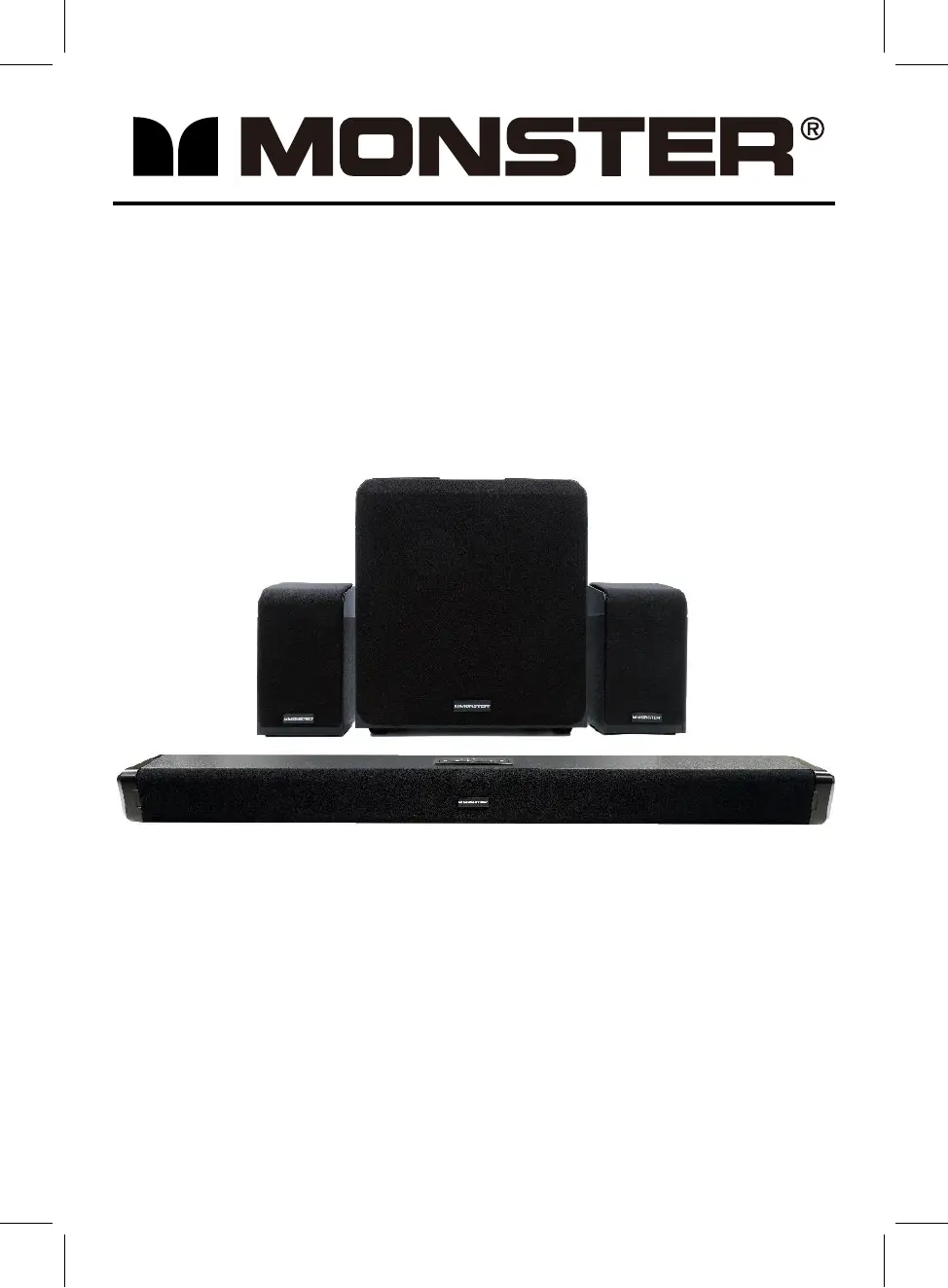
Monster MSB3788W - User Manual

Monster MSB3788W
18 pages
Print Icon
To Next Page IconTo Next Page
Loading...
37" BLUETOOTH 5.1 SOUND BAR - WIRELESS SUBWOOFER
AND 2 SATELLITE SPEAKERS
MODEL: MSB3788W
Please read this instruction manual carefully and keep it for future reference

Questions and Answers

Summary

Important Safety Instructions

Electrical and Voltage Hazards

Covers electrical shock risks, user access restrictions, and important operating/maintenance alerts.

Usage and Environmental Warnings

Warns against moisture, fire hazards, and highlights cord safety for adult supervision.

Regulatory Compliance

Details California Prop 65 warnings and FCC compliance statements for device operation.

General Safety and FCC Guidelines

FCC Compliance Details

Explains FCC rules for Class B devices and stresses using shielded cables and avoiding modifications.

General Operating Precautions

Covers reading/keeping instructions, heeding warnings, following directions, and avoiding water proximity.

Safety: Cleaning, Installation, and Servicing

Cleaning, Ventilation, and Heat

Provides guidance on cleaning, ensuring proper ventilation, and avoiding proximity to heat sources.

Plug, Cord, and Accessory Safety

Covers plug safety, cord protection, and safe use of accessories or carts to prevent accidents.

Lightning, Storage, and Servicing

Advises unplugging during storms/storage and refers servicing to qualified personnel.

Power, Antenna, and Entry Safety

Power and Antenna Safety

Information on power source selection and safety precautions for outdoor antenna installations.

Overloading and Object;Liquid Entry

Warnings against overloading outlets and preventing objects or liquids from entering the unit.

Antenna Grounding Requirements

Details on grounding an outdoor antenna system to protect against surges and static charges.

Service, Mounting, and Installer Notes

Servicing and Replacement Parts

Guidelines on professional servicing, using correct replacement parts, and post-repair safety checks.

Mounting and Damage Handling

Instructions for wall/ceiling mounting and conditions requiring professional service due to product damage.

CATV Installer Note

A reminder for CATV installers concerning grounding guidelines for cable entry points.

Product Overview

Front View Identification

Diagram and labels for the front of the soundbar.

Control Panel Functions

Details the buttons and indicators on the soundbar's control panel.

Rear Panel Connectivity

Identifies ports and connectors on the rear panel of the soundbar.

Component Overviews

Subwoofer Details

Diagrams and labels for the subwoofer's front and rear panels.

Satellite Speaker Details

Diagrams and labels for the satellite speakers' front and rear panels.

Remote Control Operations

Remote Control Button Functions

Explains the purpose of each button on the remote control.

Remote Battery Replacement

Step-by-step guide for replacing the battery in the remote control.

Battery Handling Precautions

Safety guidelines for battery usage, including warnings about swallowing and mixing types.

Placement, Mounting, and Operation

Battery Precautions and Remote Range

Continues battery safety and discusses factors affecting remote control operation range.

Placement and Ventilation

Guidance on placing the unit and subwoofer for adequate ventilation and heat dissipation.

Installation Distance

Specifies the recommended installation distance, likely for optimal performance or safety.

Mounting Instructions

Mounting to a Wooden Wall

Detailed steps for mounting the soundbar securely onto a wooden wall.

Mounting to a Brick Wall

Detailed steps for mounting the soundbar securely onto a brick wall.

General Operation

Powering and Pairing

Instructions for connecting power adapters and initial pairing of the unit, subwoofer, and speakers.

Indicator Status

Explains the meaning of indicator lights on the subwoofer and satellite speakers.

Pairing Troubleshooting

Provides steps to resolve issues if the main unit is not connected with the subwoofer/speakers.

Source Selection

Details how to switch between different input sources and their corresponding indicator colors.

Playback and Bluetooth Operation

Playback Controls

Explains how to adjust volume, mute sound, and use various sound effect modes during playback.

Powering On;Off

Instructions for powering the unit and subwoofer/speakers on and off.

Bluetooth Pairing and Playback

Guides on connecting via Bluetooth, playback controls, and disconnecting/re-pairing.

Audio Input Operations

AUX IN;5.1 CH Input

Instructions for connecting external audio/video players via AUX IN or 5.1 CH inputs.

LINE IN Operation

Guide for connecting external audio players like mobile phones or MP3 players via LINE IN.

Digital Audio and USB Functions

Optical In Operation

Instructions for connecting audio sources via the optical input for PCM format audio.

USB Playback

Guide for playing music files from a USB flash drive.

USB Recording

Instructions on how to record audio to a USB flash drive and playback recorded tracks.

Troubleshooting Guide

Power and Sound Issues

Addresses common problems like no power, weak sound, or sound distortion.

Remote Control and Bluetooth Issues

Solutions for a non-functioning remote control or Bluetooth reception failures.

Specifications

Technical Specifications

Details power input/output, speaker drivers, impedance, wattage, and working ranges.

Package Contents

Lists all items included in the product package.

Trademarks and Contact Information

Information on trademarks, service assistance, and company contact details.

Warranty Information

90-Day Limited Warranty

Details the warranty period, coverage, limitations, and the process for making a claim.

Warranty Exclusions and Disclaimers

Lists items not covered by warranty and disclaims certain damages and implied warranties.

Monster MSB3788W Specifications

General IconGeneral
BrandMonster
ModelMSB3788W
CategorySubwoofer
LanguageEnglish