9
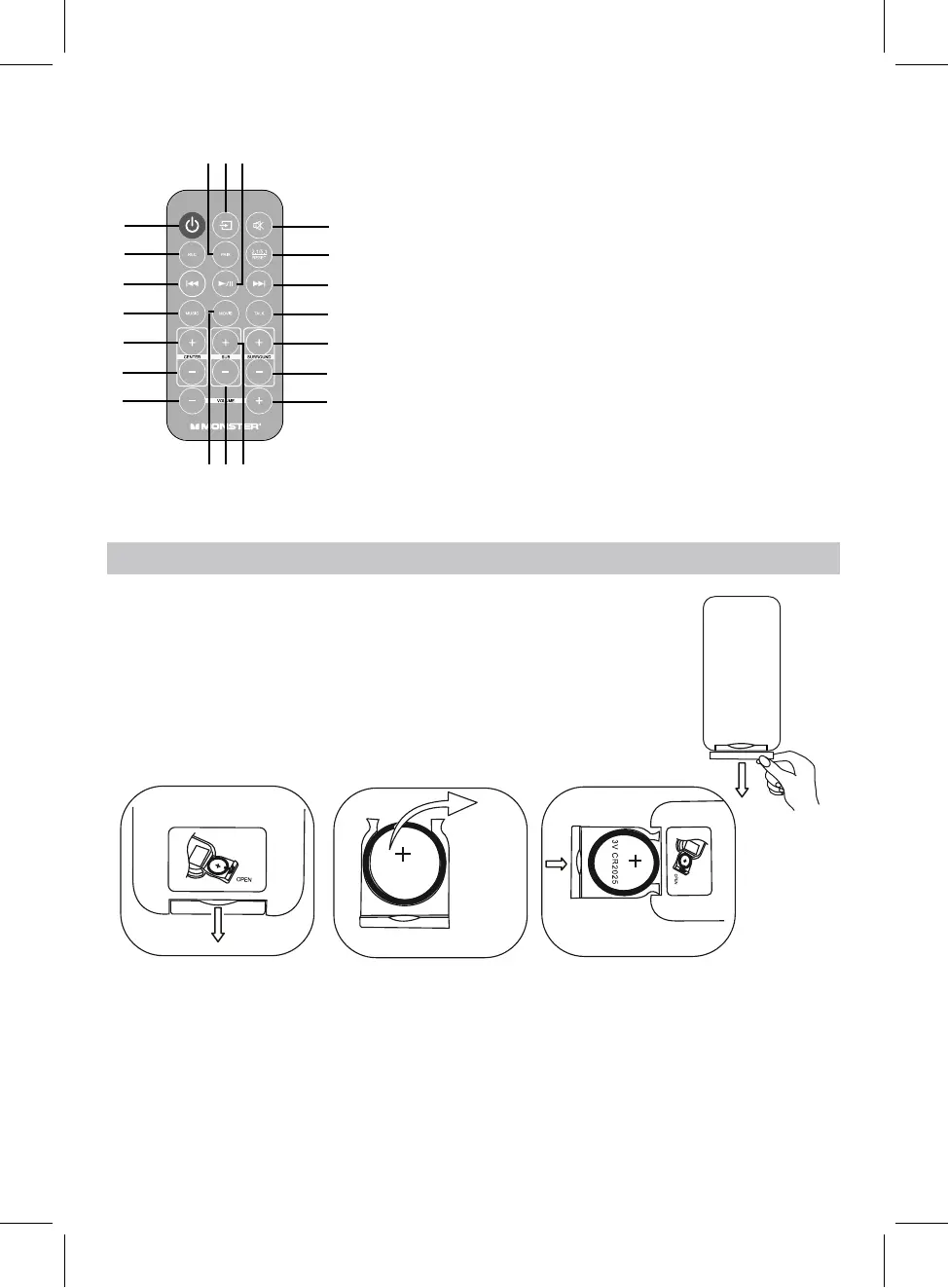
REMOTE CONTROL
2. REC Bu�on
3. Previous Bu�on
4. MUSIC Bu�on
5. Center Volume+ Bu�on
6. Center Volume- Bu�on
7. Volume- Bu�on
8. Pairing Bu�on
9. Source Bu�on
10. Play/Pause Bu�on
12. 2.1/5.1 Reset Bu�on
13. Next Bu�on
14. TALK Bu�on
15. Surround Volume+
Bu�on
16. Surround Volume-
Bu�on
17. Volume+ Bu�on
18. MOVIE Bu�on
19. Subwoofer Volume-
Bu�on
20. Subwoofer Volume+
Bu�on
BATTERY INSTALLATION OF REMOTE CONTROL
BATTERY PRECAUTIONS
Follow these precautions when using a battery in this device:
1. Use only the size and type of battery specified.
2. Be sure to follow the correct polarity when installing the battery as indicated in the battery compartment, a
reserved battery may cause damage to the device.
Remove and discard the insulation film as Fig.1.
. Pull out the battery holder as Fig.
. Replace the old button cell with a new CR2025 button cell
with the polarity markings facing upward as Fig.3.
. Push back the battery holder as Fig.
1
2
3
4
5
6
7
11
12
13
14
15
16
17
8 9
10
1819 20


 To Next Page