the speaker.
Place Speaker and your Bluetooth device so they are
no more than 3 feet apart.
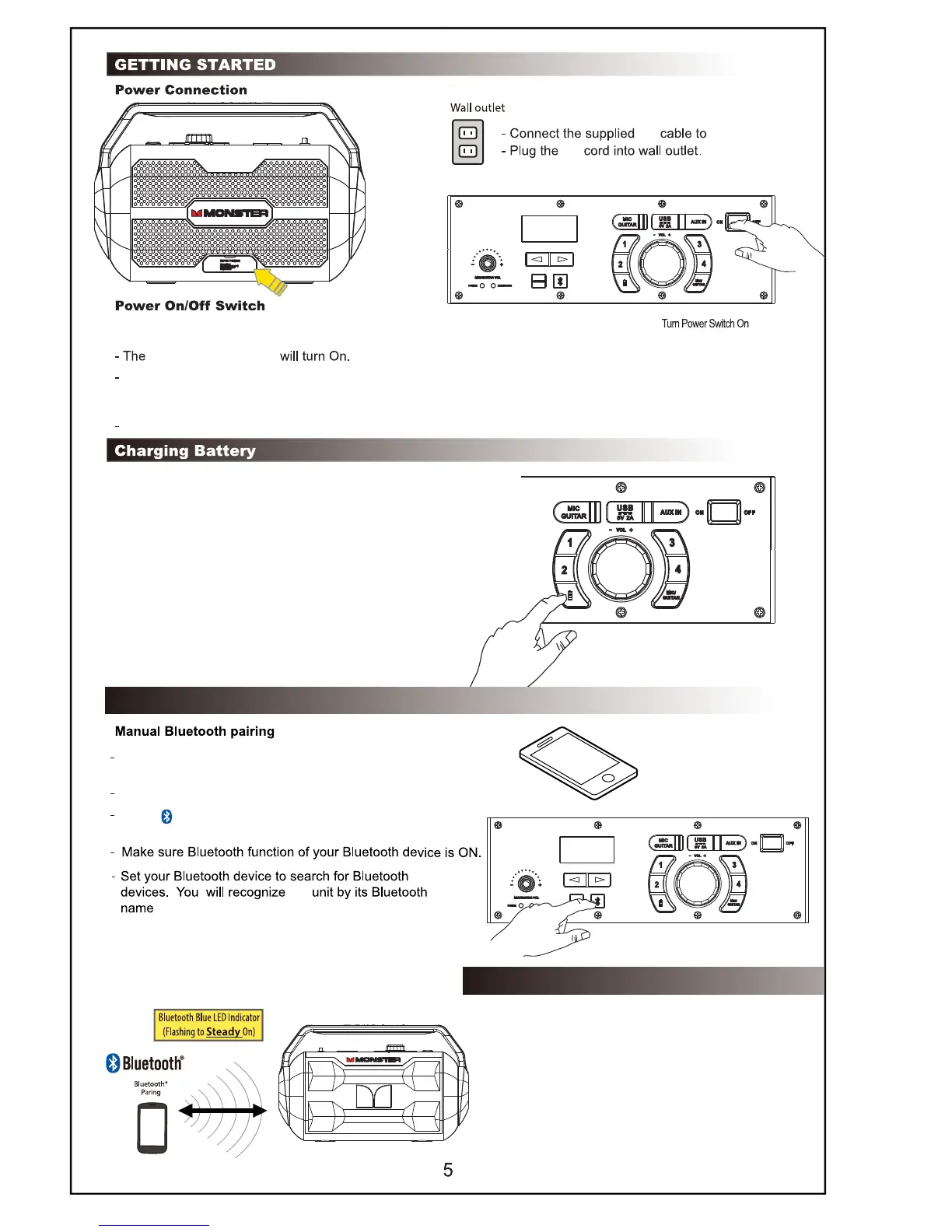
Press the Source button until "BT" mode is displayed on LED screen
Press “Bbutton on Speaker to enter
into Bluetooth pairing mode. BT Blue LED will flash .
Monster Nomad
the
- By connecting AC power, battery will start charging
- Charge battery about 6 hours in Power off mode
before you start using the unit for the first time
- Battery status by pushing battery button. 100,75,50,25
and battery low on LED display when press battery button.
- The Red Power LED will pulse off and on during battery charging.
- The RED power LED will turn solid when fully charged.
The unit will enter into Bluetooth mode,
Bluetooth LED will flash blue.
If the 3.5mm Stereo Audio cable is plugged in during this Power On mode, it will automatically enter into AUX mode.
AC
AC
Power Red LED
PAIRING USING NFC
- Turn on NFC function on your Bluetooth
enabled device.
- Place your Bluetooth device on the silkscreen
“NFC” on the right side of Monster Nomad handle.
- Confirm Bluetooth connection on your Bluetooth
device. Note: Blue LED indicator will be solid.
- Once paired you can play audio from your Bluetooth
device and audio can be heard from the unit.
- Once selected,your Bluetooth device will indicate
as "Connected" , and you will hear confirmation
tone from the speaker;
- Bluetooth LED turns solid upon completion of pairing.
- Press the Power switch to "ON" position on top panel of speaker
BLUETOOTH CONNECTION (Bluetooth Device)









 To Next Page