25
5.2 ACCESSING FINE TUNING MODE
With the transmitter in Normal Operating Mode:
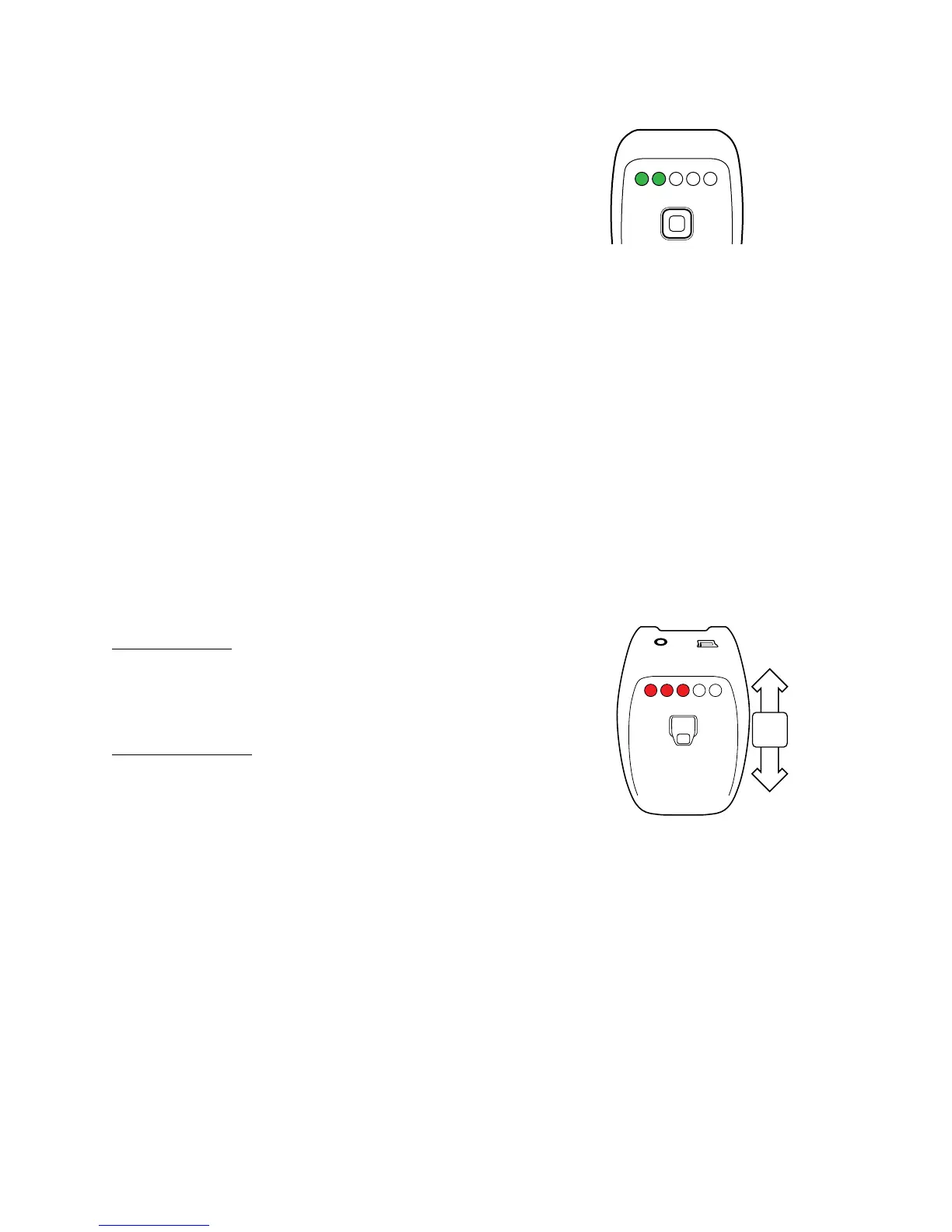
1. Press & Hold the joystick until the first 2 LEDs illuminate GREEN.
2. Once they illuminate, release the Joystick.
NOTE: The transmitter will default to Normal Operating mode
within 60 Seconds of Inactivity.
5.3 FINE TUNING OPERATION
Depending on the function being adjusted the joy stick is moved either left & right or up & down.
Each function can be adjusted with press of the joystick or a press & hold. During a press & hold
the settings changes quickly and can be used to modifying the settings in a timely manner.
Changes to the settings are indicated via the LEDs on the transmitter; each change will brighten or
darken the LEDs depending on the direction of the change (See Function Adjustment sections below).
As the settings are changed the LEDs will illuminate in sequence and change through 4 levels of
noticeable brightness. While there are more than 20 possible values for the settings, the LEDs will
only indicate up to 20.
5.4 ADJUSTING DELAY
Delay is adjusted by moving the Joy stick Up or Down.
Press Joystick Up
• Delay Increases
• LED illuminates RED or increases in brightness
Press Joystick Down
• Delay Decreases
• LED decreases in brightness or turns off
UP
DOWN
PRESS



 To Next Page