Need help?
Do you have a question about the Montalvo S4 and is the answer not in the manual?
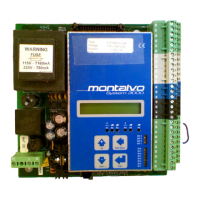
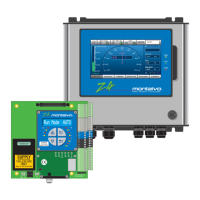
Provides a general description of the S4 controller and its system operation.
Details mounting procedures for flush and surface installations.
Explains electrical connections, safety, and terminal assignments.
Describes LC ZERO, RMSP ZERO, SW-1, CONTRAST, and OUT ZERO adjustments.
Identifies the digital display, keypad, help button, and status LEDs.
Explains the function of each button on the controller keypad.
Describes the TENSION, AUTO, ANTICOAST, and SOFTSTART status lights.
Step-by-step guide for initial controller setup and parameter review.
Detailed procedure for calibrating the controller using a weight.
Explains Soft Start purpose, implementation, and setup for smooth startups.
Steps to configure the anti-coast feature for deceleration.
How to set up the splice feature for operations like flying splices.
Using the AutoTune feature for optimal controller tuning and parameter saving.
Procedure to overcome rewind friction and inertia during startup.
How to program and configure taper tension to reduce tension as roll diameter increases.
Overview of accessing and configuring key system setup menu options.
How to change units for length, weight, and tension measurements.
Configuration for detecting and responding to web breaks.
Details on connecting and calibrating external signals for setpoint control.
Visual representation of the controller's message sequence for unwind operations.
Diagram illustrating the navigation and options within the system setup menu.
Visual representation of the controller's message sequence for rewind operations.
Features and setup procedures for rewind inertia compensation.
Table for recording various controller parameter settings for different materials.
Step-by-step guide for re-configuring jumpers on the S4 circuit board.
Contact details for Montalvo headquarters and international offices.
 General
| Brand | Montalvo |
|---|---|
| Model | S4 |
| Category | Controller |
| Language | English |


 To Next Page