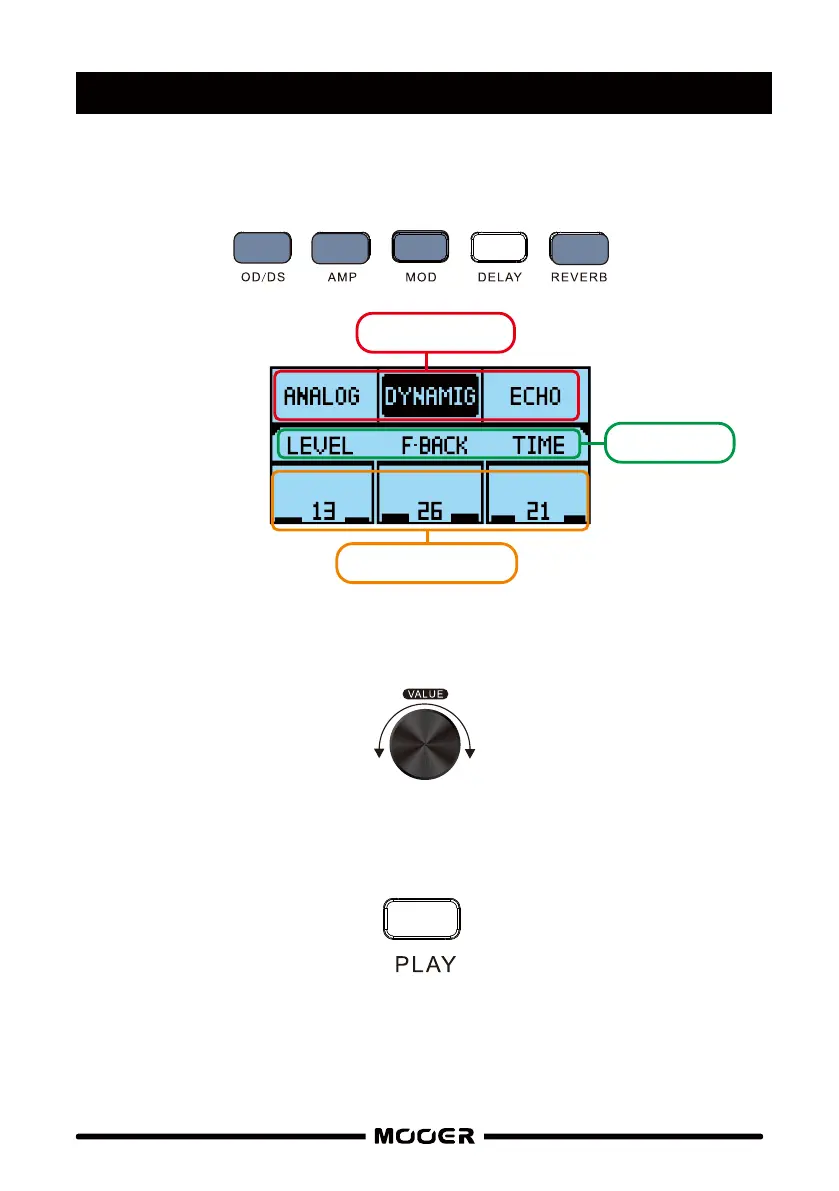
Press an effect button to navigate to it’s edit screen
Press this button again to toggle the effect on/off
Rotate the VALUE control to select an effect model
Press the VALUE control to highlight effect parameter
Rotate the VALUE control to adjust parameter settings
Press the PLAY button when you are finished editing to return to the PLAY screen. Don’t forget
to save your preset if you want to keep it.
EDITING PRESETS
EFFECT MODEL
PARAMETER V ALUE
PARAMETER
9


 To Next Page