SAVING PRESETS
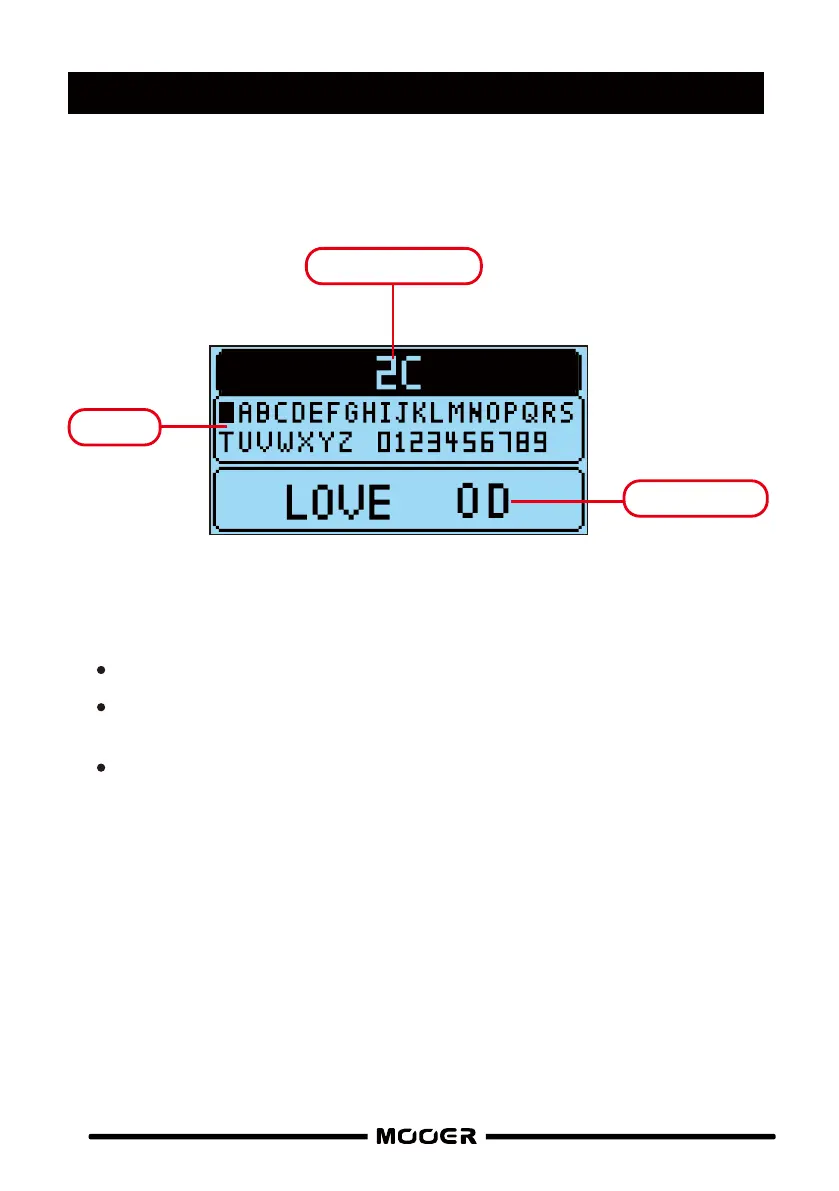
Press the save button to enter the preset save screen
PRESET NUMBER
PRESET NAME
Rotate the VALUE c ontrol to select the target preset number. Press to accept
Enter your new preset name using the keypad. Press VA LUE to select a character, rotate
VALUE to change it
Press the S AV E button to complete the saving procedure
Press the PLAY b utton to cancel saving
KEYPAD
10


 To Next Page