MOONEY INTERNATIONAL CORPORATION
M20V SERVICE AND MAINTENANCE MANUAL
Date
MAR 2017
Rev Date
Page
10
Oxygen System Bleed- Down (Purging)
Use the following procedure to bleed- down the oxygen
system should any of the hard lines, nonconductive line
be opened, or bottle removed and re- installed/re-
placed. This procedure is required to prevent contami-
nation, or moisture inside the system.
1. Attach the filler line to the filler port, making sure to
purgethelinepriortoattachingtotheaircraft.
2. With the System ON, and flowmeters (or open
Connectors) installed in the distribution ports, initiate
flow for 1 - 2min.
3. Removed the flowmeters from the distribution port,
and turn the oxygen System OFF, and fill to 650psig.
4. Perform leak checks as required.
5. Turn the System ON and using flowmeters (or
open connectors) installed in the distribution ports;
bleed the system down to below 50psig (but above
0psig).
6. Repeat steps 3- 5 once. (Leak check not required
on second purge)
7. Removed the flowmeters from the distribution port,
and turn the oxygen System OFF, and fill to 1500psig.
8. Perform Final leak check.
9. Fill System to 1800- 2000psig as required.
Pulse Oximeter (FlightStat) - (Optional)
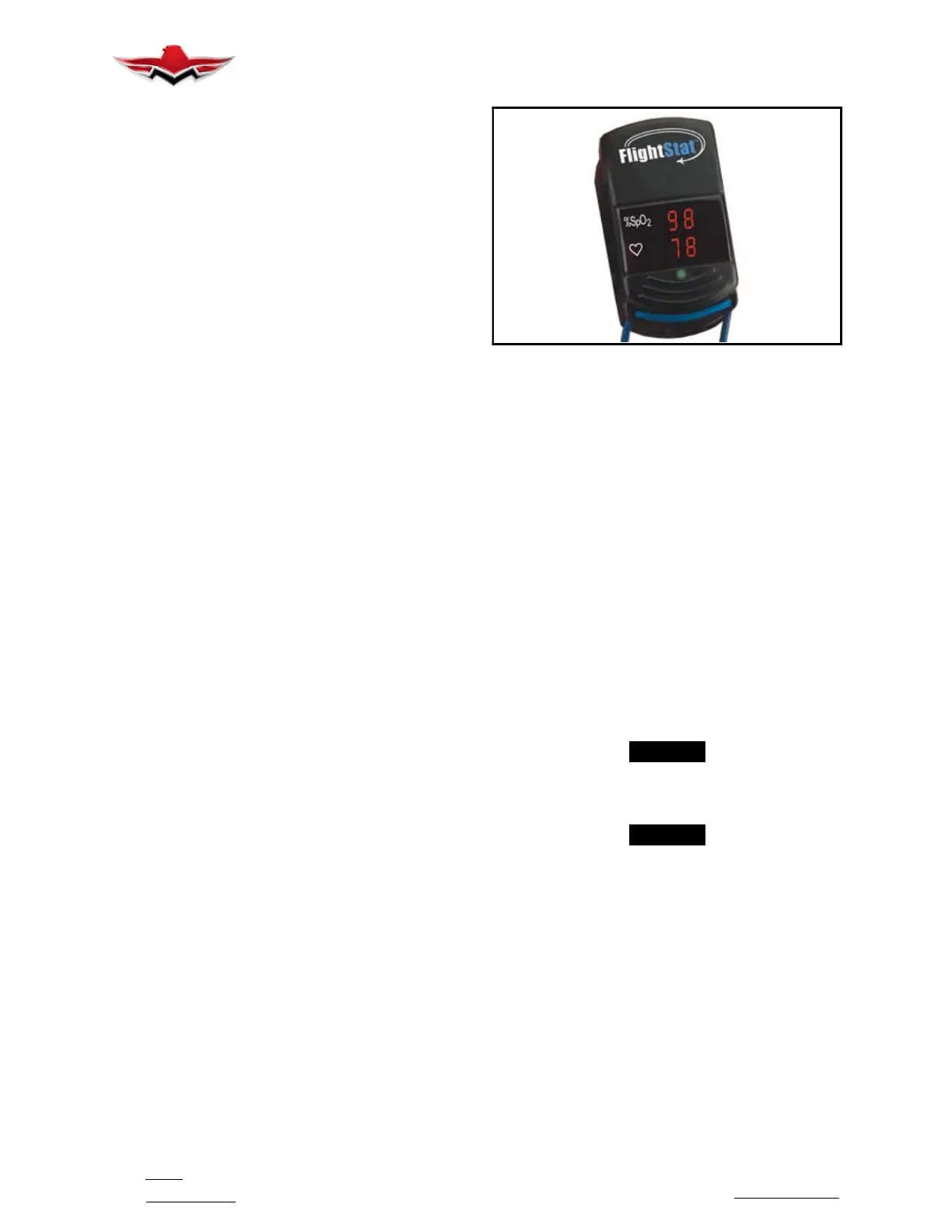
The Non in Medical “FlightStat” Pulse Oximeter (Fig-
ure 35- 7) emits red and infrared light through the fin-
ger and detects the fluctuating signals caused by the
pulsating blood flow. Pulse rate is determined from
the signals received by a light detector. The ratio of
the fluctuation between red and infrared light signals
is used to calculate the relative blood oxygen satura-
tion (%SpO2) of hemoglobin. A pulse oximeter indi-
cates what percent of hemoglobin molecules are
carrying oxygen; blood oxygen saturation or
%SpO2. A %SpO2 reading of 97 indicates that a rel-
ative 97% of your hemoglobin molecules are carry-
ing oxygen.
At higher altitudes, %SpO2 decreases due to less
oxygen available because of the decrease in air
pressure. Physical exertion at high altitude may be
difficult because of the reduced oxygen level.
DISPLAY LOGIC CONTROLLER
FIGURE 35-8
Two AAA- size batteries power the FlightStat for
approximately 1,600 spot checks; it may be stored for
approximately nine months. When the batteries are
low, the numeric displays flashes once per second. To
conserve battery life, the FlightStat will automatically
shut off approximately ten seconds after the finger is re-
moved. This unit’s advanced digital circuitry requires
no calibration or periodic maintenance other than peri-
odic battery replacement.
Oxygen Required Pressure Calibration Check
The Precise Flight, Inc. Fixed Oxygen System is de-
signed with an additional safety feature to indicate Oxy-
gen is required if the system is off, or there is no pres-
sure at the outlet, when the cabin pressure is at
12,000ft Pressure Altitude (PA). This pressure sensor
is internal to the Display Logic Controller (DLA). To en-
sure this safety feature is functioning properly a check
of its function is required during the annual inspection.
This may be done by a flight test to altitude, or by a
ground test.
-NOTE-
The Altitude Sensor in the Oxygen System Dis-
play Logic Assembly is NOT connected to the
aircraft static system.
-NOTE-
Not All aircraft are equipped with a Display Logic
Assembly where a test port is available. In these
cases the flight test is the only approved method
for testing the calibration.
Flight Test (Method A)
Method A of checking the calibration is by flight test.
This flight is intended to be done during the mainte-
nance release flight following the annual inspection.
The procedure is to fly to 11,000ft PA (alt setting of
29.92inHg) and during the climb to 12,500ft PA with the
oxygen system OFF, note the altitude which the O2 Re-
quired Amber light begins to flash. This should occur
between 11,500ft PA and 12,500ft PA if the system is
operating normally.
35-00-03


 To Next Page
 Loading...