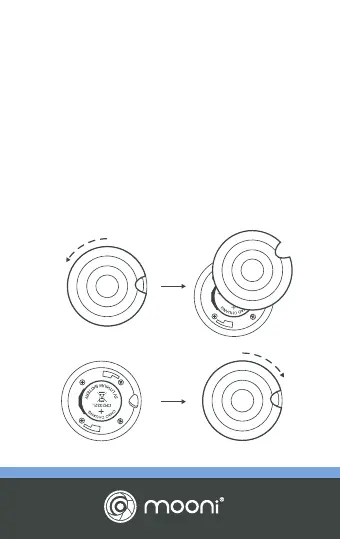
REPLACING THE BATTERY
Mooni
®
comes fitted with a long-life CR2032
lithium-ion battery as well as a spare for your
convenience. To replace, hold Mooni
®
with rear
facing you and gently rotate the cover
counter-clockwise (anti-clockwise). The cover will
loosen, in turn exposing the battery. Remove it and
replace with the new battery. Replace cover and
rotate clockwise to tighten.


 To Next Page