Settings
Bluetooth
Bluetooth
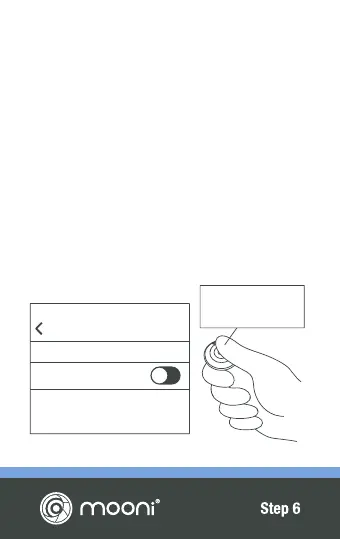
SWITCHING OFF
Press and hold for
3 Seconds.
SWITCHING OFF & RE-PAIRING
Mooni
®
will automatically switch itself off when
you deactivate the Bluetooth
®
function on your cell
phone or device. Alternatively, hold down the
center button for 3 seconds. The LED will flash
quickly for a second before switching off.
Mooni
®
will automatically re-pair with your
Bluetooth
®
device assuming its Bluetooth
®
function is already activated and Mooni
®
is
switched on. You do not need to enter your
Bluetooth
®
settings again.


 To Next Page