Note that screenshots and settings may vary according to
make, model and Android version of cell phone.
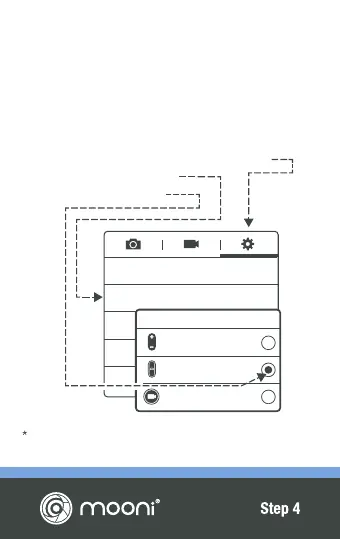
IMPORTANT NOTE FOR ANDROID USERS
Please follow the steps below to ensure your
'Volume Key' is set to 'Camera Key'. This ensures
Mooni
®
operates your camera shutter and not the
zoom function.
• Open Camera app & click ‘gear’ for settings
• Click option 'Volume Key'
• Click 'The Camera Key'
GPS tag
Volume key
Timer
White balance
The camera
key
O
Volume key
The zoom key
The camera key
The record key


 To Next Page