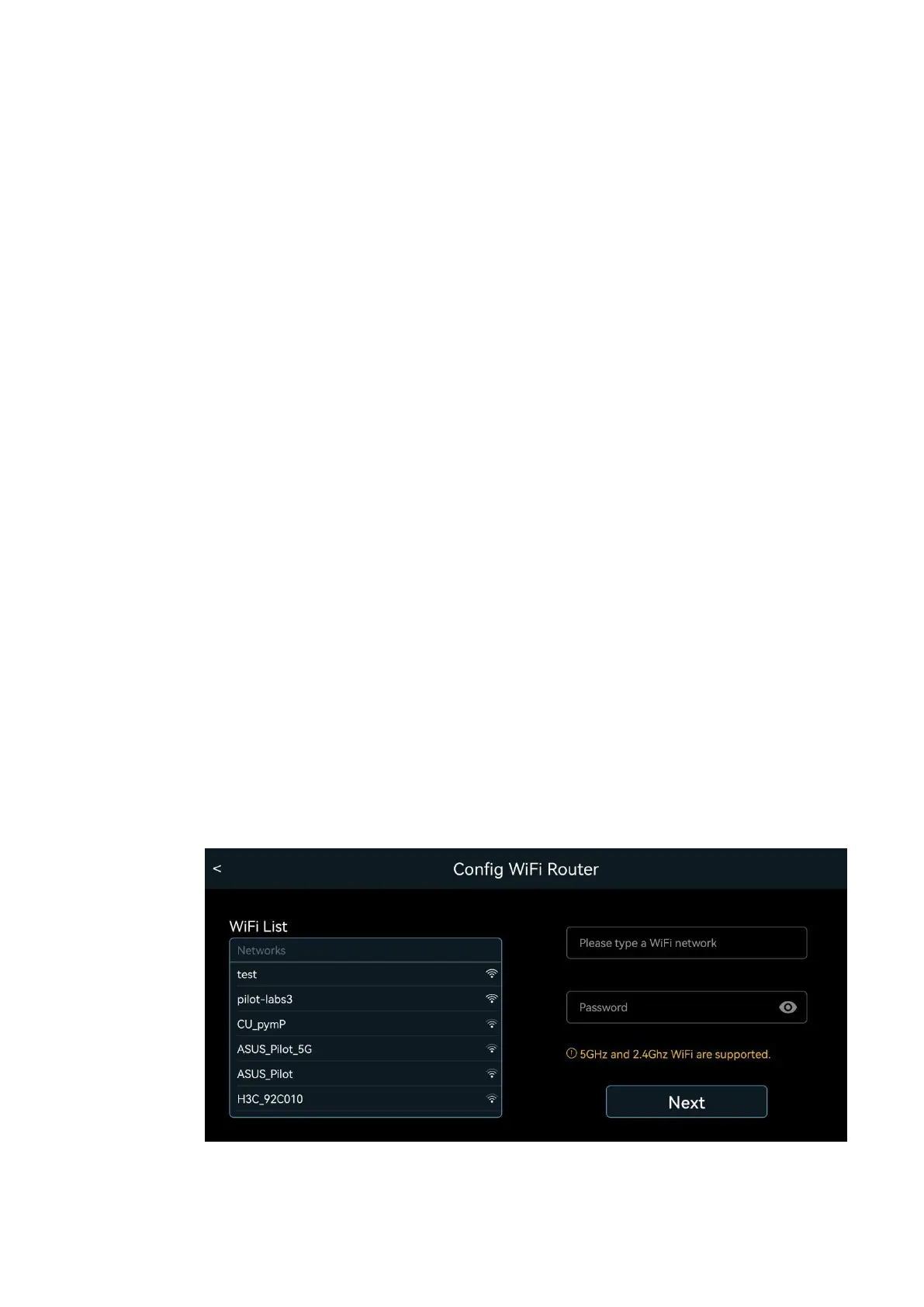
shall stay in the “Wi-Fi Direct” Mode, which is the
out-of-factory condition. Use this App to scan Wi-Fi.
There should be Wi-Fi with the SSID name
“robot_scout_XXXXXX”. This is Scout. Connect to it
with default password “r0123456789”. You can play
with the robot already. If you want to set up the robot
as an IoT device, follow the App, select or type in
your home Wi-Fi SSID and provide the password.
This must be done in the “WiFi Direct” mode when
the mobile phone connects to Scout. If successful,
the robot can switch to the “Wi-Fi Router” mode
automatically and connects to the internet. You can
control the robot and view the video from worldwide
in “Wi-Fi Router” mode.


 To Next Page