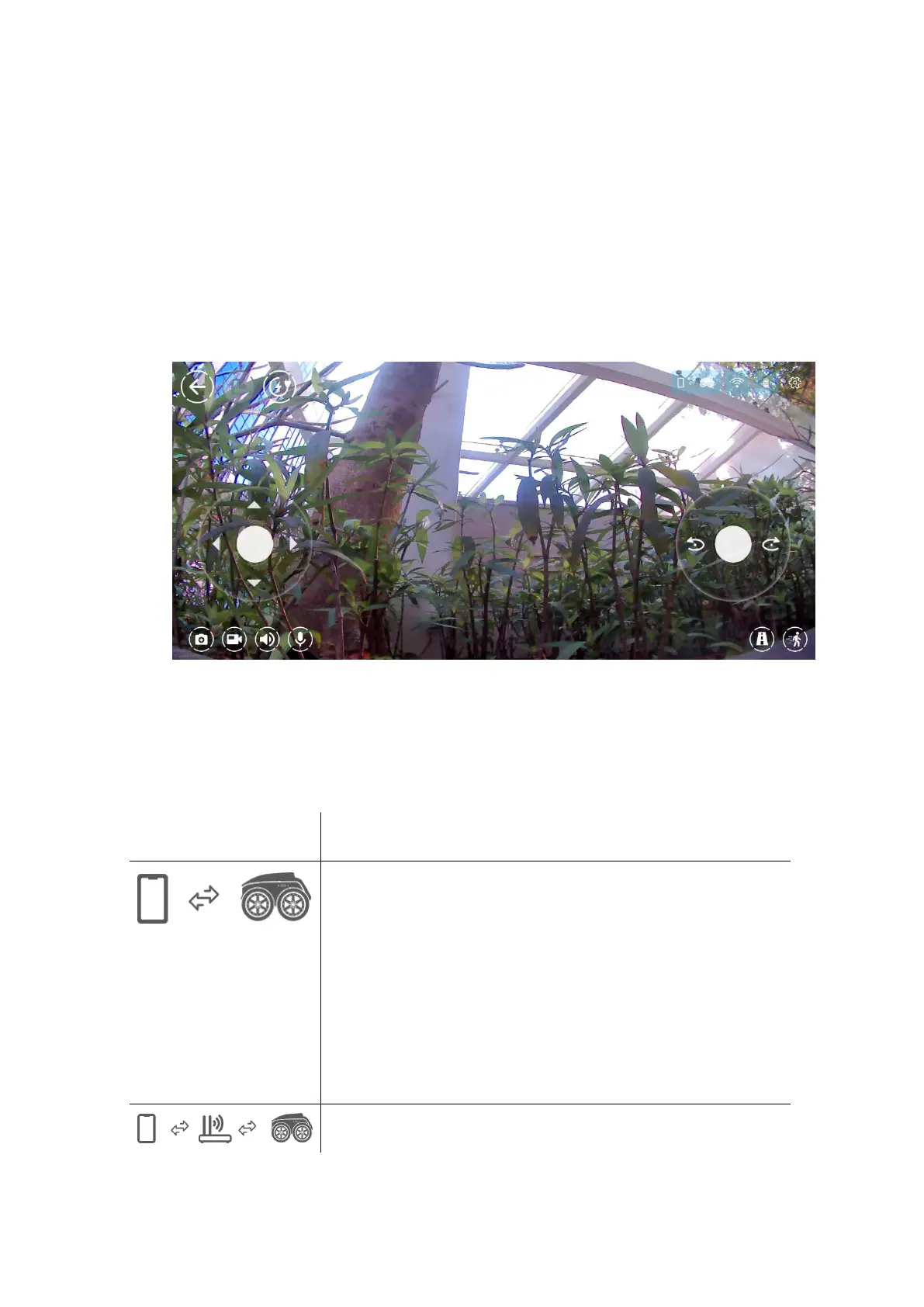
9.1.2 Live video with movement control
The main control panel is shown below. The
controller is overlaid with the camera view from Scout.
The following table illustrates the icons in the App.
Status showing Scout is Wi-Fi direct
mode, where Scout connects to the
mobile phone directly. Green indicates
that the mobile phone is connected
with Scout. Red indicates unconnected.
Status showing Scout is Wi-Fi router


 To Next Page