18
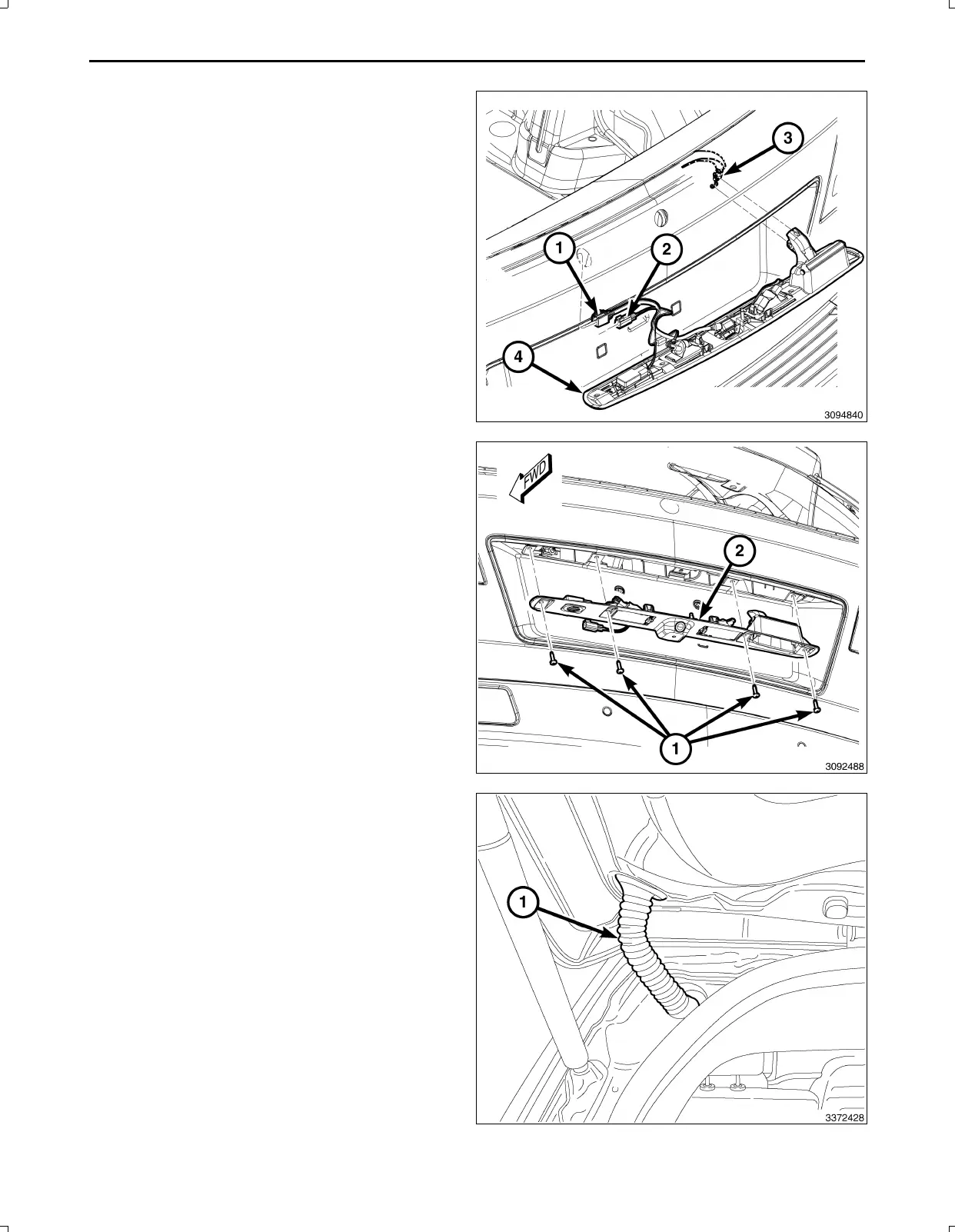
78.Positionthelightbar(4)andconnecttheliftgatere
leasecable(3)tothelightbar(4).
NOTE:Usethevehiclelicenselampconnectorandnot
theoneonthebackupcameraharness.
79.Connecttheelectricalconnectors(1,2)tothebackup
camera,lightsandswitchifequipped.
80.Installthelightbar(2)totheliftgate.
81.Installthelightbarretainingscrews(1)totheliftgate.
82.Seattheliftgateharnessgrommet(1)ontheliftgate
andthebody.
Feb02,2011K6861161



 To Next Page