K6862043
3/11/14
10
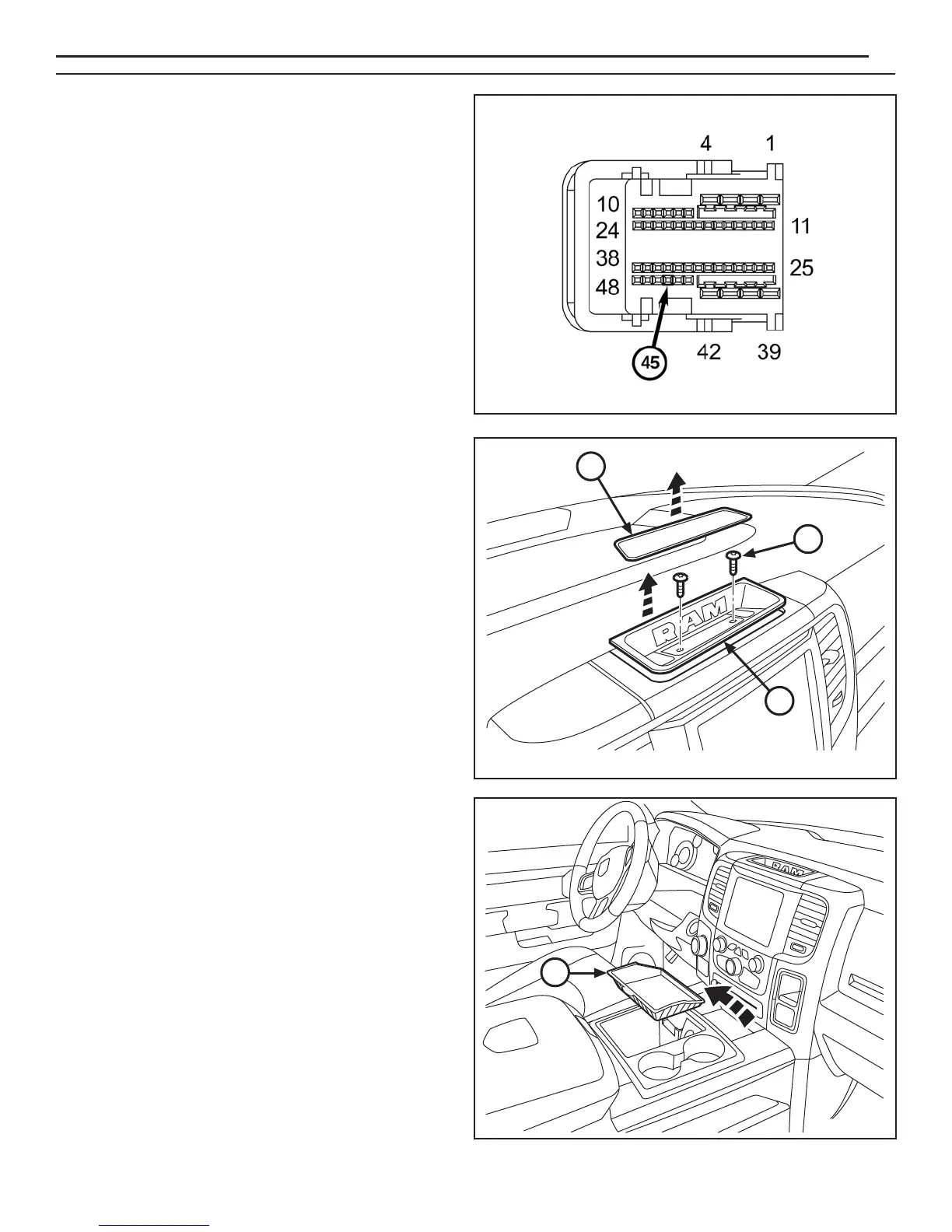
NOTE: Connector C5 front view is shown.
43. Insert the purple wire from supplied harness (A)
into connector C5 cavity 45. If the cavity is already
populated, cut the terminal off the purple wire and
splice the purple wire to the ORG/DB wire in cavity 45
(Splice and solder new wire to the original wire using
the soldering procedure in steps 30 thru 33).
NOTE: Yellow wire is not used. Tape back onto harness.
44. Assemble connector C5 and insert back into BCM.
NOTE: Be sure to keep all fasteners for later
reinstallation.
45. Remove the storage tray cover (1) from the top center
area of the dashboard. Remove fasteners (2) from the
storage tray (3). Remove the tray.
46. Remove the storage tray (1) from the front of the
center console.
2
1
1
3
www.mopar.com


 To Next Page