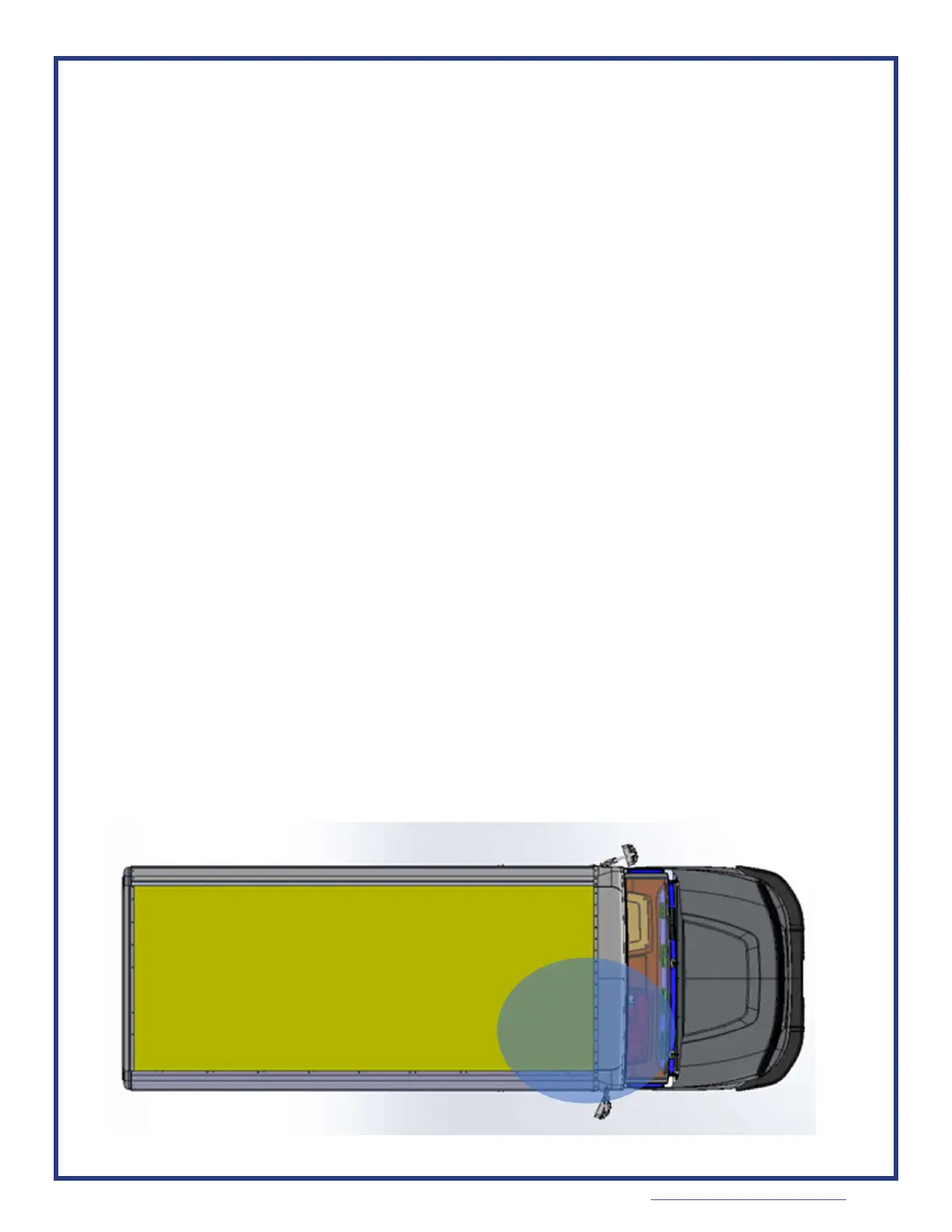
Driver FOB
Detection
Zone
Deleng paired fobs
1. If the vehicle has been le with its doors open, close and reopen at least one door
before connuing to wake the vehicle.
2. Bring the paring fob into the driver’s seat locaon.
3. Press and hold both the brake pedal and the unlock buon for 30 seconds.
•
The vehicle
will
try to detect the
p
a
i
r
i
n
g
-f
o
b
aer 10 seconds of
h
o
l
d
i
n
g
t
h
e
brake and
unlock
bu
o
n.
•
If
detected,
vehicle will
respond by blinking the start/stop buon’s LED at a high rate (toggle every
100ms)
• Keep holding the brake and unlock buon for another 20 seconds.
• The start/stop buon’s LED will switch to a slower blink rate. (Every 500ms), indicang that it is ready
to delete all fobs.
• Vehicle will stay in fob delete mode for 60 seconds if no acon is taken. It will indicate the end of
paring mode by not blinking the LED.
• You can also exit the paring mode by releasing the brake pedal and the unlock buon, then pressing
the start/stop buon.
4.
R
e
l
e
a
s
e
the brake
p
e
d
a
l
and
unlock
bu
on.
5.
Using the paring-fob, press and hold the fob buon for 10 seconds to conrm the
deleng of all fobs.
6.
Vehicle will respond with:
•
Success – Two “2 second on, two second o” pulses of the start/stop buon’s LED if successful.
All fobs are removed from memory, use the paring sequence to add fobs.
•
Any failure – Two “5 second on, 5 second o” pulses if the paring was unsuccessful for another
reason.
•
Aer ash sequence, vehicle will exit the paring mode.
C-250 Keyless Guide 09/2023
www.morganolsonparts.com


 To Next Page