EasyManua.ls Logo

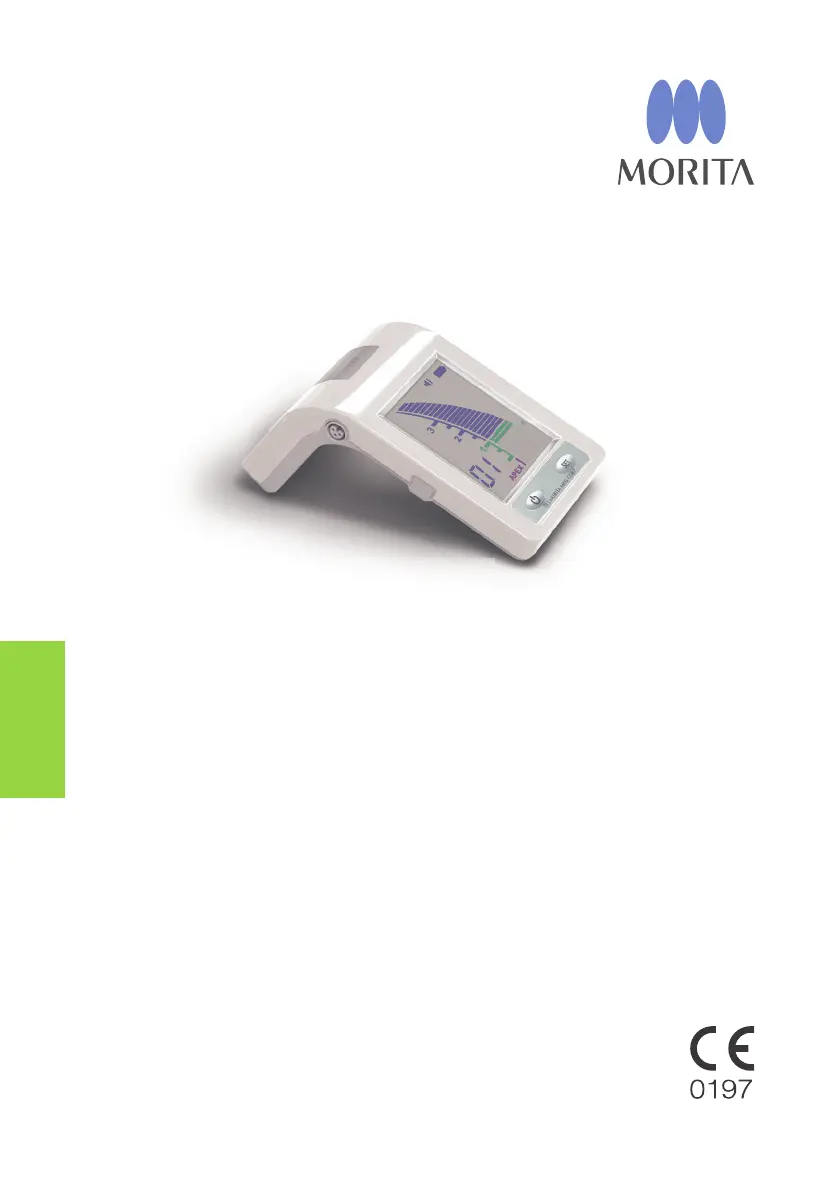
Morita Root ZX mini - User Manual

Morita Root ZX mini
36 pages
Print Icon
To Next Page IconTo Next Page
Loading...
Thinking ahead. Focused on life.
Apex Locator
Root ZX mini
Operation Instructions

Questions and Answers

  • M
    Michael CohenAug 18, 2025
    What to do if Canal Length Indicator doesn't move on Morita Root ZX mini?
    • S
      Steve BrownAug 18, 2025
      If the Canal Length Indicator on your Morita Medical Equipment isn't moving, or only moves when the file tip is close to the apical foramen, it could be because the canal is blocked, the apical foramen is very large and open, or the canal is extremely dry. To resolve this, open the passage all the way through the apical constriction first and then take the measurement. If the apical foramen is large or wide open and not completely formed, the canal length indicator bar will suddenly jump when the file tip gets close to the apex. Moisten the canal with oxydol or a saline solution.
  • R
    Robert ReedAug 21, 2025
    How to fix cannot make a measurement error on Morita Medical Equipment?
    • R
      Richard MasseyAug 21, 2025
      If you cannot make a measurement with your Morita Medical Equipment, check that all connections are properly secured. You can also touch the contrary electrode to the file holder to check probe cord conductivity.
  • A
    Alan HaneyAug 25, 2025
    Why is the Canal Length Indicator unstable on my Morita Root ZX mini?
    • J
      James CooleyAug 26, 2025
      If the Canal Length Indicator is unstable on your Morita Medical Equipment, it may be because the contrary electrode is making poor contact with oral mucosa or the file holder is dirty. To fix this, make sure the contrary electrode makes good contact with the oral mucosa and clean the file holder with Ethanol for Disinfection (Ethanol 70 vol% to 80 vol%).
  • B
    badamsAug 28, 2025
    How to set Memory Bar for file tip on Morita Root ZX mini?
    • L
      lisayangAug 28, 2025
      To set the Memory Bar for the file tip at the desired point on your Morita Medical Equipment, advance file to desired point. Press Set switch firmly. Move file tip up above the Apex Bar.
  • W
    wvasquezAug 31, 2025
    What to do if display does not appear on Morita Root ZX mini Medical Equipment?
    • J
      Jasmine MartinAug 31, 2025
      If the display does not appear on your Morita Medical Equipment, and new dry cells do not solve the problem, the LCD may be malfunctioning.
  • M
    Melissa JohnsonSep 4, 2025
    Why cannot switch memories on Morita Root ZX mini Medical Equipment?
    • N
      nicole91Sep 4, 2025
      You cannot change the memory settings on your Morita Medical Equipment while the unit is making a measurement. The switch may also be broken.
  • D
    David WilliamsSep 7, 2025
    What to do if there is no alarm sound on Morita Medical Equipment?
    • A
      amandashawSep 7, 2025
      If there is no alarm sound on your Morita Medical Equipment, turn the sound on.
  • S
    sarahlambertSep 12, 2025
    How to fix no power on Morita Root ZX mini Medical Equipment?
    • K
      Kiara JacksonSep 12, 2025
      To solve the problem with no power on your Morita Medical Equipment, install batteries properly or replace the batteries.
  • D
    Darryl ColonNov 14, 2025
    Why is the Canal Length Indicator on my Morita Medical Equipment overreacting?
    • B
      boydjamieNov 14, 2025
      If blood or other fluids overflow the canal, the current will leak to the gums and the meter will jump to Apex. In this case, you should thoroughly clean the canal, canal opening, and tooth crown. The canal length indicator bar may suddenly swing when it breaks the surface of fluids inside the canal, but it will return to normal as the file is advanced down toward the apex. Clean the entire tooth surface. This will cause the canal length indicator bar to suddenly jump all the way to the 'APEX'. Accurate measurements cannot be obtained if a large amount of pulp tissue is left inside the root canal. Touching a metal prosthesis with the file allows a flow of current to the gingival tissue or periodontal pocket and will cause the meter to jump to the 'APEX'. Current can flow through the caries...

Summary

Safety and General Information

Accident Prevention and Warnings

Essential safety measures, warnings, and cautionary symbols for device operation.

Warnings and Prohibitions

Critical Usage Warnings

Key warnings regarding accurate measurement, damaged parts, and electrical safety.

Prohibited Actions

Actions strictly forbidden to prevent malfunction, injury, or damage.

Usage and Initial Setup

Initial Setup and Battery Installation

Step-by-step guide for correctly inserting batteries into the unit.

Connecting Accessories and Function Check

Guide for connecting probe cords and verifying unit functionality before use.

Operating the Unit

Performing Measurements

Determining Working Length

Guide to accurately determining the root canal's working length using the device.

Unsuitable Root Canal Conditions

Post-Operation and Maintenance

Maintenance and Sterilization

Disinfection and Sterilization Methods

Approved methods for disinfecting and autoclaving device components.

Troubleshooting Guide

Problem Diagnosis and Solutions

A guide to identify and resolve common operational problems and errors.

Electromagnetic Compatibility (EMC)

Morita Root ZX mini Specifications

General IconGeneral
BrandMorita
ModelRoot ZX mini
CategoryMedical Equipment
LanguageEnglish

Related product manuals