EasyManua.ls Logo

Morita ROOT ZX II - User Manual

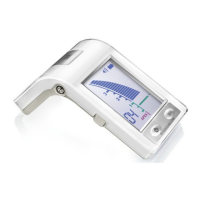
Morita ROOT ZX II
60 pages
Print Icon
To Next Page IconTo Next Page
Loading...
Low Speed Handpiece for Apex Locator
OTR Module
Operation Instructions
ROOT ZX II OTR Module must be connected to ROOT ZX II Canal Measurement
Module, which is sold separately. This unit cannot be used as an independent unit.
This manual is for the OTR Module.
To measure a canal, refer to the manual for the Canal Measurement Module.

Other manuals for Morita ROOT ZX II

Questions and Answers

  • A
    awilliamsSep 23, 2025
    What does 'OH' mean on Morita Medical Equipment and why can't I turn it off?
    • O
      Olivia MartinSep 23, 2025
      If “OH” is displayed on your Morita Medical Equipment and the power cannot be turned off, it means the motor has overheated due to prolonged use or heavy load. The power will automatically turn off once the motor cools down.
  • M
    Michael WellsAug 25, 2025
    What to do if Morita Dental equipment canal length indicator is unstable?
    • J
      James FernandezAug 25, 2025
      Ensure the contrary electrode makes good contact with the oral mucosa. Also, clean the file holder with ethanol.
  • J
    Jacob AndersonAug 25, 2025
    What to do if Morita Dental equipment micromotor does not run?
    • B
      barkerteresaAug 26, 2025
      Check the handpiece cord connections. Try manual mode. If the micromotor operates in manual mode, the problem is with the unit’s root canal measurement ability. Another reason could be that the micromotor is overheated or defective, or the handpiece cord is defective.
  • L
    lorraine39Aug 27, 2025
    What to do if Morita Dental equipment cannot make a measurement?
    • A
      Andrew ShahAug 27, 2025
      Make sure the handpiece cord is securely plugged in. Touch the contrary electrode with a file; if the meter does not react, there may be a broken wire in the handpiece cord.
  • W
    Whitney HicksSep 14, 2025
    Why does the micromotor not stop on my Morita Medical Equipment?
    • D
      Daniel MosesSep 14, 2025
      If the micromotor on your Morita Medical Equipment does not stop, ensure the foot switch is not depressed and that it is not set for reverse rotation. If in manual mode, the file rotation won't stop when out of the root canal. Also, check if the contrary electrode and file are touching each other. If the file keeps rotating, the PC Board may be defective.
  • P
    Patricia FreemanSep 12, 2025
    Why does the display not appear on my Morita Medical Equipment?
    • K
      Kristin RandolphSep 12, 2025
      If the display on your Morita Medical Equipment does not appear, check if there is a sound when the unit is turned on and off. If there is no sound, charge the battery; if there is a sound, the display may be broken.
  • R
    Regina RandallSep 13, 2025
    What to do if I cannot make a measurement with Morita Medical Equipment?
    • O
      ocannonSep 13, 2025
      If you cannot make a measurement with your Morita Medical Equipment, ensure the handpiece cord is securely plugged in and that you're using a file or reamer without insulation on its shank. If the meter doesn't react when touching the contrary electrode with the file, there might be a broken wire in the handpiece cord.
  • Y
    youngjoshuaSep 5, 2025
    What to do if the display does not appear on my Morita Medical Equipment?
    • J
      Jeffrey HawkinsSep 5, 2025
      If your Morita Medical Equipment displays nothing, replace the batteries if there is no sound. If there is a sound, the display may be broken.
  • T
    Tracey FosterSep 3, 2025
    What to do if the Canal Length Indicator bar does not move on Morita ROOT ZX II Medical Equipment?
    • K
      Kendra FloresSep 3, 2025
      If the Canal Length Indicator bar on your Morita Medical Equipment isn't moving (except when very near the apical foramen), it should return to normal when the file reaches apical constriction. You can also try moistening the root canal with hydrogen peroxide or a saline solution. Increasing the size of the file may also help.
  • I
    imathewsSep 4, 2025
    How to fix unstable Canal Length Indicator on Morita ROOT ZX II Medical Equipment?
    • Y
      Yvette FullerSep 4, 2025
      If the Canal Length Indicator on your Morita Medical Equipment is unstable, ensure the contrary electrode makes good contact with the oral mucosa. Clean the file holder with Ethanol for Disinfection (Ethanol 70~80 vol%).

Summary

Safety and Warnings

Attention and Responsibilities

User responsibilities, manufacturer's non-liability for accidents, and product warnings.

General Safety Precautions

Explains warning symbols, intended users, and patient guidelines for safe operation.

Prohibited Actions and Interference

Lists actions to avoid and potential interference sources affecting device performance.

Unit Setup and Initial Procedures

Parts Identification

Identifies all components of the ROOT ZX II OTR Module system with diagrams.

Assembling the Unit Modules

Connects the OTR Module to the Canal Measurement Module and secures them.

Charging the Battery

Step-by-step instructions for charging the internal battery before first use.

Connecting Handpiece and Accessories

Attaches the handpiece cord, contra angle, and contrary electrode to the system.

Micromotor and File Assembly

Guides on assembling the micromotor, contra angle, and inserting a file securely.

Calibration and Function Check

Procedures for calibrating the instrument and checking all functions before use.

Operating the ROOT ZX II

Unit Operation Modes Overview

Overview of OTR and Normal modes for root canal preparation and measurement.

OTR Mode Features and Settings

Details rotation speed, auto functions, and torque settings specific to OTR mode.

Normal Mode Features and Settings

Details rotation speed, auto functions, and torque settings specific to Normal mode.

Root Canal Measurement Procedures

Describes two primary methods for measuring root canal length using the unit.

Root Canal Preparation Steps

Guides on performing root canal preparation using the micromotor and unit.

Display and Switch Functions

Explains the LCD display elements and the function of each control switch.

Memory Settings and Management

Guides on setting, changing, and using operational memories (M1, M2, M3).

Micromotor Operation

Step-by-step guide for operating the micromotor during dental treatment.

Motor Overheating Protection

Information on the motor's thermal protection system and its behavior during use.

Manual Operation Modes

Using the foot switch or unit switches for manual control of the micromotor.

Maintenance, Parts, and Specifications

After Unit Use Procedures

Steps to take after completing operations, including power off, disconnection, and battery charging.

Component Maintenance Procedures

Detailed instructions for cleaning, disinfection, lubrication, and sterilization of parts.

Electrode Replacement Guide

Step-by-step instructions for replacing the built-in electrode when it is worn out.

Battery Replacement and Handling

Instructions for replacing the unit's internal battery and proper handling guidelines.

Transportation and Storage Guidelines

Specifies environmental conditions required for transporting and storing the unit safely.

Regular Inspection Checklist

Lists essential items to check during routine semi-annual inspections for proper function.

Troubleshooting Common Issues

Guides on diagnosing and resolving common operational problems and error codes.

Replacement Parts List

A catalog of available replacement parts with their corresponding numbers and descriptions.

Technical Specifications Summary

Key technical data, performance characteristics, and dimensions of the device.

Electromagnetic Compatibility

EMC declarations, guidance on emissions, immunity, and recommended separation distances.

Warranty and Service Information

Details on the product's limited warranty terms and authorized service providers.

Morita ROOT ZX II Specifications

General IconGeneral
BrandMorita
ModelROOT ZX II
CategoryMedical Equipment
LanguageEnglish

Related product manuals